Automatic Divider-rounder model Syncro
68/79
Use and maintenance manual (translation of the original instructions) - MASA6_en_2 of 23/03/2021
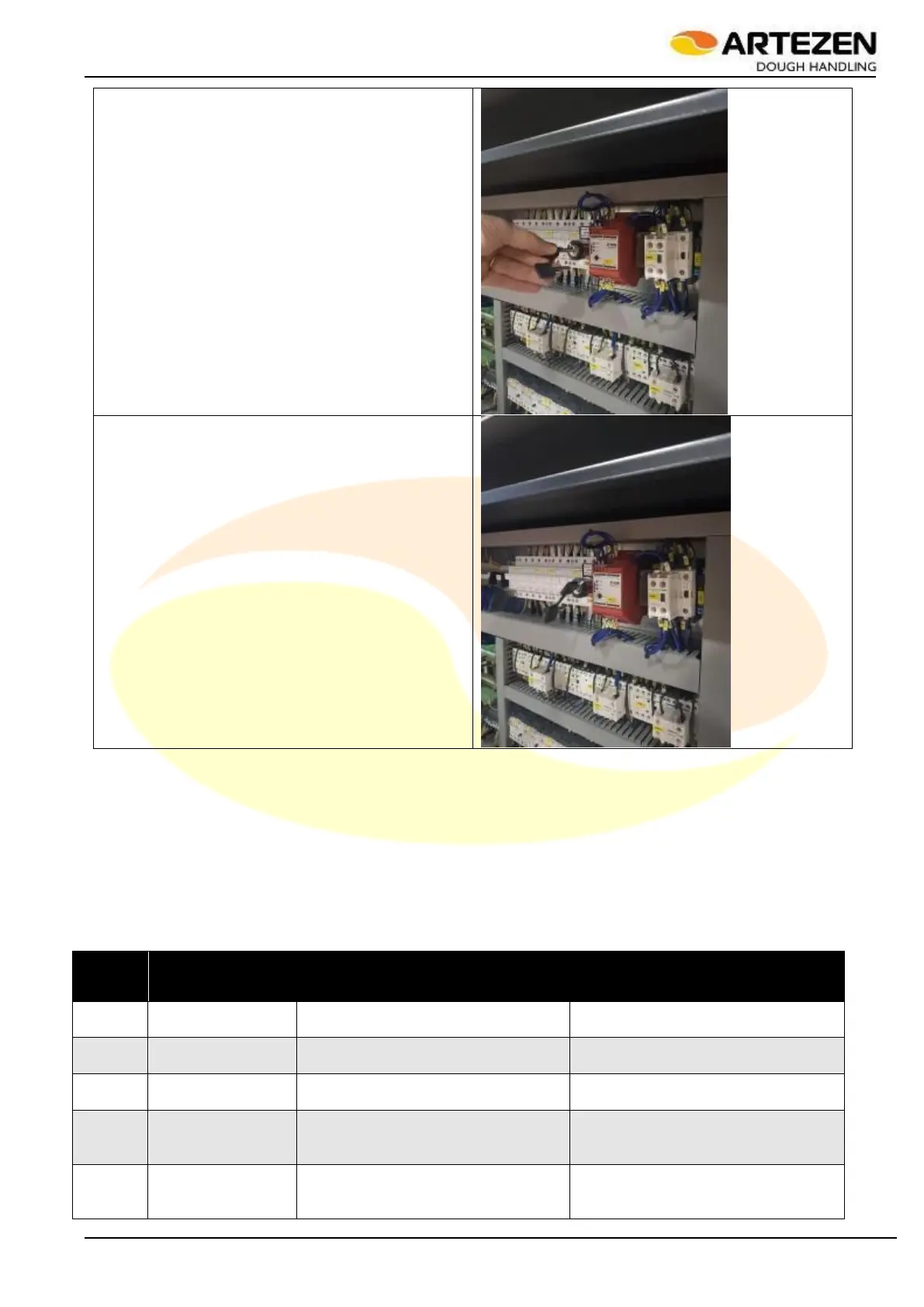
In the position shown in the figure to the side, the
door sensor is enabled and the machine can be
started safely, as starting is only allowed with the
front door closed: in this position, the key can be
removed from the selector in order to be kept by the
technical staff assigned to the installation room.
To disable the front door sensor, turn the key
clockwise: in this position, the key CANNOT be
removed from the selector
4.10 INTERNAL SET-UP PARAMETERS
Table 12 Shows the internal set-up parameters: these are useful for the first installation or during maintenance
operations carried out by specialized technicians. To access the internal parameters, press ESC on the control
panel in Figure 4 ref. 7, then within 5 seconds, press SERVICE on the control panel par. Figure 4 ref.10. A
specific password will be requested:
Enter 2 5 1 1 using the I-DRIVE knob Figure 4 ref. 9 to scroll the digits to be entered, then confirm by pressing
I-DRIVE again.
Parameter 17 allows modifying the recipe storage password.
Drum rotation reset offset correction
Angular-position of drum to start flour
duster
55° (Syncro 120)
50° (Syncro 160)
Angular-position of drum to start
compressing dough (for output
exceeding 2250 pcs / h)
65° (Syncro 120)
65° (Syncro 160)
Angular-position of drum to start
compressing dough (for output below
2250 pcs / h)



 To Next Page