Automatic Divider-rounder model Syncro
38/79
Use and maintenance manual (translation of the original instructions) - MASA6_en_2 of 23/03/2021
3.8.4 PROCESSING SAVING METHOD TO GUARANTEE
REPEATABILITY
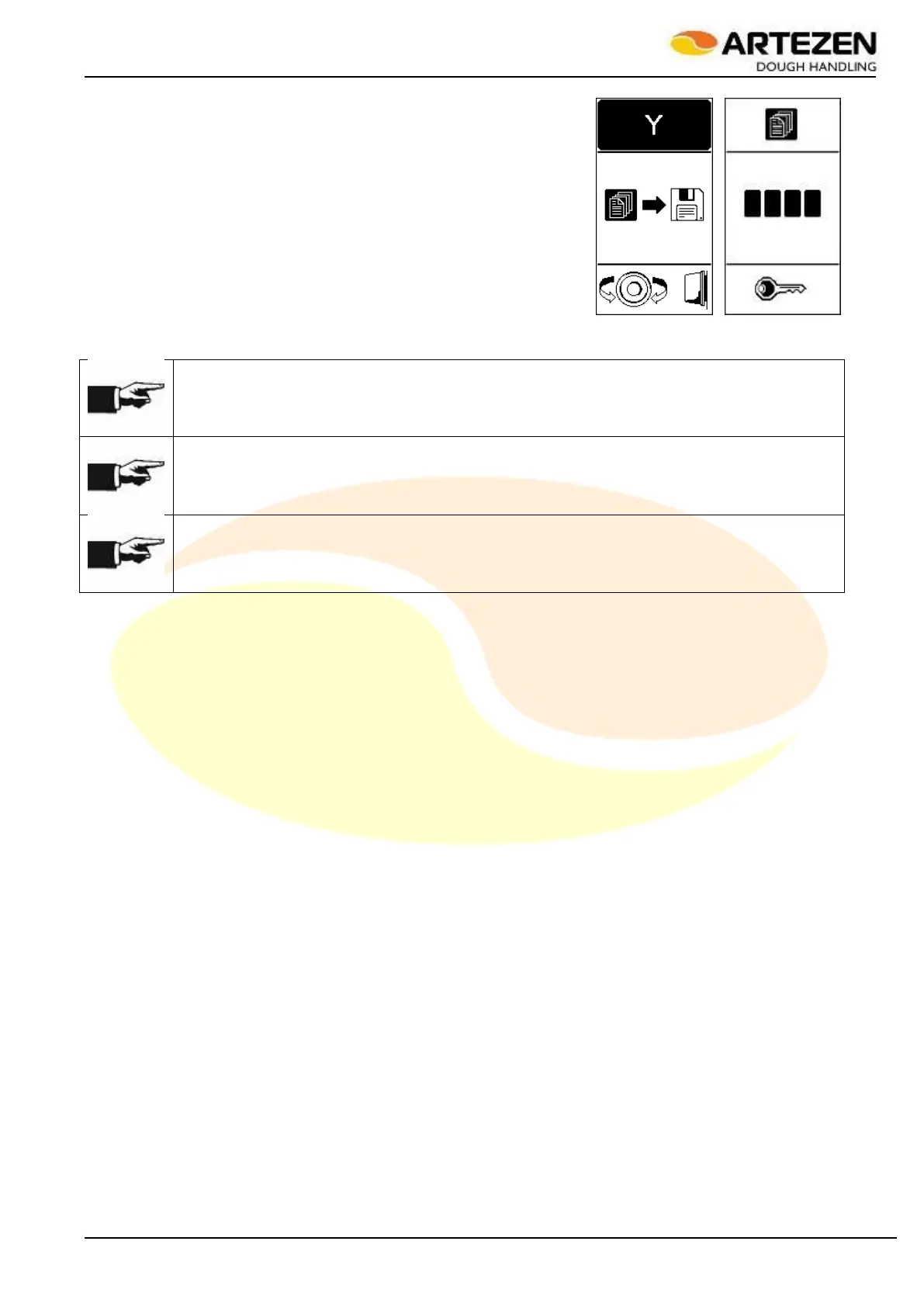
From the screen of the previous paragraph, press "ESC"2.4 ref. 7 to
exit the modification management screen of the current recipe. When
exiting the recipe editing mode, the display will show the image in
Figure 28 , and it will be possible to save / delete the changes made.
Turn “I-DRIVE” to select “Y = YES” to save the changes, or “N = NO” to
exit the recipe modification mode without saving the changes. If
changes need to be saved, enter the USER FOR RECIPE
MANAGEMENT password, as illustrated in 3.8.3.
The password code must be entered by selecting one of the available digits, then confirming the selection by
pressing “I-DRIVE” and so on for the following digits.
NOTE!
The “N” option does not delete the changes made, but rather allows the previously changed
temporary parameters to be kept active until the next recipe change or machine shut-down.
NOTE!
If you enter the save screen that requires a password by mistake, it is possible to exit, without
saving, by pressing "ESC" on the control panel.
NOTE!
The recipe saving password can be changed (see Par.4.10 – Parameter #17)
Figure 28 - Saving recipes



 To Next Page