Automatic Divider-rounder model Syncro
39/79
Use and maintenance manual (translation of the original instructions) - MASA6_en_2 of 23/03/2021
3.8.5 CREATING AND SAVING A NEW RECIPE (OR PROGRAM)
To edit an existing recipe, select a recipe from the proposed list as illustrated in par. 3.8.1and confirm the
selection by pressing "I-DRIVE"2.4 ref. 9: this recipe or program will be overwritten by the newly created one.
At this point, by pressing "P" on the control panel2.4 ref. 5, it will be possible to access to the parameters screen
of the selected recipe as in Figure 26 .
These parameters can all be modified as long as the selected recipe is not loaded using the "START / STOP"
button 2.4 ref. 8.
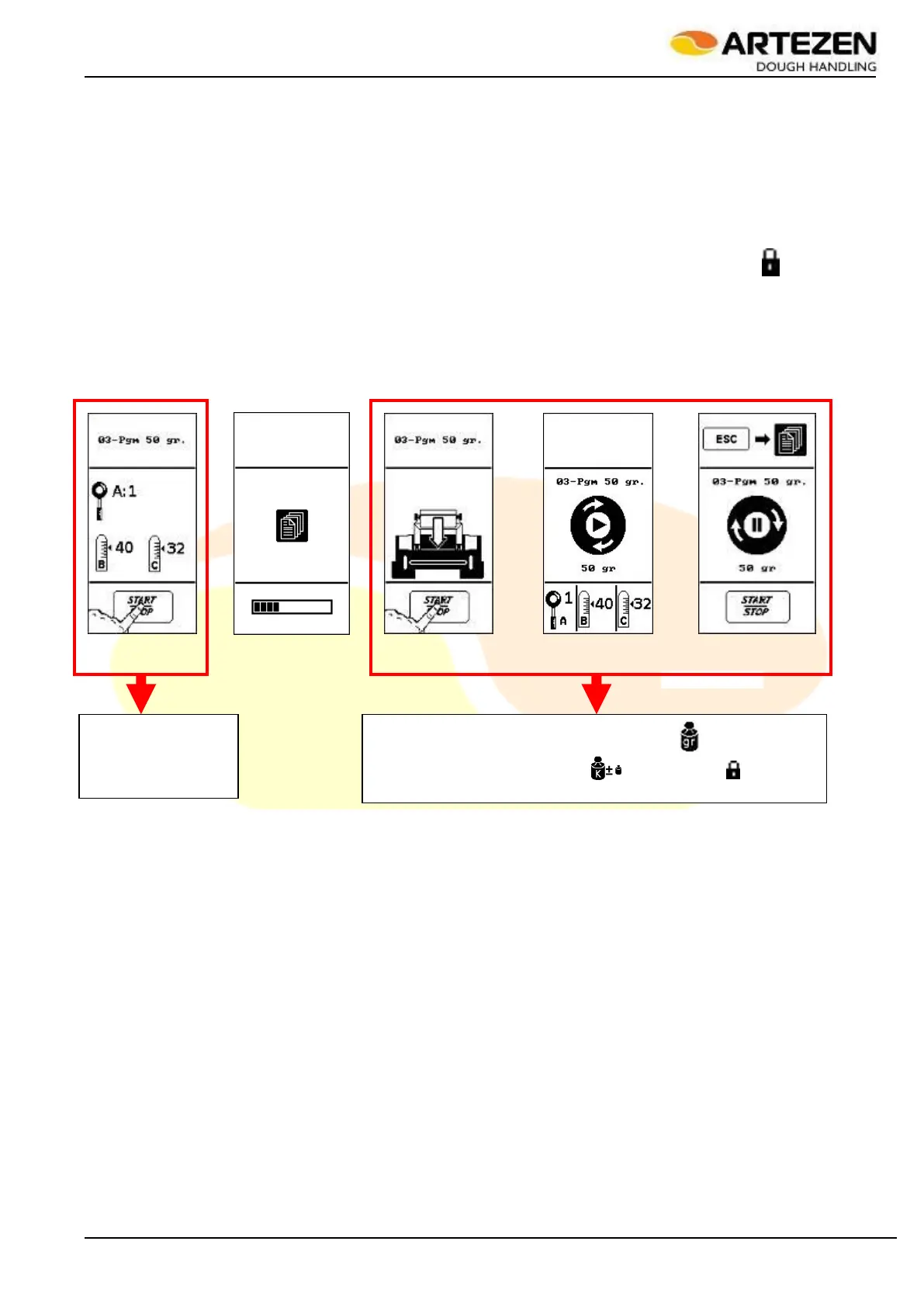
After selecting the recipe (or program) without loading (or starting) the program itself, the display will show
Figure 29 ref. "A": only in this context is it possible to select each parameter of the recipe and edit it, even those
that were protected from editing as illustrated in par.3.8.2, and which were marked by the symbol " "!
If the "START / STOP” 2.4button ref. 8 is pressed, the display will show Figure 29 ref. “B” (while loading the
recipe) at the end of which ref. "C" will be shown, followed by "D" and "E" (during work or when processing
stops): in this last situation it will NOT be possible to edit some of the available parameters, as indicated in par.
3.8.2.
In short:
When "P" is
pressed, all the
parameters can be
edited
When "P" is pressed, the weight parameter ( ) and the weight
correction coefficient ( ) are blocked ( )
Figure 29 - Creating a new work recipe



 To Next Page