Automatic Divider-rounder model Syncro
16/79
Use and maintenance manual (translation of the original instructions) - MASA6_en_2 of 23/03/2021
soon as it is pressed; to release it, rotate its ring clockwise until it is mechanically unlocked;
3. Control panel “ON/OFF” push-button:
4. “DOUGH WEIGHT CORRECTION” push-button: allows correcting, during processing, any discrepancy
in the weight of the divided dough compared to the set one;
5. “RECIPE PARAMETERS” push-button: allows accessing the software page in which the recipe (or
program) parameters currently in use are listed, so that they may be modified if necessary. It is a double
function button; in fact, in protected operating mode, it disables the access to the recipe parameters and
allows modifying only the output of the machine (Par. 4.10 – Parameter19);
6. “FLOUR DUSTER” push-button: allows changing the amount of flour released on the drum during
dividing;
7. “ESC” push-button: allows exiting the menu screens, returning to the previous one;
8. “START / STOP” push-button: allows starting/stopping the current processing;
9. “I-DRIVE” : when rotated, it allows selecting the items and icons present on the screen. Confirm the
selection by pressing the same knob;
10. “SERVICE” push-button: allows accessing the service menu
11. Luminous display
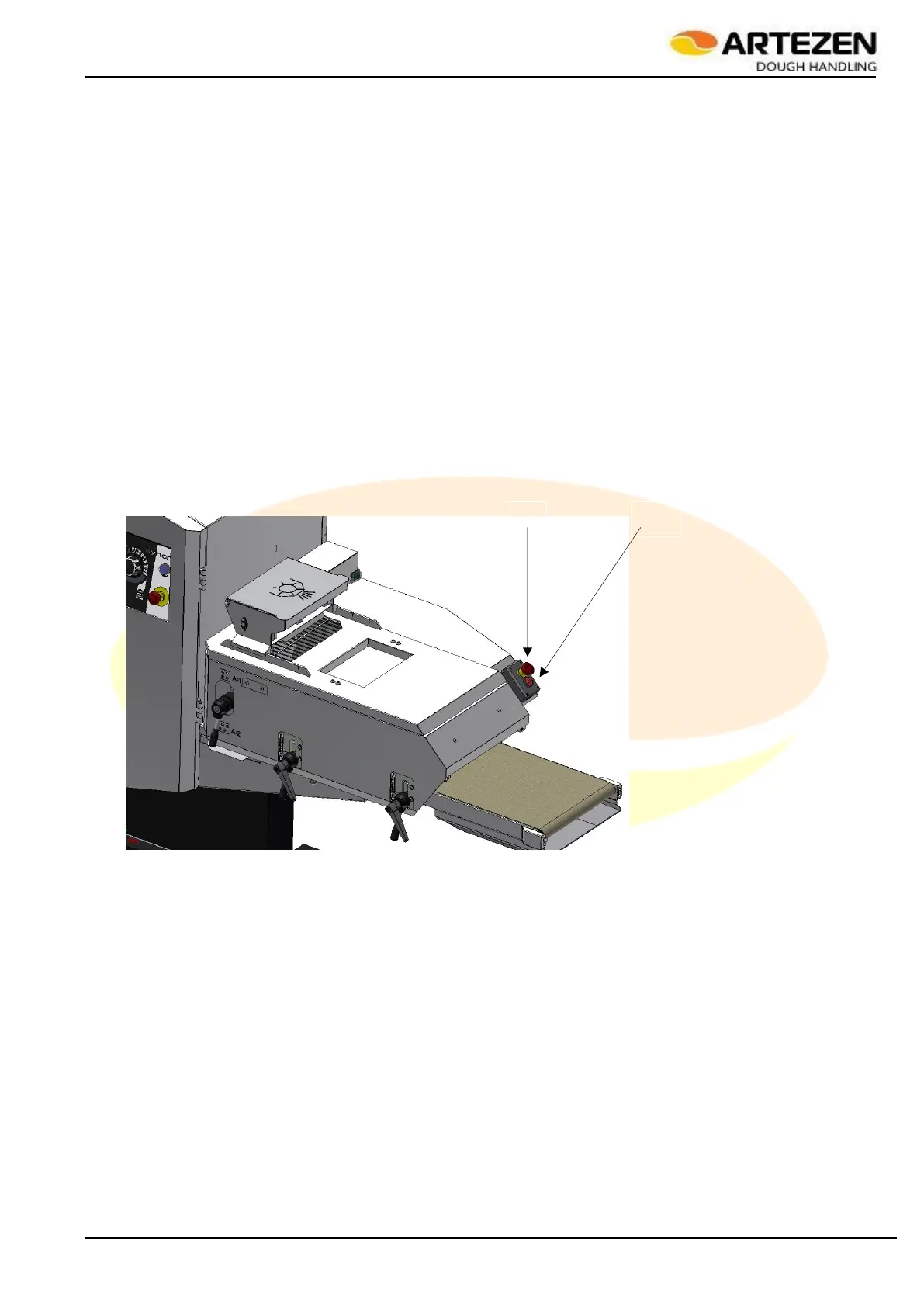
2.4.1 SECONDARY STOP CONTROL PANEL
The machine secondary stop control panel Figure 5 is located in the unloading area of the processed product. It
is installed exclusively in the “SYNCRO M” and “SYNCRO EM” versions as the working position of the operator
for these machines is particularly distant from the main control panel; the presence of this secondary control
panel thus improves the ergonomics when stopping the machine. It consists of a STOP only control, ref. 12, and
of an additional EMERGENCY STOP control, ref. 2
Figure 5 - Secondary stop control panel



 To Next Page