Automatic Divider-rounder model Syncro
71/79
Use and maintenance manual (translation of the original instructions) - MASA6_en_2 of 23/03/2021
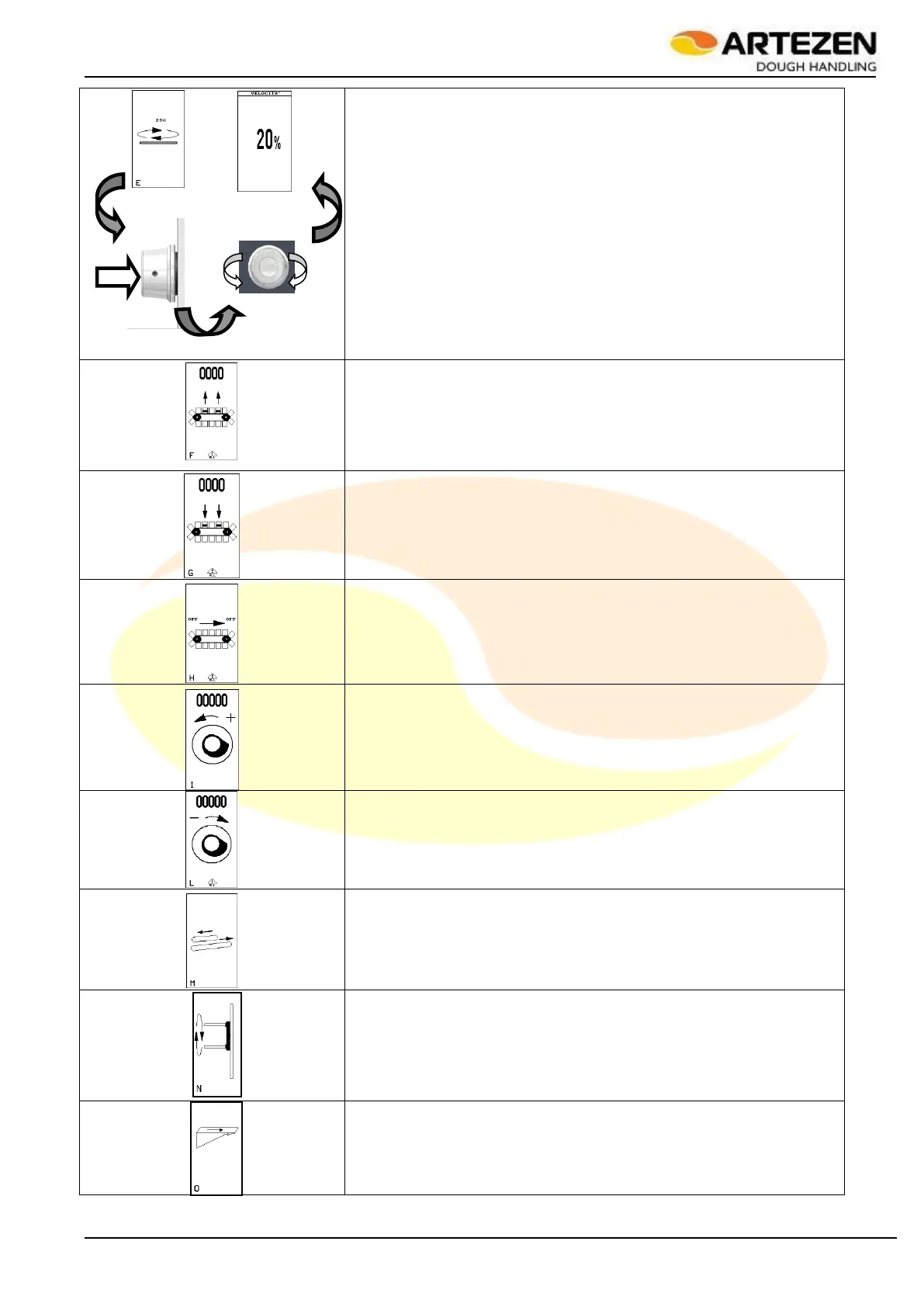
Starting the rounding plate (Figure 1 Pos. 7). A numerical value is
shown at the top of the display which increases when the
corresponding device is rotated. Pressing “I-DRIVE” also shows the
next screen in which it is possible to select a different movement
speed after confirming the selection by pressing the same knob;
Lifting moulds inside the cup conveyor (Figure 1 Pos. 6) (the
movement is automatically stopped when the maximum position - 180
- is reached). A numerical value is shown at the top of the display
which represents the position reached.
Lowering moulds inside the cup conveyor (Figure 1 Pos. 6) (the
movement is automatically stopped when the minimum position - 0 - is
reached). A numerical value is shown at the top of the display which
represents the position reached.
Forward movement of the cup conveyor Figure 1(Pos. 6)
Weight cam rotation in the direction of weight increase. A numerical
value is shown at the top of the display that resets when the value
2700, which represents the position reached, is reached.
Weight cam rotation in the direction of weight decrease. A numerical
value is shown at the top of the display which represents the position
reached.
Bottom loaf moulder forward movement (for Syncro M versions only)
(Figure 1 Pos. 10).
Rotation of dough alignment rollers
Forward movement of transfer belt
Table 13 - Starting in manual mode



 To Next Page