Automatic Divider-rounder model Syncro
36/79
Use and maintenance manual (translation of the original instructions) - MASA6_en_2 of 23/03/2021
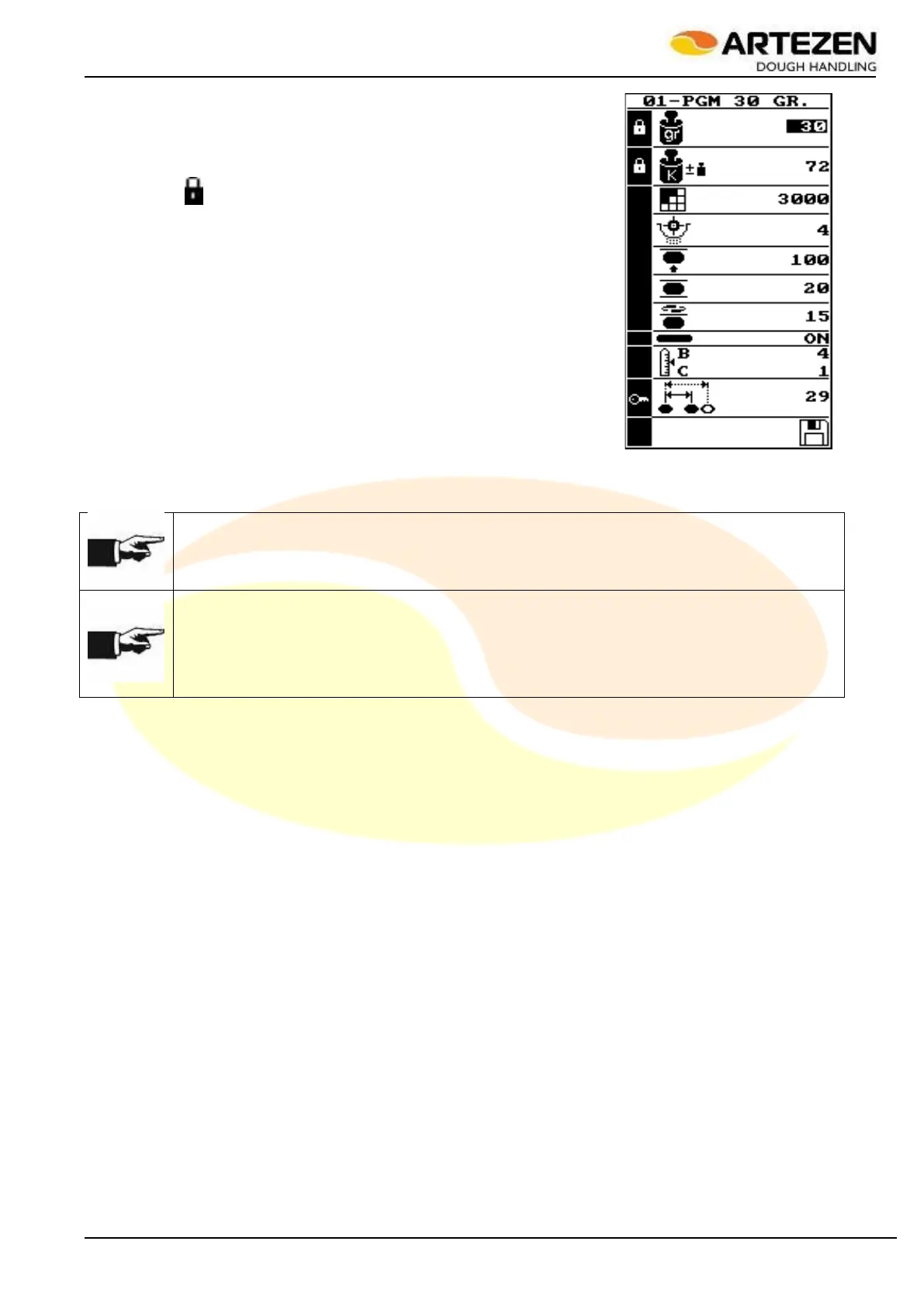
The parameters of the recipe being processed can be changed by
selecting the parameter to be modified by turning "I-DRIVE" par. 2.4ref. 9
until the parameter concerned is highlighted among those available for
modification (see in Figure 27 for example the weight = 30 grams has
been selected but it cannot be changed in this situation because it is
marked with " "). Next, press ”I-DRIVE“ to select the desired function,
then rotate " I-DRIVE "clockwise (to increase its value) or anticlockwise (to
reduce its value); finally press "I -DRIVE” to confirm the operation: only at
the end of this last pressure on “I-DRIVE” will the system acquire the
modification and apply it to processing. To check the results of the
modification, wait approximately 7 ÷ 8 complete work cycles.
NOTE!
The acquisition of the modification by the work system will take place only after the selected
parameter has been modified and the modification has been confirmed by pressing “I-DRIVE”.
NOTE!
In this case, the modification of the working weight can be made EXCLUSIVELY by correcting
the value through the "DOUGH WEIGHT CORRECTION" function, as illustrated in par. 3.8.2:
in this correction mode, the extent of the change is limited to the weight adjustment correction.
If an important modification of the dividing weight is required, it will be necessary to create or
modify another work recipe, as illustrated in par. 3.8.1 and 3.8.5.
Figure 27 - Recipe parameters



 To Next Page