Automatic Divider-rounder model Syncro
48/79
Use and maintenance manual (translation of the original instructions) - MASA6_en_2 of 23/03/2021
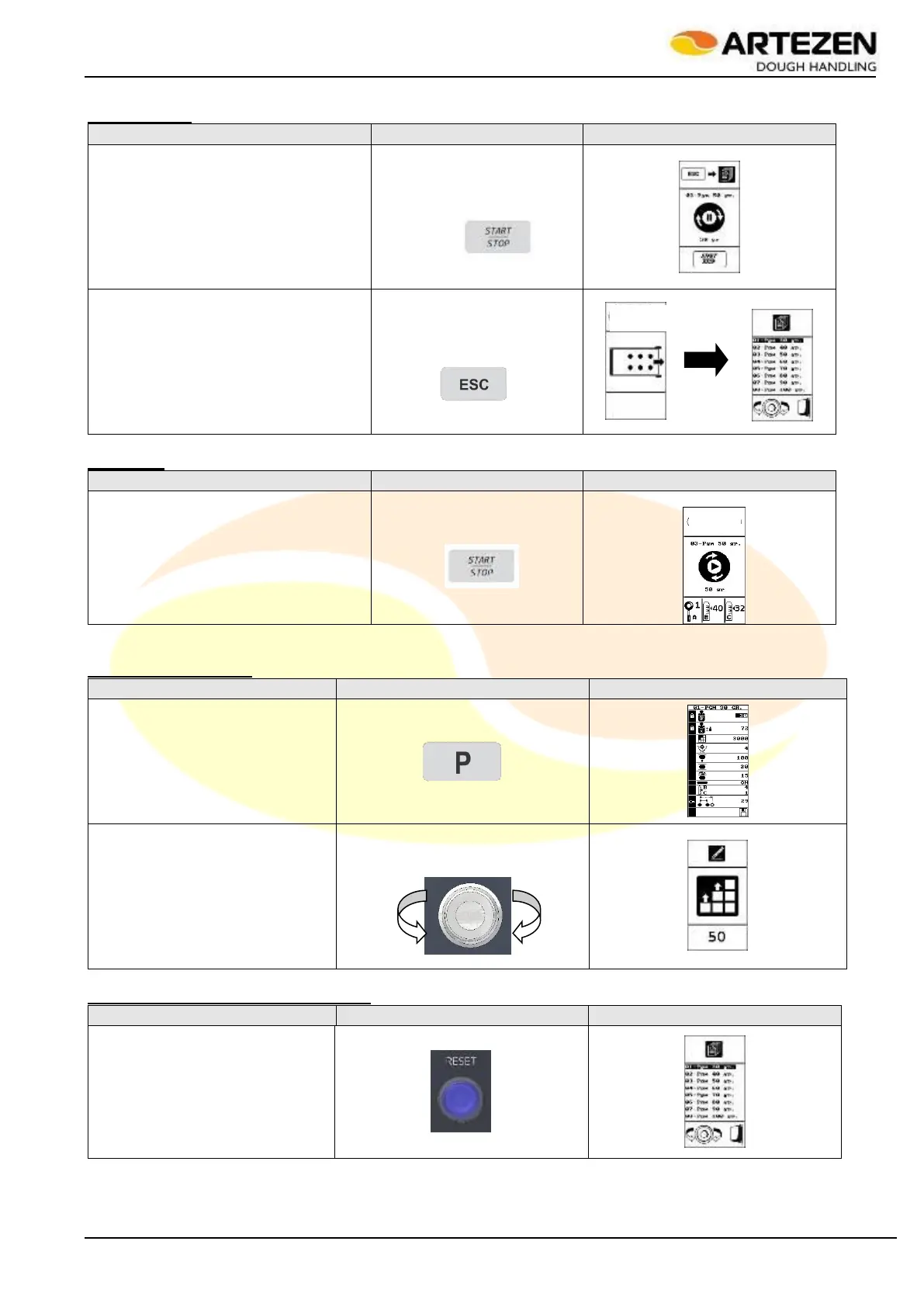
Stand-by stop
When “START/STOP” is pressed
during the work cycle, the machine
stops. To restart, press "START /
STOP" again
Press “ESC” to automatically unload
the product; at the end, the recipe list
screen is shown again.
Restarting
To restart, press "START / STOP"
again
Processing correction
When "P" is pressed, the display
shows the parameters of the
loaded recipe.
Select the parameter to be
modified by turning “I-DRIVE” and
confirm by pressing it.
Modify the value and confirm the
value by pressing "I-DRIVE"
Creating and saving a new processing
Press the "RESET" button as
indicated: the recipe list screen is
displayed



 To Next Page