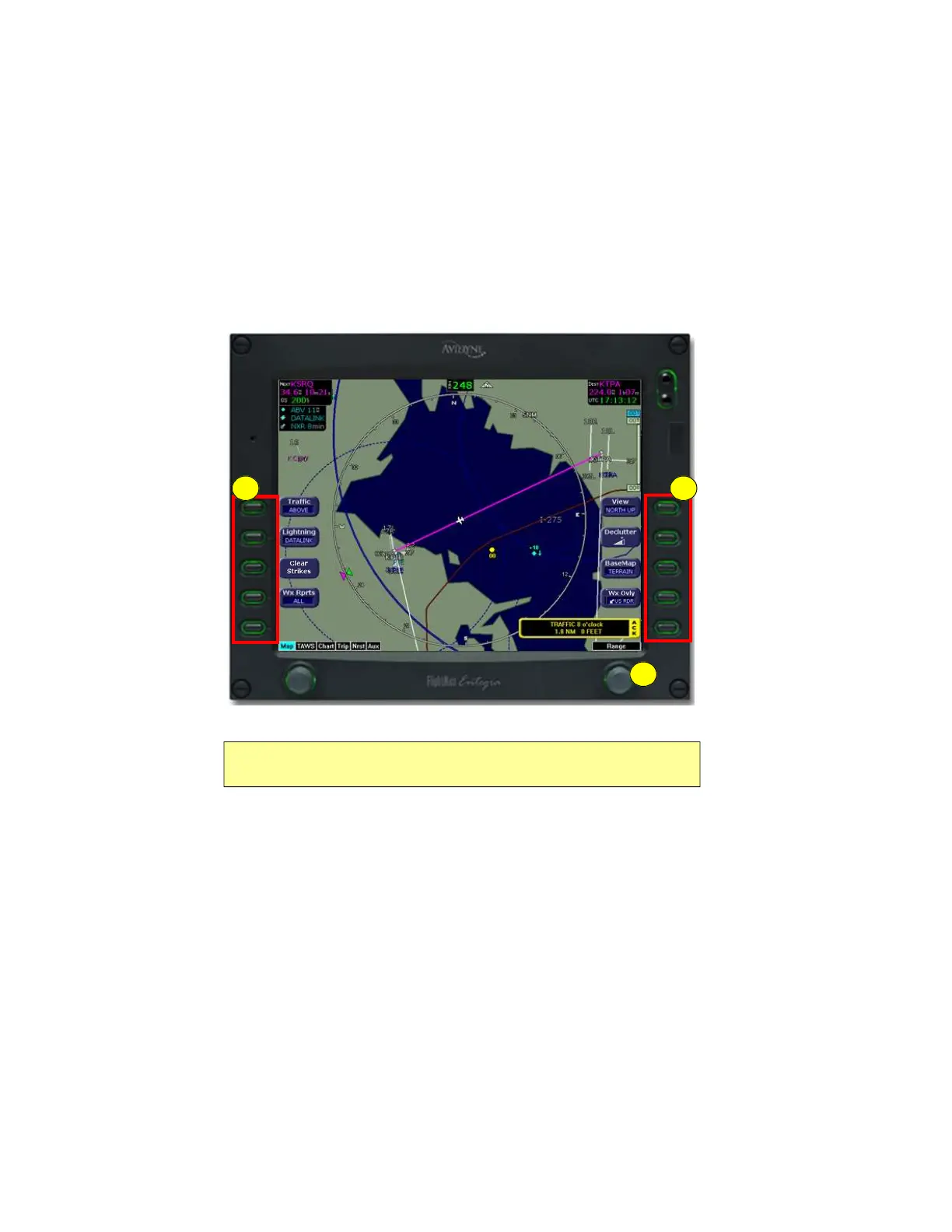
Map Page
Envision EX5000 -8- 600-00151-001 Rev 01
2.1 Map Page—Controls
Buttons on the left side of the bezel provide access to sensor modes
and pages. Buttons on the right side of the bezel access the mapping
functions, and control how the Map is viewed.
Figure 2.1 Map Page Controls
1) Sensor Functions—Control overlay and modes of available
sensors. Buttons are only displayed for the sensors installed in
your aircraft:
n Traffic—Cycles through traffic sensor modes.See
Chapter 4 "Traffic Mode and the Traffic Page ,” for more
information on traffic modes.
n Lightning - Controls the display of lightning strikes or cells
(cells for WX-500 only) on the map (when interfaced with an
Avidyne TWX670, an L3 WX-500 Stormscope, or a satellite-
Note: For information about the Map Symbols, see Section 9.5, "Map
Symbols" on page 99.
1
3
2



 To Next Page