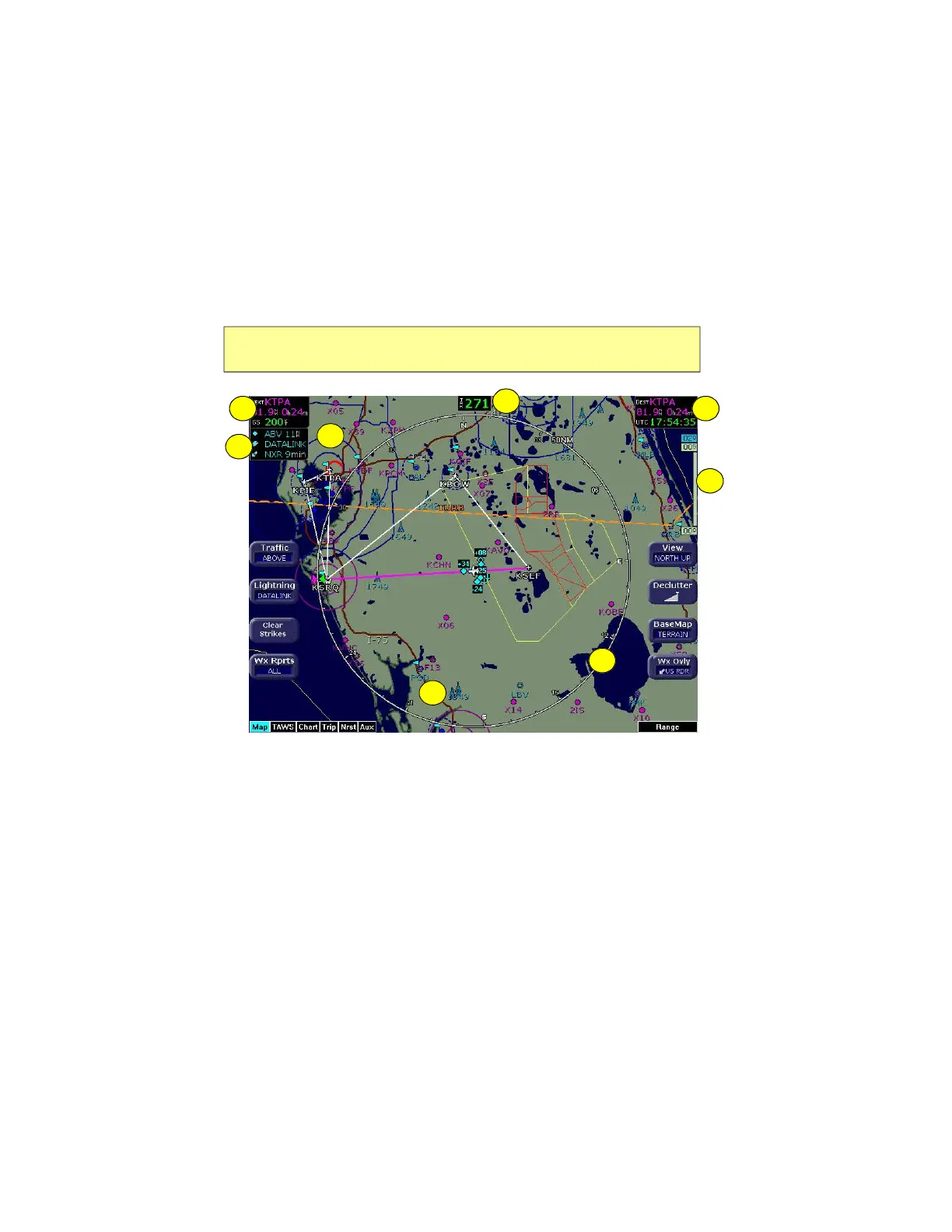
Map Page
Envision EX5000 -16- 600-00151-001 Rev 01
2.2 Map Symbols—Terrain and Position
The Map page depicts your aircraft’s position in relation to your flight
plan, nearby airports, terrain, traffic, lightning, special use airspace
and other navaids.
Figure 2.3 Map Symbols–Terrain and Position
1) Data Blocks (Left & Right)—View navigation data in data blocks
in the upper corners of the display. For more information, see
Section 7.3, "Data Block Edit Page" on page 73.
2) Sensor Status Box—Displays the status of the available
sensors including radar, traffic, lightning and both 2-Way Datalink
and Broadcast Datalink. The Datalink Radar display includes the
Datalink Radar data age, which is the elapsed time since the
product was created by the weather provider. See Table
Note: For information about the Map Symbols, see Section 9.5, "Map
Symbols" on page 99.
4
11
7
5
2
3
6



 To Next Page