Datalink (Optional)
Envision EX5000 -84- 600-00151-001 Rev 01
8.2.1 Using Datalink without a Traffic Sensor or
Radar
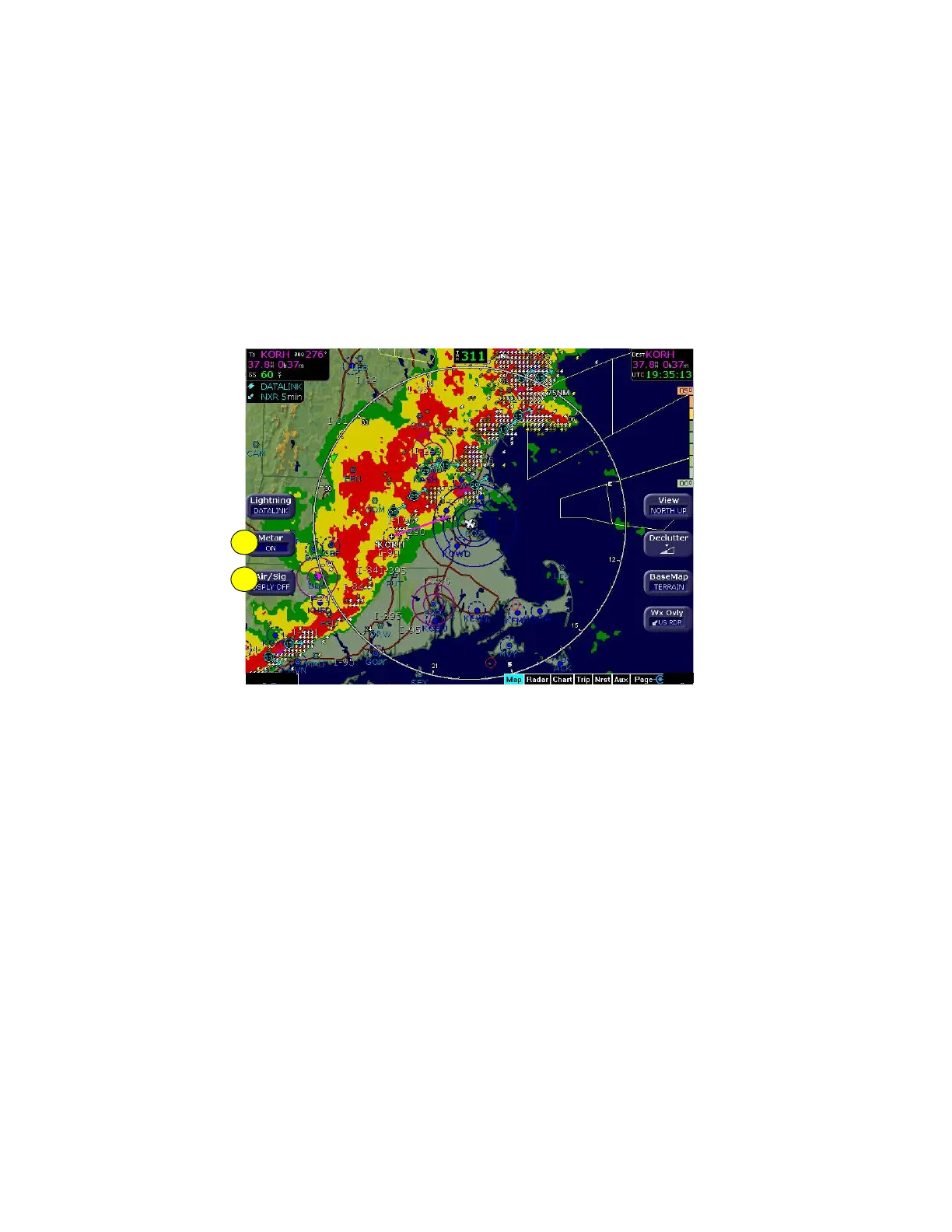
Without Radar or a Traffic sensor installed, the EX5000 takes
advantage of the available buttons and the WX Reports button is split
into two buttons, Air/Sig and Metars, as shown below.
Figure 8.3 Datalink Weather without Traffic Sensors
1) Metar—Controls display of the graphical METAR symbols on the
Map page. Press Metar to toggle between ON and DSPLY OFF.
2) Air/Sig—Controls the display of AIRMETs and SIGMETs. Press
Air/Sig to cycle between ALL, AIRMET, SIGMET, and DSPLY
OFF.
1
2



 To Next Page