Datalink (Optional)
Envision EX5000 -86- 600-00151-001 Rev 01
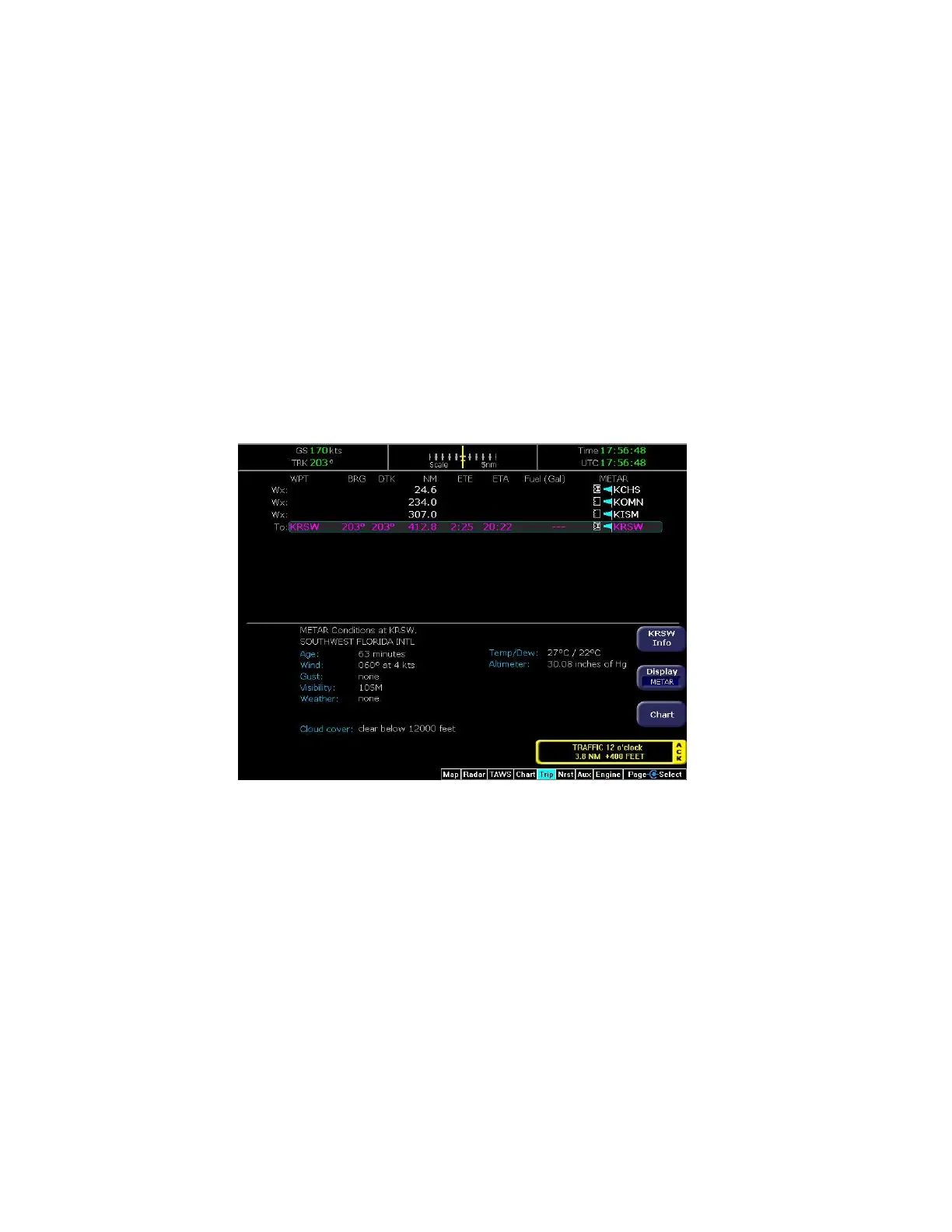
8.4 Trip Page with Datalink Weather
The Trip page also displays weather information from the weather
Datalink. Each waypoint on the current active flightplan is associated
with a METAR reporting point. For non-airport waypoints, the nearest
METAR is used. The general conditions are reported with the same
METAR flags as used on the Map page, here shown in a column for
each waypoint. If legs on the flight plan exceed 100 miles in length,
the EX5000 selects “intermediate waypoints” in between the
waypoints of the leg, to provide greater situational awareness of the
weather conditions along the route.
Figure 8.5 Trip Page with Datalink Weather
For information about Datalink weather on the Trip page, see
Chapter 5 "Trip Page".



 To Next Page