CMax Chart Page
600-00151-001 Rev 01 -31- Envision EX5000
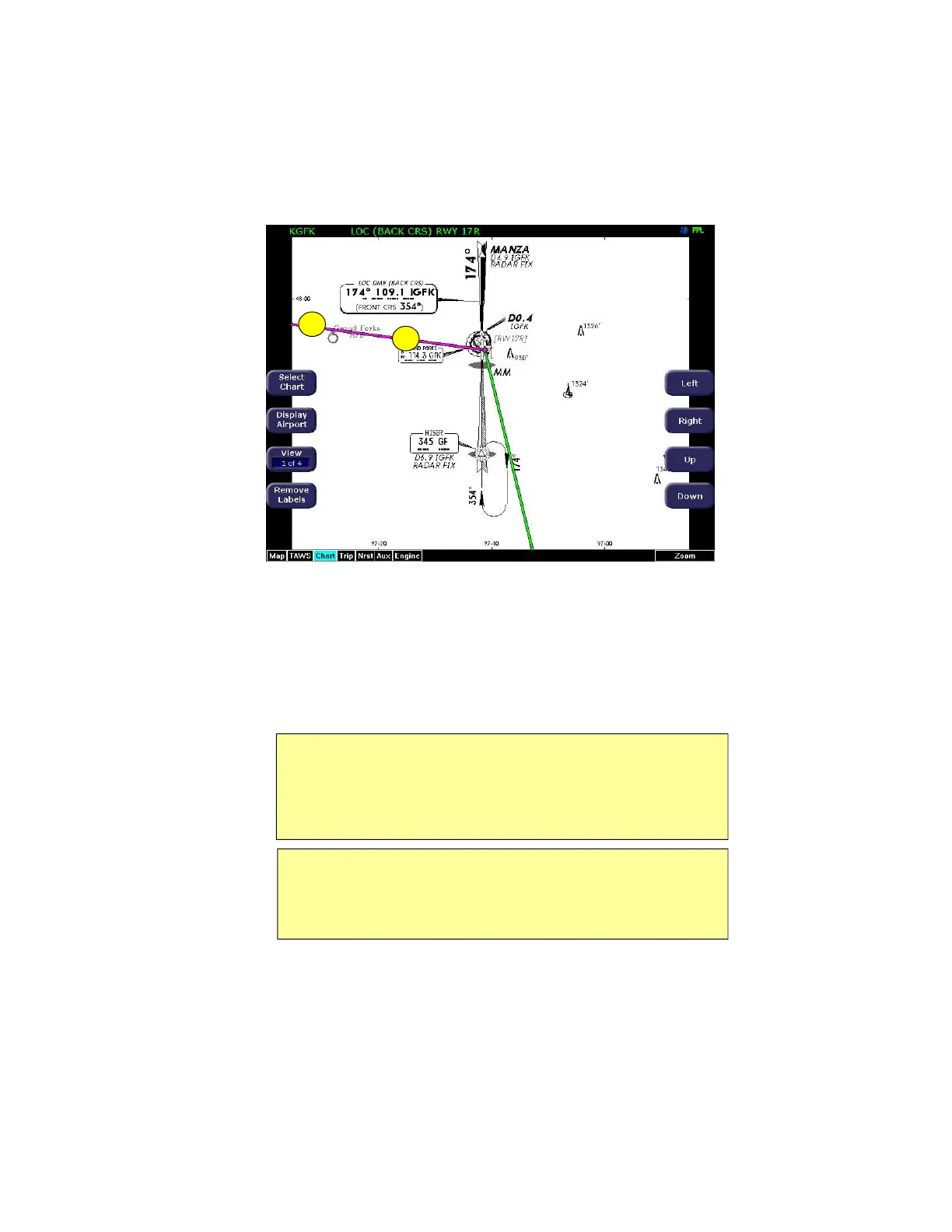
Figure 3.3 CMax Chart Page (Procedure)
1) Flight Plan—The flight plan is overlaid on the Plan View when
you select the flight plan display option (on Selection page) and
the chart is geo-referenced. If a flight plan does not display,
check that you selected the correct airport and approach.
2) Flight Plan Active Leg—The active leg of the current flight plan,
if displayed, is magenta. Non-active legs are shown in green.
Note: The Garmin 400W/500W can use the parallel track. For Garmin
400W/500W software at Release 2 or earlier, if a parallel track is active,
the current non-offset leg will be displayed in white. For Garmin 400W/
500W software at Release 3 or later, if a parallel track is active, the
parallel track leg will be displayed in white.
Note: The ownship symbol on the Chart page is always oriented
according to the current GPS ground track. Therefore, the ownship is
always pointed in the direction the aircraft is moving, and does not
show any crab angle induced by crosswind components.
2
1



 To Next Page