Map Symbols—Terrain and Position
600-00151-001 Rev 01 -17- Envision EX5000
9.1 Sensor Status Block Symbols on page 97 for more
information on status box symbols.
3) Special Use Airspace—The EX5000 uses several different line
styles to convey special use and class airspaces. Class B is solid
blue line, Class C is solid magenta line. Class D is dashed blue
line, MOA, Warning, and Alert areas are solid yellow lines, and
restricted and prohibited areas are solid red lines. See Table
9.7 Airspace and Airways Lines on page 101.
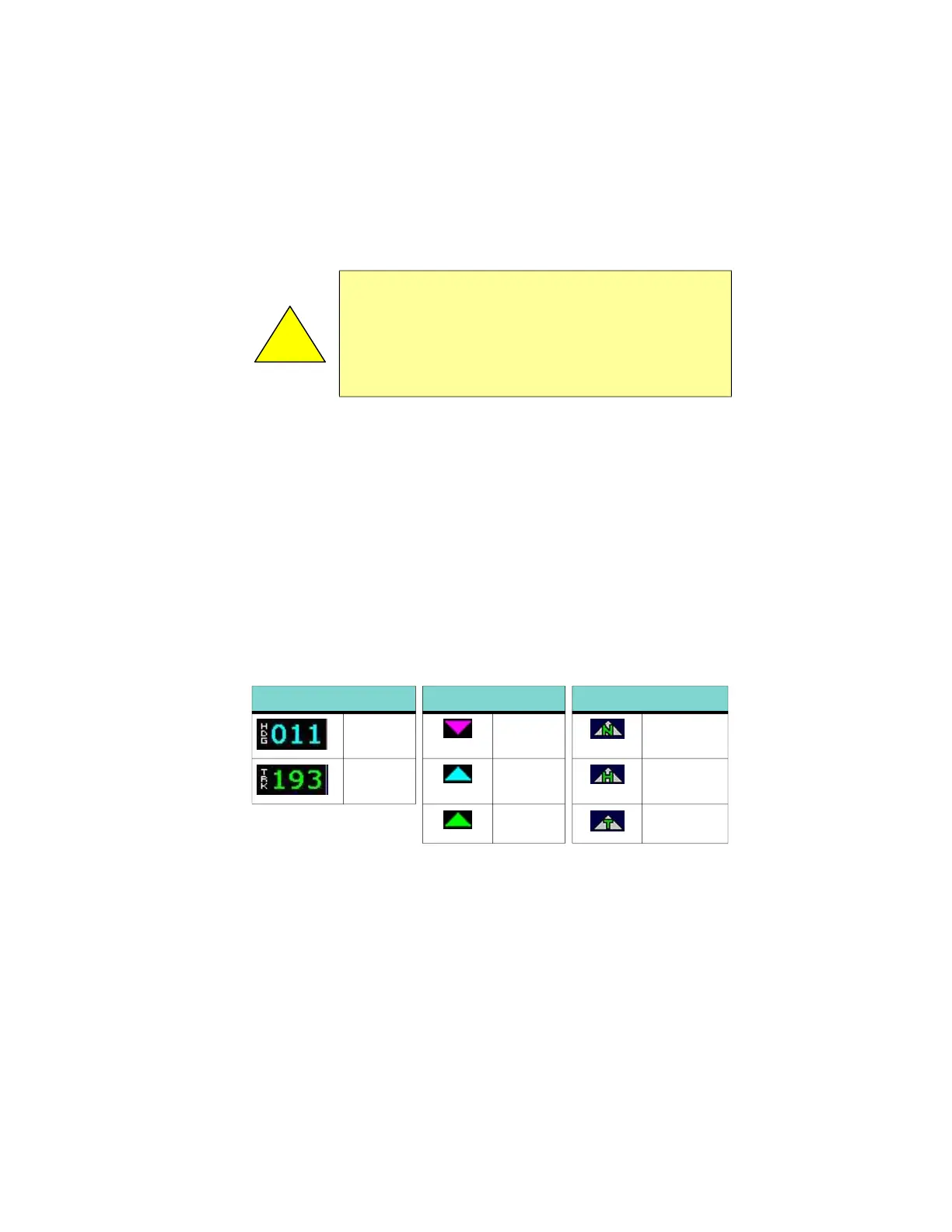
4) Heading/Track Indicator—Three triangles around the compass
rose provide actual track, desired track, and heading indications.
The H/T Block provides digital readout of the current heading, or
actual track. Map orientation is indicated in the triangle to the
right of the H/T Block.
5) Terrain Scale—Shows highest and lowest limits of terrain in
displayed area. Legend colors in between these numerics
represent terrain elevations. Blue obstacle clearance number
shows the top of the highest obstacle, when greater than the
!
Datalink Radar is the only Broadcast Datalink product on the
EX5000 that displays the time since the product was created
by the weather provider. Refer to the Trip page for information
on all other weather products. When using Datalink weather,
monitor the data age so you are aware of the time elapsed
since the last weather update.
Table 2.2 Track Indicator Graphics
Heading Track Map Orientation
Heading Desired
Track
North Up
Track Heading Heading Up
Actual
Track
Track Up



 To Next Page