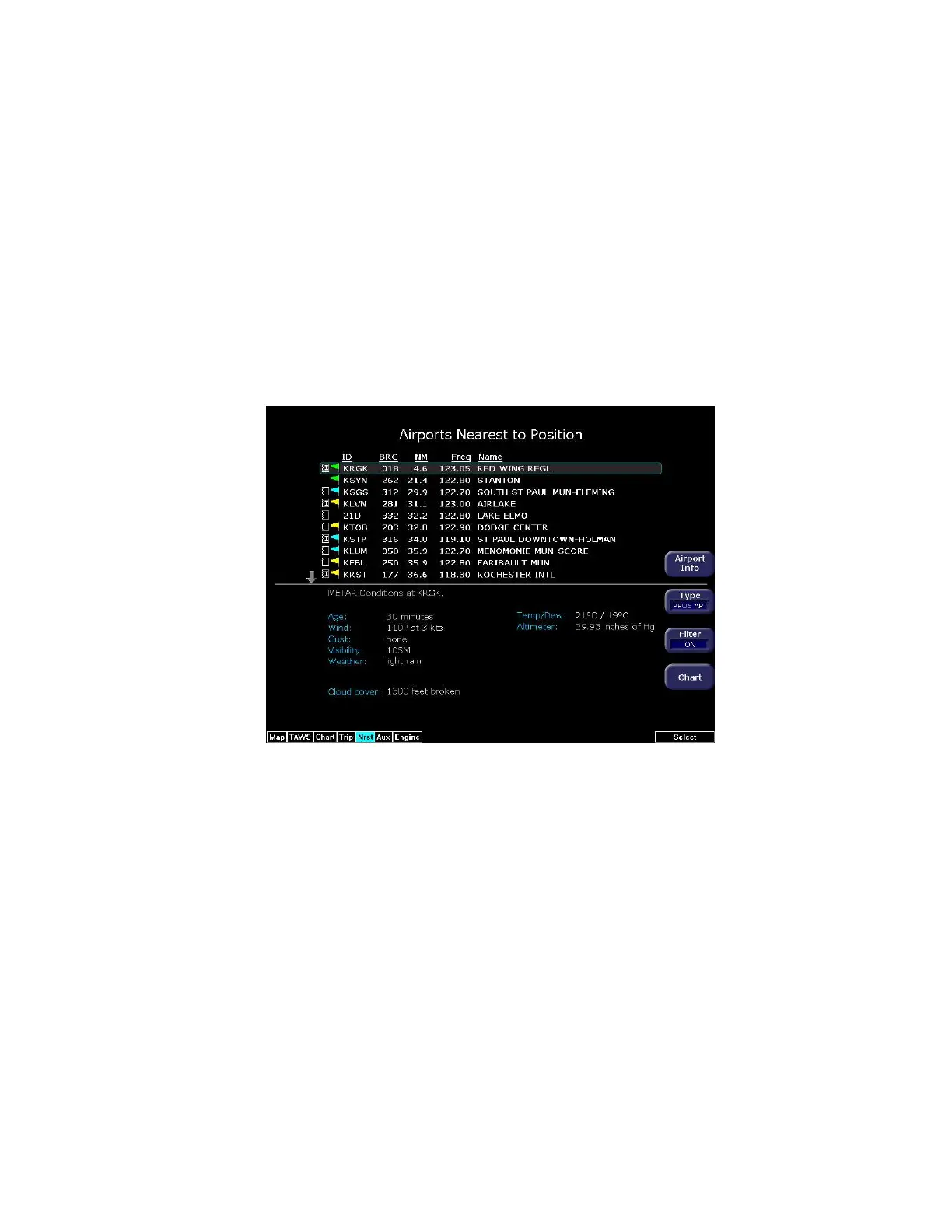
Nearest Page with Datalink Weather
600-00151-001 Rev 01 -85- Envision EX5000
8.3 Nearest Page with Datalink Weather
The Nearest page also displays METAR information received via
Datalink. Similarly to the Trip page, the METAR symbols are
displayed in a column next to the Nearest airports list, for all airports
that have weather reporting stations. Airports that do not report
METARs do not have a METAR symbol shown. When Broadcast
Datalink is enabled, the text METAR for the currently selected airport
is displayed on the lower half of the Nearest page.
Figure 8.4 Nearest Page with Broadcast Datalink
For further information about Datalink weather on the NRST page,
see Chapter 6 "Nearest Page (NRST)".



 To Next Page