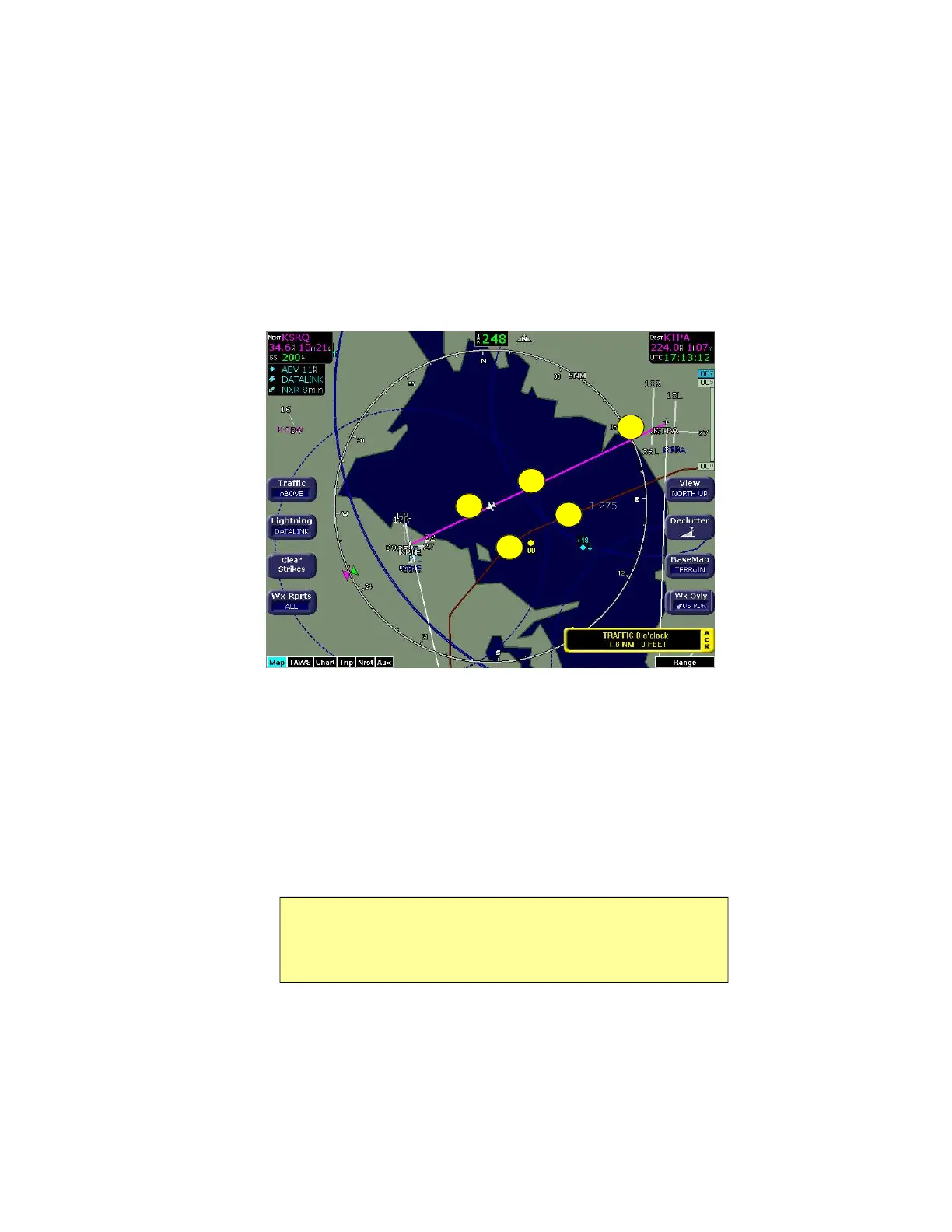
Map Symbols—Runways and Flight Plan
600-00151-001 Rev 01 -19- Envision EX5000
2.3 Map Symbols—Runways and Flight Plan
When looking at the Map page in short range, you can see details,
such as runway diagrams, that are not available at longer ranges.
Note that your flight plan is always shown.
Figure 2.4 Map Symbols—Runways and Flight Plan
1) Ownship Symbol—Shows the position of your aircraft in relation
to the moving map and the selected view.
2) Flight Plan—Displays the active flight plan from the GPS. The
current leg displays in magenta and all remaining legs are shown
in white. When you select an approach procedure on the Garmin
430, all approach segments including holds, DME arcs,
procedure turns, etc., are shown (when connected via the ARINC
429 bus).
Note: For most GPS units, the EX5000 does not display the active
course leg when you are adjusting the desired track in OBS mode. The
desired track leg will be displayed after you finish selecting the course
and exit the OBS mode of the GPS.
5
1
4
2
3



 To Next Page