Selecting an Airport
600-00151-001 Rev 01 -41- Envision EX5000
3.8 Selecting an Airport
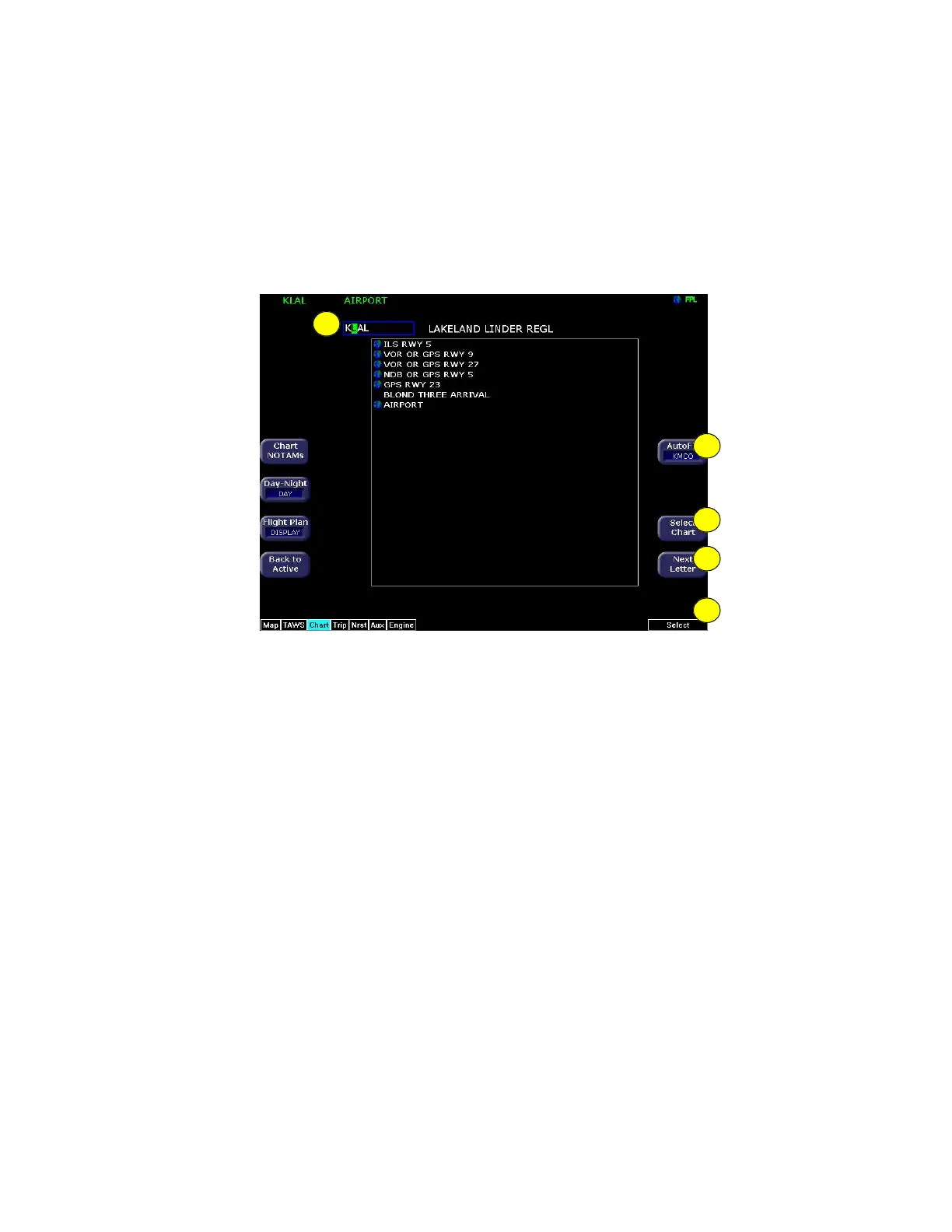
Use the Airport Entry Field to specify the airport you want to view.
Figure 3.8 Airport Selection Page
1) Airport Entry Field—This field accepts airport identification
codes (such as KCAD, etc.). The EX5000 will try to auto-
complete an airport entry as the first characters are entered.
Press the AutoFill button to immediately fill this field with the
destination airport. Only those airports within the coverage area
are auto-completed.
A list of all charts available for the identified airport appears in the
chart list area. The name of the airport in the Airport Entry Field is
listed next to the entry field.
1
5
4
3
2



 To Next Page