Envision EX5000 -63- 600-00151-001 Rev 01
6 Nearest Page (NRST)
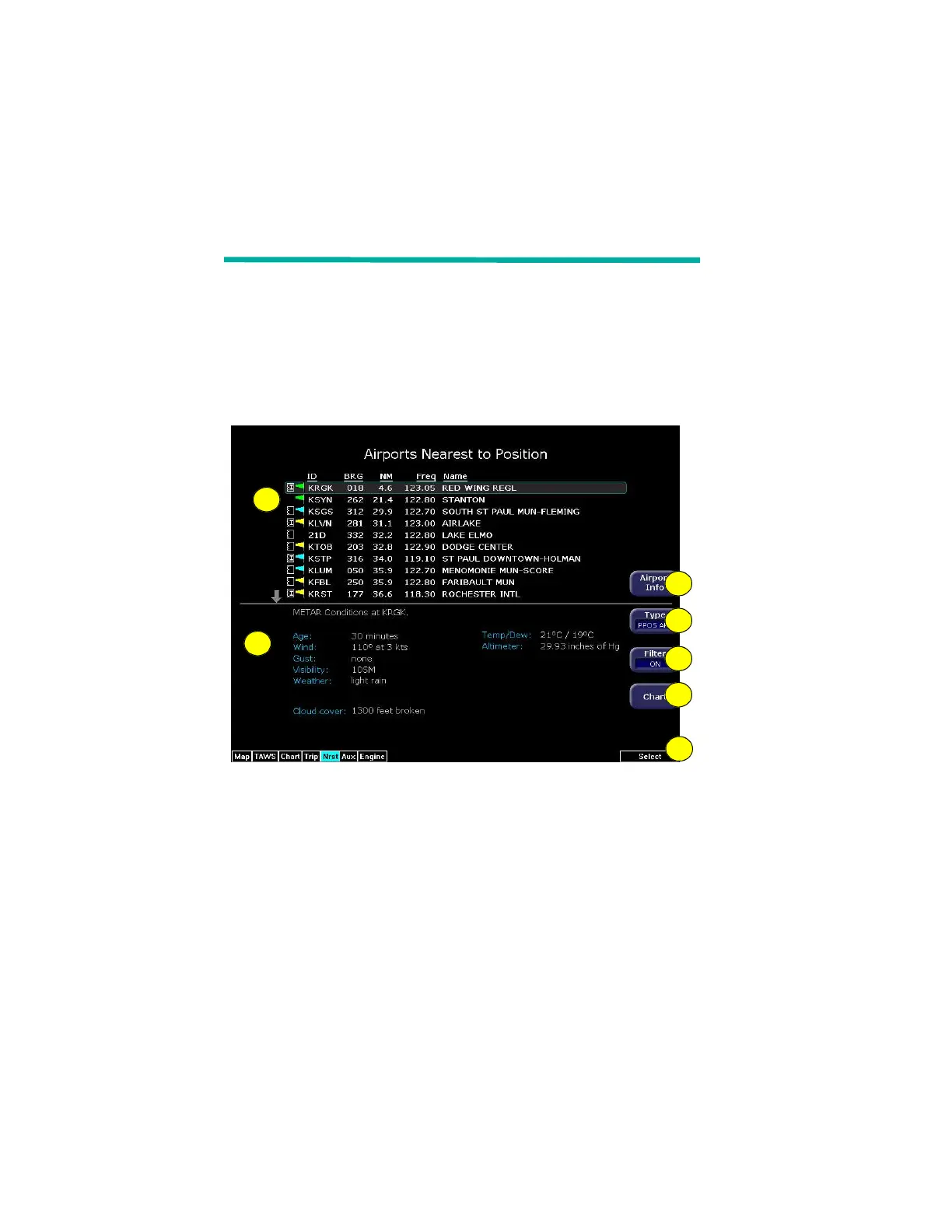
The Nearest page displays the nearest airports within 100NM of your
present position or the nearest airports to your destination. Through
the buttons, you can access detailed information about each airport.
The buttons also allow you to view the nearest VORs, NDBs,
Intersections, and Obstacles.
6.1 Nearest Page
Figure 6.1 Nearest Page
1) Airport details—By default, displays the following details about
the airports nearest to your current location:
n METAR and Chart Symbols— Waypoints with METAR
reporting stations display a color-coded METAR flag when
Datalink is active. If CMax approach charts are installed, a
chart icon displays next to any METAR reporting station for
which an Instrument Procedure chart is available. An “I” on
the icon indicates that at least one ILS approach chart is
available. See Chart, below, for more information.
n ID—Airport identifier of the airport.
1
2
3
4
5
6
7



 To Next Page