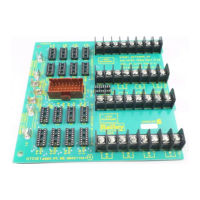
RETROFITTING THE MODULAR POWER SYSTEM
NETWORK 90 POWER SYSTEM REMOVAL
D - 2 I-E96-506B1
®
NETWORK 90 POWER SYSTEM REMOVAL
Required Tools
The following tools are needed for the retrofitting procedure:
•
16-inch blade screwdriver.
•
1/2-inch nut driver.
•
Pliers.
•
Volt/ohmmeter.
•
Heat gun.
Power Entry Panel Removal
1. Turn the main power feed to the cabinet and circuit break-
ers off.
2. Use a voltmeter to test TB5. Verify that no power is present.
3. Disconnect the wiring from TB5 (AC IN).
4. Disconnect the AC wiring from TB2, TB3 and TB4.
5. Disconnect the chassis ground wire from the power entry
panel, but leave it attached to the cabinet and label it. It will be
used with the new power entry panel (PEP).
6. Disconnect the 2 monitor connectors from J1 and J2.
7. Disconnect status and cascade connections from TB1 and
label them.
NOTE:
When removing status and cascade connections, identify
them with colored tape or labels. This will help in connecting them to
the new PEP panel.
8. Remove the 4 screws securing the PEP panel to the mount-
ing rails.
9. Remove the 2 screws that attach the front of the PEP panel
to the support bracket.
10. Remove the plastic nipples (if present) on both sides of the
PEP mounting brackets.
11. Push the power entry panel from the front while another
person pulls from behind.
Artisan Technology Group - Quality Instrumentation ... Guaranteed | (888) 88-SOURCE | www.artisantg.com


 To Next Page