RETROFITTING THE MODULAR POWER SYSTEM
NETWORK 90 POWER SYSTEM REMOVAL
I-E96-506B1 D - 3
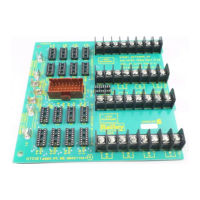
I/O Power Panel Removal
NOTE:
If you are removing the I/O power panel by yourself, remove
the individual power supplies from the panel first.
1. Disconnect E1 and E2 wires. Remove E2 connection.
2. Disconnect I/O monitor connector from J1.
3. Disconnect 24 VDC and common wiring from TB1, TB2 and
TB3. Remove wiring from TB1. Mark wires removed from TB2
and TB3.
4. Disconnect and remove AC wiring from TB5.
5. Disconnect cascade and alarm wiring from TB4. Remove
wiring from TB4-2, TB4-3 and TB4-4.
6. Disconnect and remove all wiring from NPSI03 and NPSI04
power supplies.
7. Remove the 4 screws securing the I/O power panel to the
mounting rails.
8. Pull the I/O power panel out.
Module Power Panel Removal
1. Disconnect and remove heavy strap cables from 5 V and
COMM (E1 through E4) for both power supplies.
2. Disconnect DC wiring from TB1, TB2, TB3, TB4 and TB5.
Remove wiring from TB2. Label wires disconnected from TB4
and TB5.
3. Disconnect and remove sense (J1, J2) and module monitor
out (J3) connectors.
4. Disconnect connections from J4 and J5 and label the
cables.
5. Disconnect connections E5 and E6. Disconnect and
remove power wiring from supplies.
6. Remove the 4 screws securing each module power supply.
Remove power supply.
7. Remove the 4 screws securing the module power panel to
the mounting rails.
8. Pull the module power panel out.
Artisan Technology Group - Quality Instrumentation ... Guaranteed | (888) 88-SOURCE | www.artisantg.com


 To Next Page