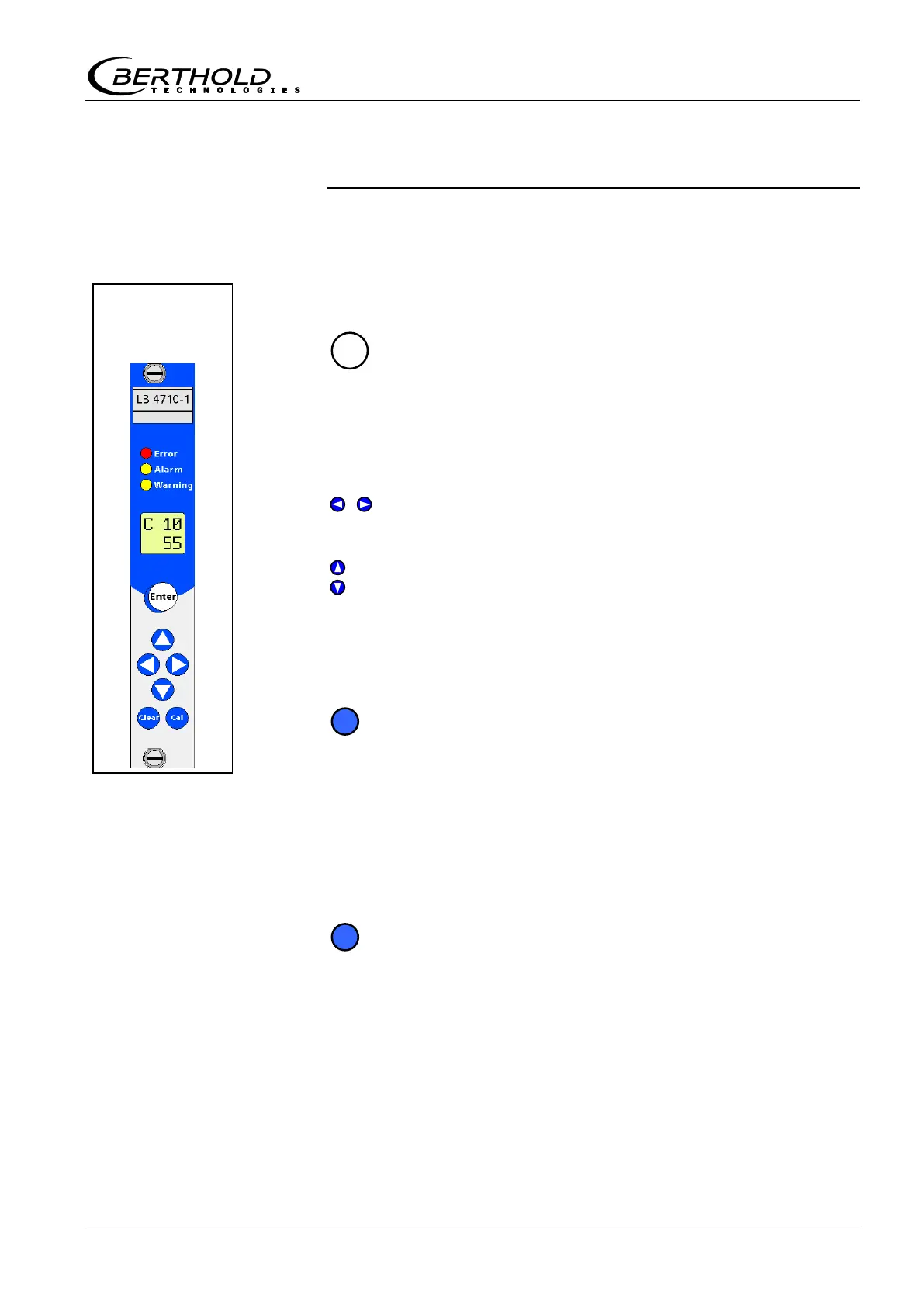
Chapter 2 Operation
Mini-Switch LB 471
Chapter 2. Operation
2.1 Basics of Operation
2.1.1 Buttons
Enter
Enable edit mode
(In windows that cannot be edited, this button is disabled.)
Exit edit mode; the displayed value is accepted or saved.
Confirm error.
/
Left/Right
Select the digit you want to edit.
Up
Down
Shows the next or previous code if no digit is flashing. Keep
this button pushed down (2s) to accelerate this process.
Increments or decrements the value of the flashing digit.
Keep this button pushed down (2s) to accelerate this process.
Clear
Set values to 0 (only in edit mode).
Exit edit mode without saving the value. To save the value,
push the button a second time.
Interrupt reading-in of the count rate.
Display code 10
If the device is not in the edit mode, code 10 is displayed if you
keep this button pushed down (2s).
Cal
Read in empty count rate
Keep the "Cal." button pushed down more than 2 s.
(only outside the edit mode).
Read in count rate
A count rate parameter, e.g. code 31, has to be in the edit
mode.
Front panel
of
evaluation unit



 To Next Page