Chapter 6 Water Cooling
Mini-Switch LB 471
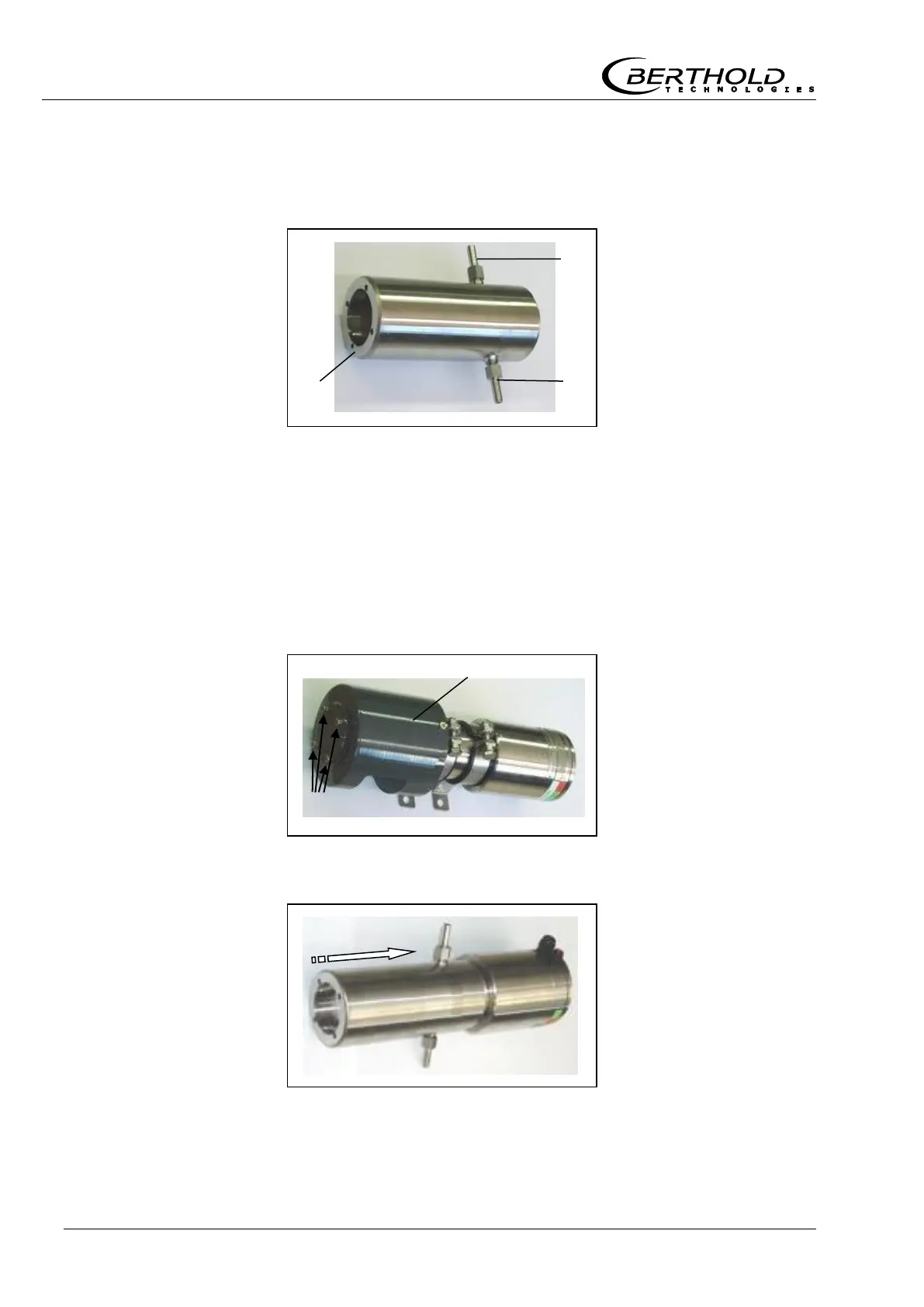
6.1.1 Water Cooling for NaI Detector
with Collimator
Cooling nozzle
Drilled hole for screws
Collimators only have detectors with 50/50 crystal such as:
LB 4401-03
LB 5401-03
1
Pull off collimator from detector. To do this, open the four
screws on the front side.
In order to install the collimator and the water cooling again to
the detector, you need four screws which are 5 mm longer than
the original screws.
2
Push the cooling jacket over the detector.
Figure 23:
Water cooling for
NaI detector
Installing the
water cooling
Figure 24:
Fastening screws
for collimator
Figure 25:
NaI detector
with water cooling



 To Next Page