EasyManua.ls Logo

Biolight Meditech S12 Vet - User Manual

Biolight Meditech S12 Vet
294 pages
Print Icon
To Next Page IconTo Next Page
Loading...
I
Product Information
Product Model: S12 Vet
Product Name: Veterinary monitor
Manufacturer Name: Guangdong Biolight Meditech Co., Ltd.
After Service Contact Information:
Address: No.2 Innovation First Road, Technical Innovation Coast, Hi-tech
Zone, Zhuhai, P.R. China
Fax: +86-756-3399919
Post code: 519085
Toll-free consultation hot line: +86-400-8818-233
Revision History
This manual has a revision number. This revision number changes whenever the
manual is updated due to software or technical specification change. Contents of this
manual are subject to change without prior notice.
Document No.: J/S-I-019
Revision number:V1.0
Release time: 2022.04
Copyright © 2022 Guangdong Biolight Meditech Co., Ltd. All rights reserved.
Statement
Guangdong Biolight Meditech Co., Ltd. (hereinafter called Biolight) holds the
copyright of this manual, and we are also entitled to deal with this manual as confidential
files. This manual is only used for operation, maintenance and service of product,
someone else can not publish the manual.
This manual contains exclusive information protected by copyright laws and we reserve
its copyright. Without written approval of manufacturer no parts of this manual shall be
photocopied, Xeroxed or translated into other languages.
The contents contained in this manual are subject to amendments without notification.

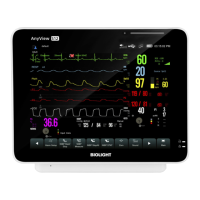
Table of Contents

Questions and Answers

  • C
    Chelsea SchmidtAug 12, 2025
    What to do if there are excessive heart rate or lead fault alarms on Biolight Meditech S12 Vet Monitor?
    • S
      Sean BlankenshipAug 12, 2025
      To address excessive alarms (heart rate, lead fault) on your Biolight Meditech Monitor: * Ensure clips are properly attached. Re-prepare the skin and replace the clips. * Check for excessive patient movement or muscle tremor and reposition the clips.
  • K
    kellyjohnsonAug 16, 2025
    How to fix noisy ECG traces on Biolight Meditech S12 Vet?
    • R
      Richard MartinAug 16, 2025
      If you're experiencing noisy ECG traces on your Biolight Meditech Monitor: 1. Make sure the clips are securely attached. 2. Inspect the leadwires for any defects, and replace them if needed. 3. Ensure the patient cable or leadwires are not positioned too close to other electrical devices. If they are, move them away.
  • J
    Jesus OliverAug 19, 2025
    What to do if there is no ECG waveform on Biolight Meditech S12 Vet?
    • C
      Casey HaynesAug 19, 2025
      To resolve the issue of no ECG waveform on your Biolight Meditech Monitor: 1. Verify that the ECG gain isn't set too low and adjust it as necessary. 2. Confirm that the leadwires and patient cables are correctly connected. Replace the cable and leadwires if needed. 3. Inspect the patient cable or leadwires for damage and replace them if necessary.
  • S
    susan51Aug 23, 2025
    What to do if Biolight Meditech S12 Vet has an intermittent signal?
    • B
      Bradley AvilaAug 23, 2025
      To resolve intermittent signals on your Biolight Meditech Monitor: 1. Ensure that all cables are correctly connected. 2. Check that clips are not detached. Re-prepare the skin. 3. Verify that the patient cable or leadwires aren't damaged. Replace if necessary.
  • C
    Colin WyattAug 27, 2025
    How to stop baseline wander on Biolight Meditech S12 Vet?
    • J
      Justin GarciaAug 27, 2025
      To correct baseline wander on your Biolight Meditech Monitor: 1. Check for excessive patient movement or muscle tremor. Secure leadwires and cable. 2. Ensure that clips are not detached. 3. Verify the ECG filter setting. Set the ECG Filter mode to 'Monitor'.
  • A
    aweaverAug 31, 2025
    Why is there muscle noise on Biolight Meditech Monitor?
    • T
      Timothy ThomasAug 31, 2025
      If you observe muscle noise on your Biolight Meditech Monitor, it may be due to inadequate skin preparation, tremors, a tense subject, or poor clip placement. To address this: 1. Re-perform the skin preparation and re-place the clips. 2. Avoid muscular areas when placing clips.
  • J
    Jennifer CruzSep 3, 2025
    How to increase low amplitude ECG signal on Biolight Meditech Monitor?
    • C
      Cameron CohenSep 3, 2025
      To address a low amplitude ECG signal on your Biolight Meditech Monitor: 1. Check that the ECG gain isn't set too low and adjust it as needed. 2. Re-prepare the skin and re-place the clips. 3. Verify clip application sites, avoiding bone or muscular areas.
  • R
    Robert DavisSep 7, 2025
    How to prevent electrosurgical interference on Biolight Meditech S12 Vet?
    • H
      Heather JacksonSep 7, 2025
      To minimize excessive electrosurgical interference on your Biolight Meditech Monitor, use ESU-proof ECG cables.

Summary

Product Information

Revision History

Details manual revision number, document number, and release time.

Statement

Outlines copyright and usage restrictions for the manual.

Manufacturers Responsibility

Warranty and Maintenance Service

About this Manual

Conventions

Explains symbols and text formatting used in the manual.

Chapter 1 General Introduction

1.1. Intended Use

Describes the monitor's purpose: monitoring physiological parameters of animals.

1.2. Main Unit

Details the physical layout of the monitor's main components, including front and side views.

1.3. Screen Display

Explains the layout and elements of the monitor's high-resolution TFT LCD screen.

Chapter 4 Patient Management

4.1. Discharging a Patient

Explains the process for discharging a patient and the associated data clearing procedures.

4.2. Admitting a Patient

Describes how the monitor admits a new patient and the importance of inputting patient information.

4.3. Managing Patient Information

Covers accessing and editing patient demographic information and display items.

4.4. Connecting to a Central Monitoring System

Outlines the steps and benefits of connecting the monitor to a Central Monitoring System (CMS).

Chapter 5 Managing Configurations

5.2. Selecting default configuration

Guides on how to select factory default or user-defined configurations.

5.3. Saving current settings

Details the process for saving current monitor settings as a user configuration.

5.5. Transferring a configuration

Describes how to export and import monitor configurations using a USB drive.

Chapter 6 User Interface

6.1. Interface Style

Explains how to customize the monitor's interface appearance, including screen layout.

6.2. Dynamic Trend Screen

Describes how to view and set up the dynamic trend display for monitoring parameters over time.

6.4. Other Bed Observation

Explains how to monitor other connected beds on the network, including alarms and waveforms.

6.6. Freezing Waveforms

Explains how to freeze waveforms on the screen for detailed review and potential export.

Chapter 2 Safety

2.1. Safety Information

Lists critical warnings and cautions for safe device operation and patient care.

2.2. Equipment Symbols

Defines symbols used on the monitor and in its accompanying documents for clear identification.

Chapter 3 Basic Operations

3.1. Installation

Provides instructions for the proper installation of the equipment, including unpacking and environmental requirements.

3.2. Getting Started

Details how to connect power, start the monitor, and begin patient monitoring.

3.3. Shutting off the Monitor

Outlines the correct procedure for safely powering down the monitor.

3.4. Operation and Browse

Explains how to interact with the monitor's interface, including touch screen and mouse usage.

3.5. General Settings

Covers basic configuration options such as language, screen brightness, and date/time settings.

3.6. Measurement Settings

Describes how to configure measurement parameters, display screens, and individual parameter settings.

3.7. Operation Mode

Explains different operating modes like Monitor, Standby, Demo, Night, and Privacy modes.

Chapter 7 Alarm

7.2. Safety Information

Provides crucial safety warnings related to alarm configuration and reliance on audible alarms.

7.6. Setting Alarm

Guides on centrally setting alarm properties, including parameter alarms and protection modes.

7.7. Alarm Pause

Explains the functionality and characteristics of pausing alarms, including setting pause duration.

7.14. Actions When an Alarm Occurs

Provides a step-by-step guide on how to respond appropriately when an alarm condition is detected.

Chapter 8 ECG

8.2. Safety Information

Lists critical safety warnings and cautions related to ECG monitoring and electrode usage.

8.5. ECG Settings

Covers various ECG settings, including screen selection, alarm configuration, lead calculation, and waveform adjustments.

8.13. ECG Troubleshooting

Provides solutions for common ECG monitoring problems like noisy traces and low amplitude signals.

Biolight Meditech S12 Vet Specifications

General IconGeneral
Display TypeTFT LCD
Display Size12.1 inches
ECGYes
SpO2Yes
NIBPYes
RespirationYes
TemperatureYes
EtCO2Optional
SpO2 Measurement Range0-100%
Temperature Range0-50°C
EtCO2 Range0-150 mmHg
Battery TypeRechargeable Lithium-ion
Battery LifeUp to 4 hours
Resolution800 x 600 pixels
IBPOptional
Respiration Range0-150 rpm
IBP Range-50 to 300 mmHg
ConnectivityEthernet

Related product manuals