24
1.11 How to Operate Nyon
Navigate operation
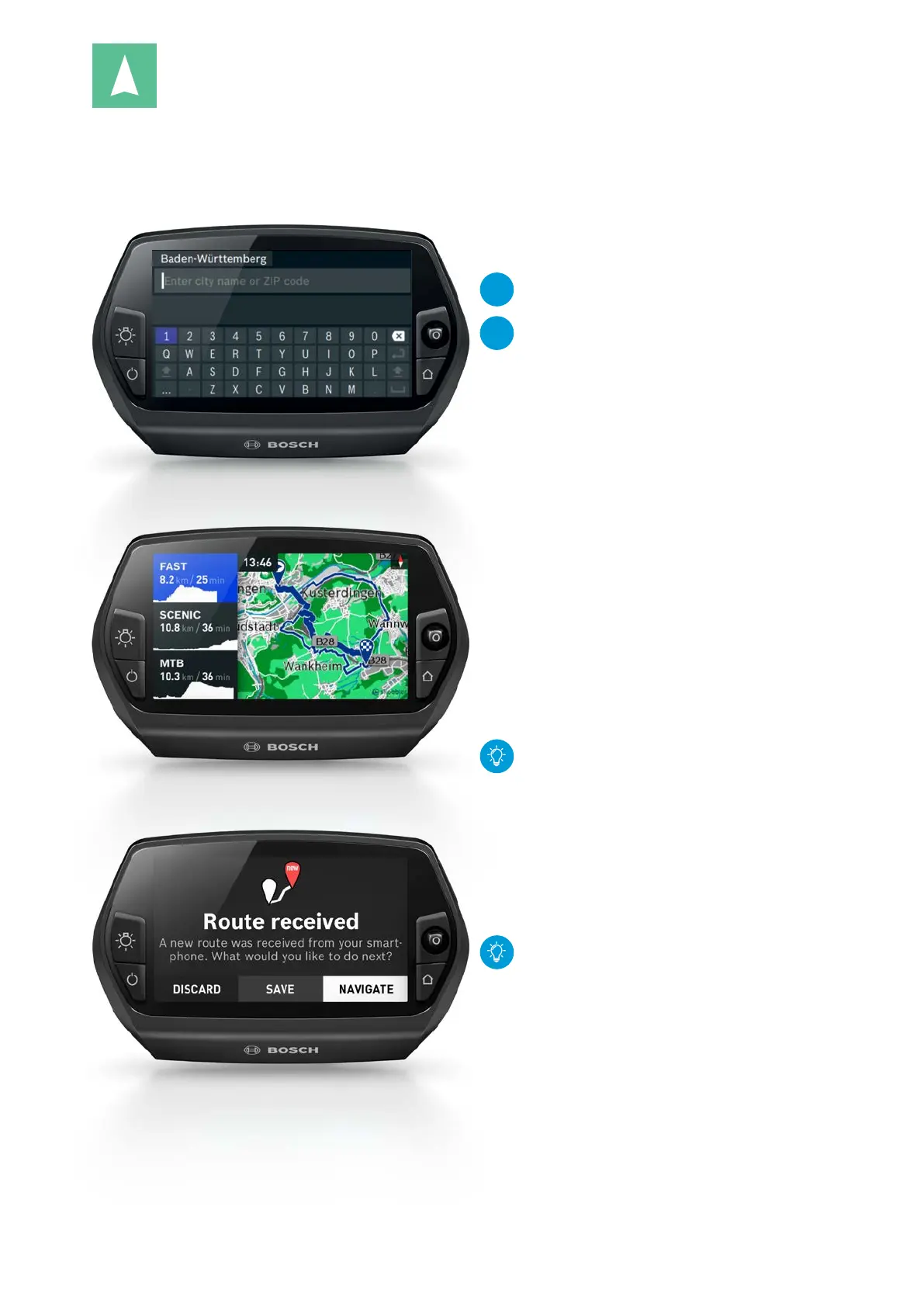
Enter destination for navigation
Route selection
Receive the route from the smartphone
Option 1: Enter address as destination
1. Select "Enter Destination".
NEW
Enter the city, street and house number on the
user-friendly QWERTY on-screen keyboard.
NEW
Address selection is also possible by entering the
postal code.
2. Once you have entered the destination, you will be
offered three different routes:
– "FAST", "SCENIC", "MTB"
(with Cruise drive, 25 km/h)
– "FAST", "SCENIC", "SHORT"
(with Speed drive, 45km/h)
3. Select the desired route with the joystick.
Option 2: Retrieve previously saved
destinations
1. Select previously saved destinations: "Recent Desti-
nations", "Take Me Home" (home address), "Saved
Locations", "Points of Interest" (POIs)"
– Under "Saved Routes" → Selection of the GPX
route can also use GPX tracks imported on the
online portal
&
eBike-Connect.com.
2. Use the joystick to select the desired destination.
Addresses of Bosch eBike Experts are entered
under "Points of Interest".
Option 3: Route planning via the
smartphone app or online portal
See p. 33 and p. 37
Navigation starts and route guidance remains
active even if switched to another operating
mode. Turn instructions will be overlaid over the
current display.










 To Next Page