25
1.11 How to Operate Nyon 1.11 How to Operate Nyon
Receive the route from the smartphone or from the online portal
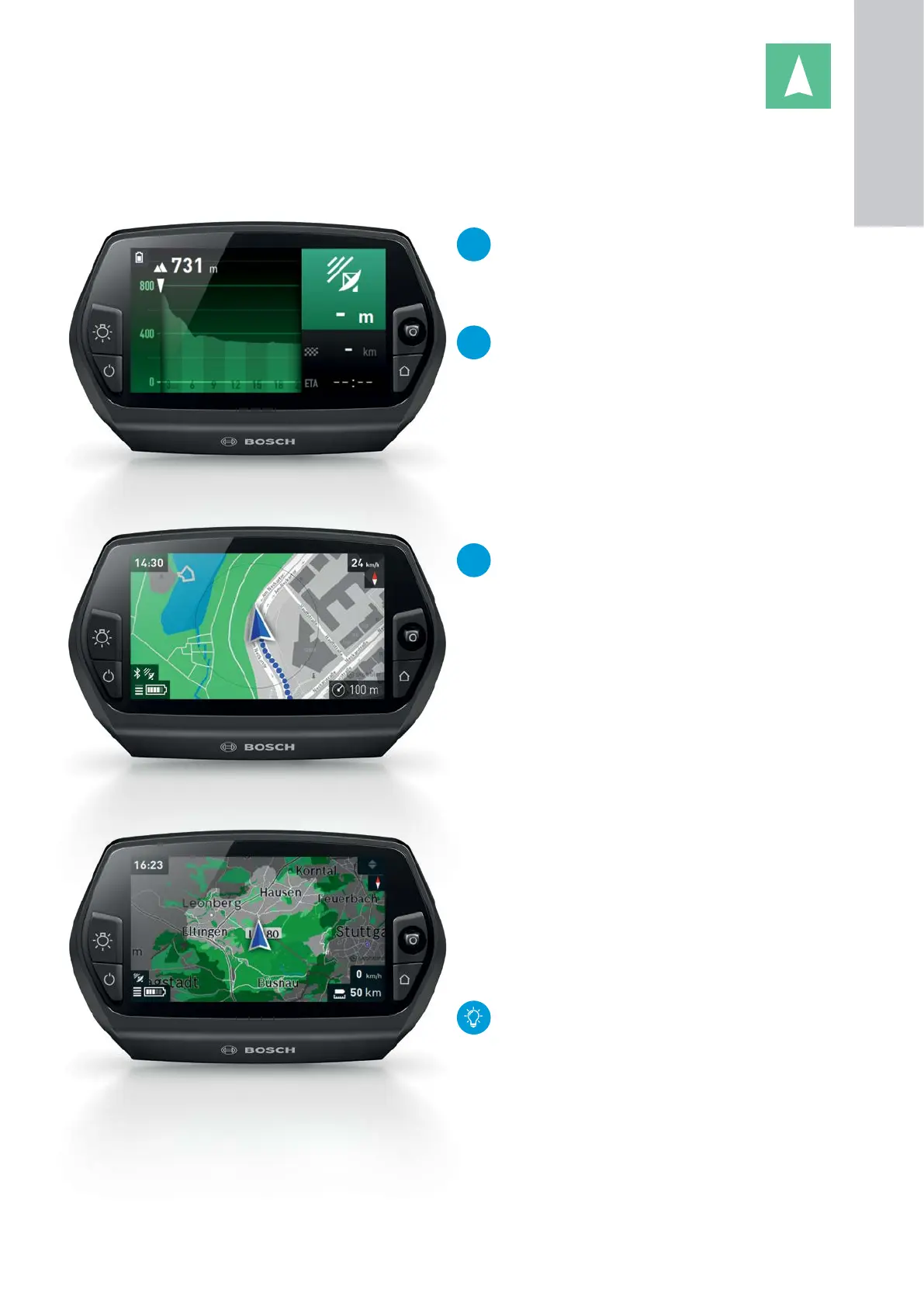
Display of route course
Topo Range
NEW
"Altitude profile"
X Move the joystick to the right in map view
during active navigation.
X End by pressing "Home" button.
NEW
"Route course"
X Display of route course (2D) in the travel
direction during active navigation.
"Zoom Out"
X The level of zoom can either be changed by moving
the joystick up/down or by (repeatedly) pressing the
joystick.
X The map is then correspondingly either magnified or
reduced in size.
NEW
"Movement of the map section"
X To check out the route course, the map sec-
tion can be moved with the joystick during
navigation.
X To zoom in, press the joystick.
X The function is automatically ended after 15
seconds, or alternatively, close using the
"Home" button.
"Battery Range"
X By default, the battery range is displayed in a circu-
lar shape.
X Topo Range (a premium function)
– Purchase in the "Shop" menu of the smartphone
app eBike Connect.
– Displays the actual residual range on Nyon and
takes into account the topographical conditions
(altitude), your riding behavior and the charge
level of the battery.
– The calculation time depends on the possible
residual range.
Due to technical reasons, graphic representation
of the residual range is restricted to 50 km and is
not calculated in OFF mode.
1
ON-BOARD
COMPUTER










 To Next Page