5 Operation
BOWA-IFU-11779-ARC400-V2.1.0-S0-EN Operating Manual ARC 400 91
Switching with the handle
To switch the setting with the monopolar handle, press the two buttons for
cutting and coagulation at the same time and hold them pressed for more
than one second.
Switching with the foot switch
You can also switch the levels with the orange button on the foot switch.
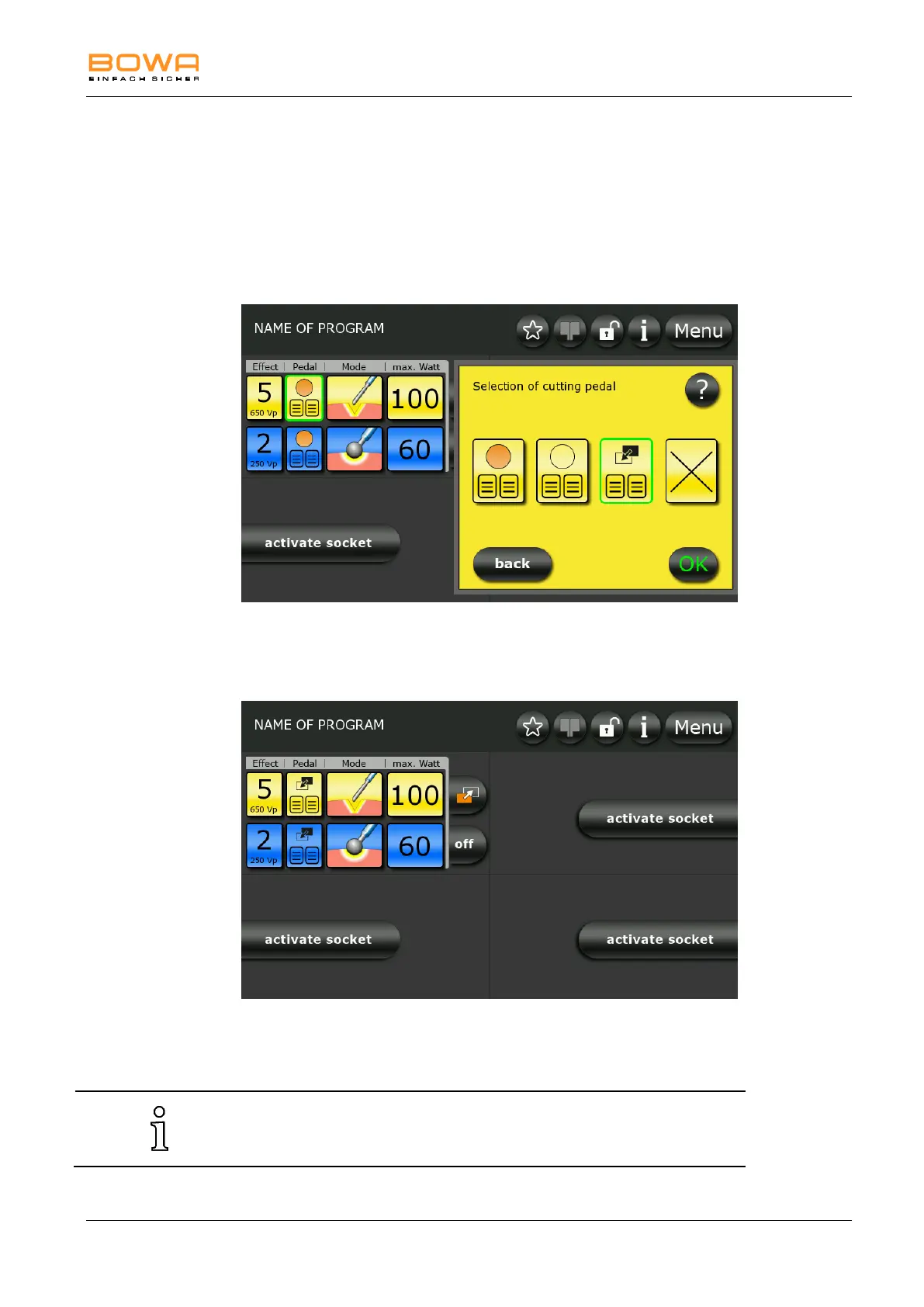
For this purpose, select the Zap Mode symbol below the “Pedal” icon.
Bild 5-34: Zap Mode foot switch selection for cutting
Now the Zap Mode symbol appears on the main screen below the “Pedal”
icon.
Bild 5-35: ZAP Mode foot switch
You can switch between the two socket settings by pressing the orange
button on the foot switch.
The orange button on the foot switch is now dedicated to Zap Mode
switching.



 To Next Page