Only change the fan speed settings with the associated
boiler, as only this will have an effect on boiler
performance.
8.5 LABVISION CENTRAL HEATING
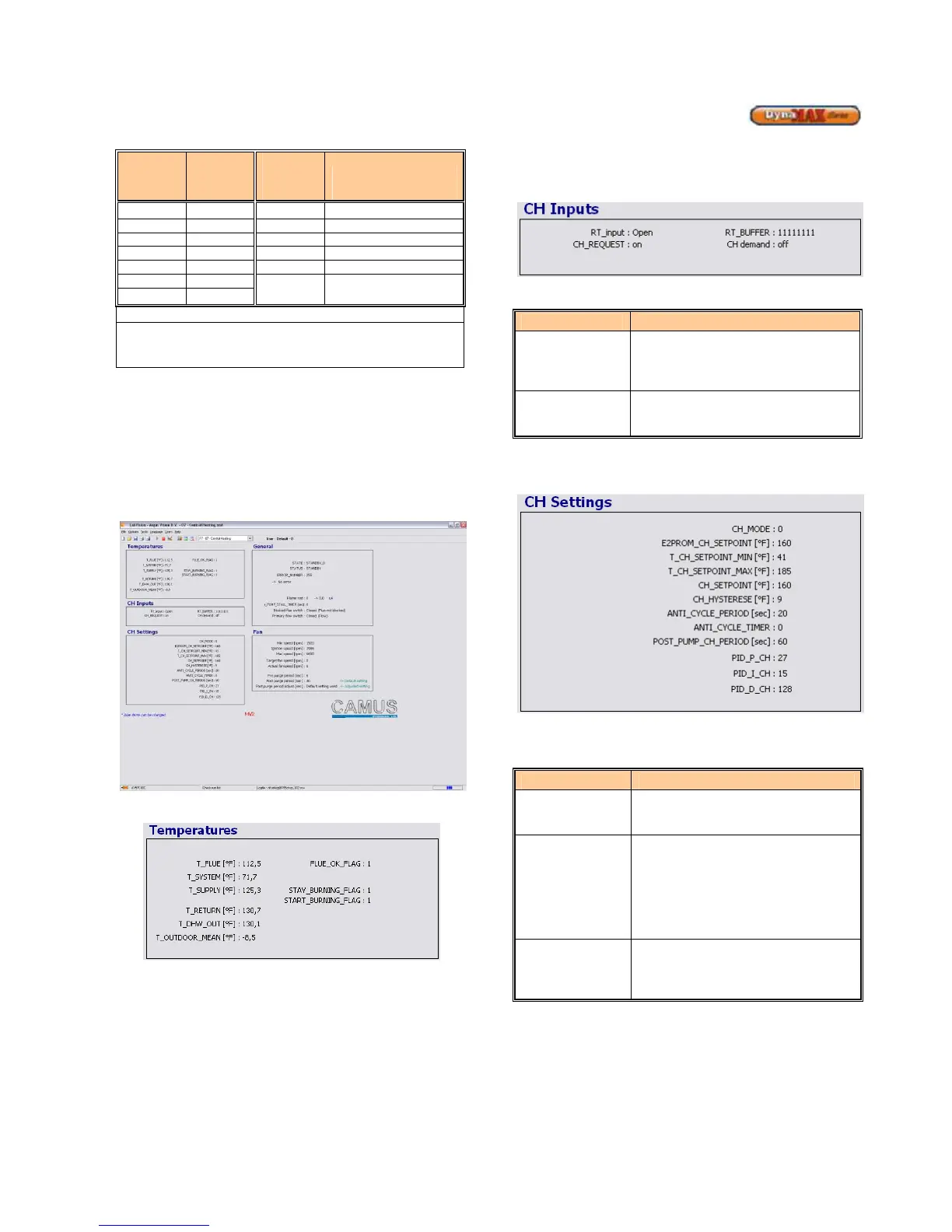
Use the pull down menu and select Central Heating to adjust
parameters in Central Heating. Before any parameters can
be adjusted the blue status bar must track left-to-right and
back again. Refer to Section 8.1 to resolve connection
issues.
Figure 33: Central Heating Screen
Figure 34: Central Heating Temperature Screen
Real-time temperatures are updated on screen, this
includes:
• Stack/Flue Temperature (T_FLUE)
• System Temperature (T_SYSTEM)
• Outlet/Supply Temperature (T_SUPPLY)
• Inlet/Return Temperature (T_RETURN)
• DHW Supply Temperature (T_DHW_OUT)
• Outside Temperature (T_OUTDOOR_MEAN)
The CH demand switches between on/off depending on
whether or not there is a demand for central heating. The
other parameters are designed for internal control purposes.
Figure 35: Central Heating Input Screen
Table 19: CH Input Screen Parameters
Parameter Parameter Description
CH demand
Displays the state of the room
thermostat.
ON: thermostat closed
8.5.1 Central Heating Mode, Installer Level
Figure 36: Central Heating Mode Settings
The following parameters can be adjusted:
Table 20: CH Mode = 0 Parameters
Parameter Parameter Description
CH_Setpoint
To provide a modulation rate above
and below CH_setpoint. For example,
if the value is 10
o
F and the set point
is 160
o
F, the boiler will start the
ignition sequence at 150
o
F and shut
off at 170
o
F. (Default: 9
o
F)
Post_Pump_CH
To change a blue coloured parameter, place the cursor on
top of a parameter and double-click. This will bring up a
window to enter the desired values. Take note of the
minimum and maximum values that can be entered, as the
values entered MUST be within this range.






 To Next Page