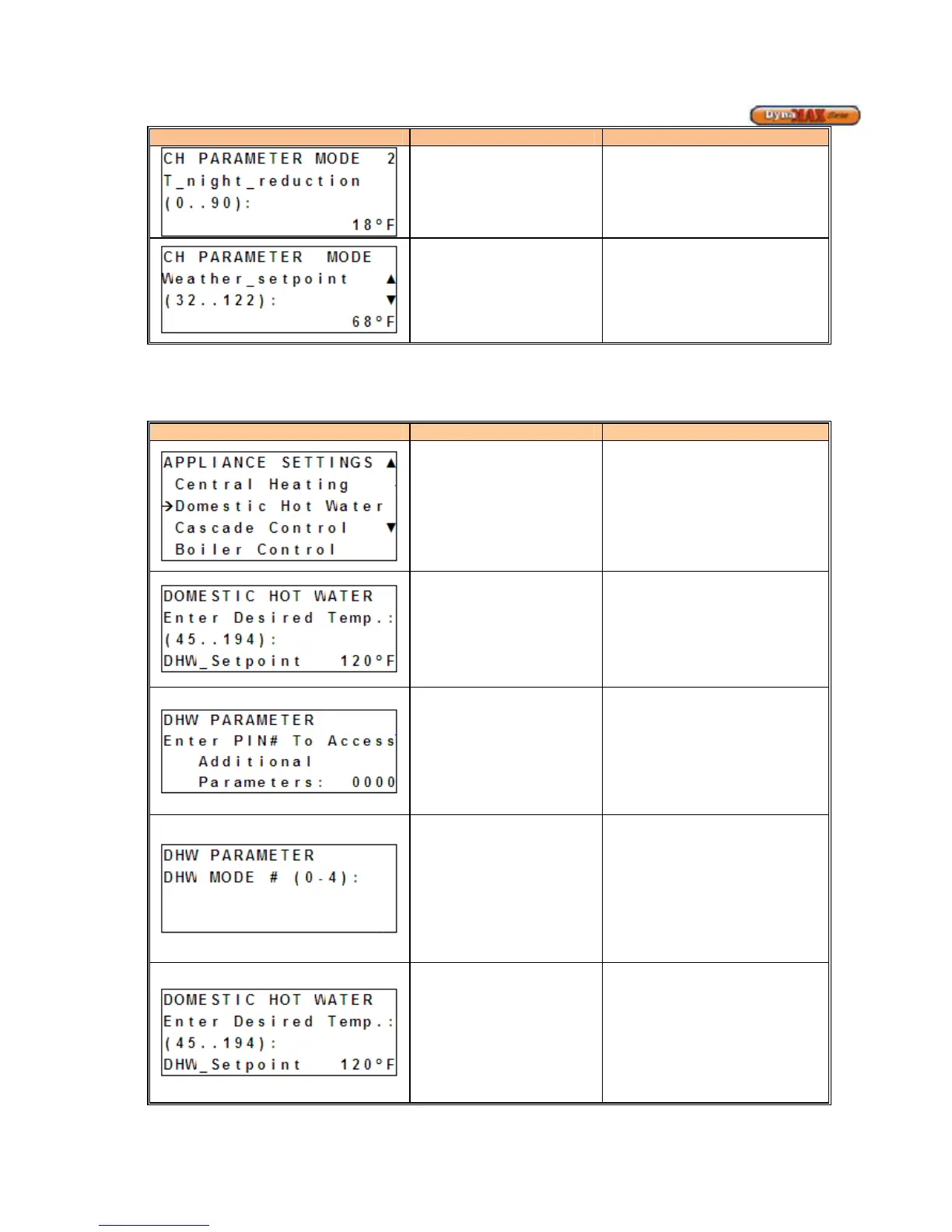
T_night_reduction
(Mode 2,3)
Temperature for night time usage
This parameter is only engaged
when the external clock is satisfied.
(Default: 18
o
F).
Weather_setpoint
(Mode 2)
When the outdoor temperature is
below the preset Weather_setpoint a
CH demand is created. Therefore,
the CH demand is not dependent on
Room Temperature input. (Default:
68
o
F)
9.6 DOMESTIC HOT WATER DISPLAY
1) Use [PREVIOUS]/[NEXT] button to select ‘Appliance Settings’.
2) Press ENTER
Display Display Readout Description
Domestic Hot Water
Enters Domestic Hot Water branch
of display
DHW Setpoint
Allows adjustment of Setpoint. The
set point is controlled to the boiler
outlet sensor.
(Default: 120
o
F)
PIN# Access
1) Use [NEXT] to enter
INSTALLER ACCESS display
2) Use [UP/DOWN] to enter
desired PIN #. 0225
3) Press [ENTER] to confirm.
DHW Mode of Operation
Mode 0: Disables DHW Functionality
Mode 1: DHW Storage Tank with
Temperature Sensor
Mode 2: DHW Storage Tank with
Aquastat
Mode 4: Combination Boiler using
Plate Heat Exchanger and DHW
Temperature Sensor
DHW Setpoint
Allows adjustment of Setpoint. The
Setpoint is controlled to the boiler
outlet sensor.
(Default: 120
o
F)






 To Next Page