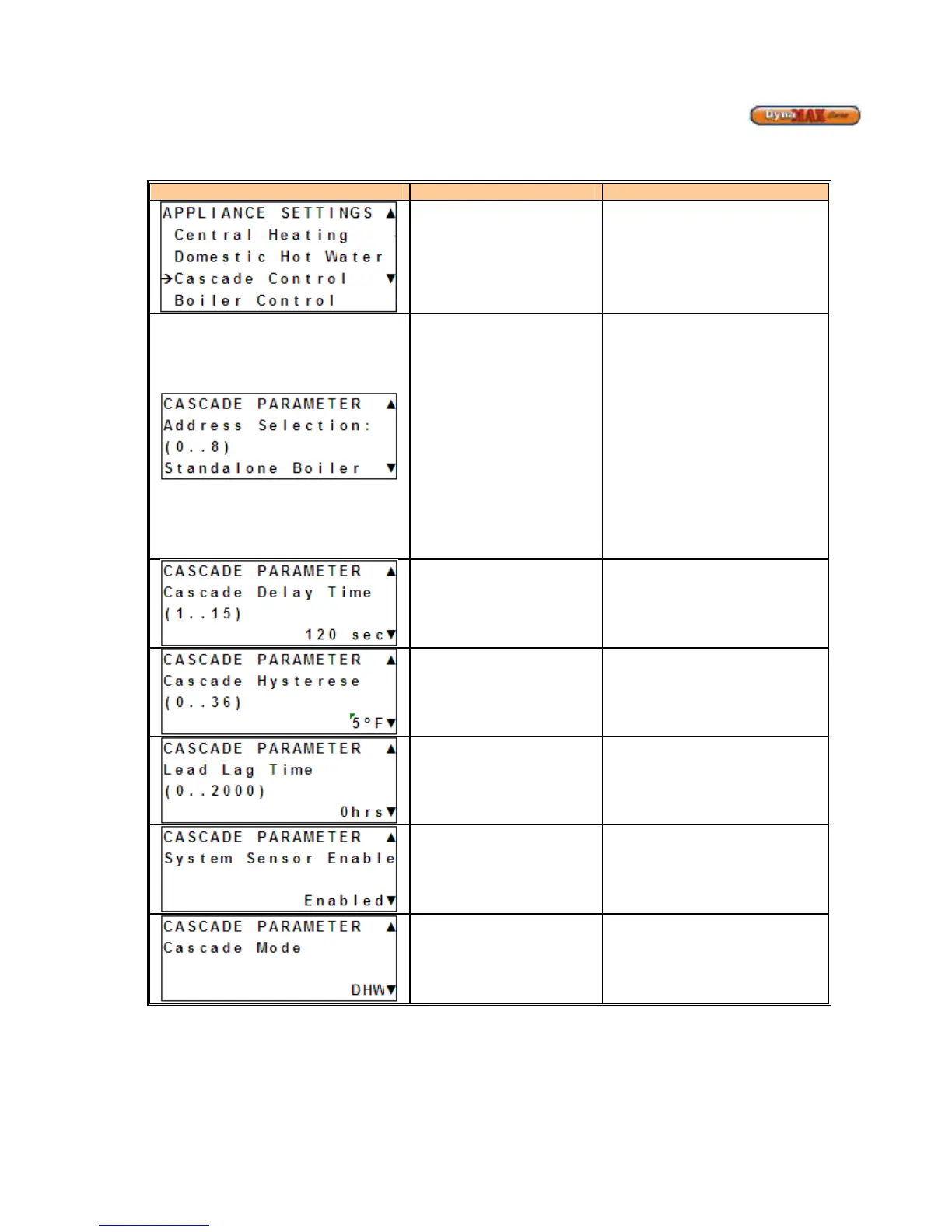
9.7 CASCADE CONTROL
1) Use [PREVIOUS]/[NEXT] button to select ‘Appliance Settings’.
2) Press ENTER
Display Display Readout Description
Cascade Control
Enters Cascade branch of display
Master/Slave Selection
1) Use
to select the
option of a ‘MASTER Boiler’ or
‘SLAVE Boiler’.
2) Press [ENTER] to confirm.
3) If ‘SLAVE Boiler’ is selected
assign it an address of ‘2’ if this
is the boiler immediately after
the ‘MASTER Boiler. Assign a
number of ‘3’ if it is the third
boiler in the system. Continue
this until all boilers have been
assigned an address. Use
[UP]/[DOWN] to select the
correct address
4) Press [ENTER] to confirm.
Cascade Delay Time
Delay time for switching on/off next
boiler when ch_setpoint is (not)
satisfied.
(Default: 120
o
F)
Cascade Hysterese
Hysterese to start and stop the next
slave boilers.
(Default: 5
o
F)
Lead Lag Time
Period after which boiler start-up
order changes.
(Default: 100 hrs)
System Sensor Enable
When enabled the system sensor will
regulate the firing rate of the boilers.
When disabled the firing rate is
dictated by the supply sensor of the
Master boiler
Cascade Mode
CH&DHW: Central Heating &
Domestic Hot Water
DHW/SENS: Domestic Hot Water
using a sensor
DHW/STAT: Domestic Hot water
using an aquastat






 To Next Page