DHW Mode 1
DHW Demand:
DHW Sensor < DHW Setpoint – DHW Store hyst down
Burner Start:
DHW Sensor < DHW Setpoint + DHW store supply extra –
DHW supp hyst down
Burner Modulation: DHW Setpoint + DHW store supply extra
Burner Stop:
DHW Sensor > DHW Setpoint + DHW store supply extra +
DHW supp hyst up
DHW Mode 2
Burner Start:
Supply Temp < DHW Setpoint – DHW supp hyst down
Burner Modulation:
DHW Setpoint
Burner Stop:
Supply Temp > DHW Setpoint + DHW supp hyst up
To change a blue coloured parameter, place the cursor over
a parameter and double-click. This will bring up a window to
enter the desired values of operation. Take note of the
minimum and maximum values that can be entered, as the
values entered MUST be within this range
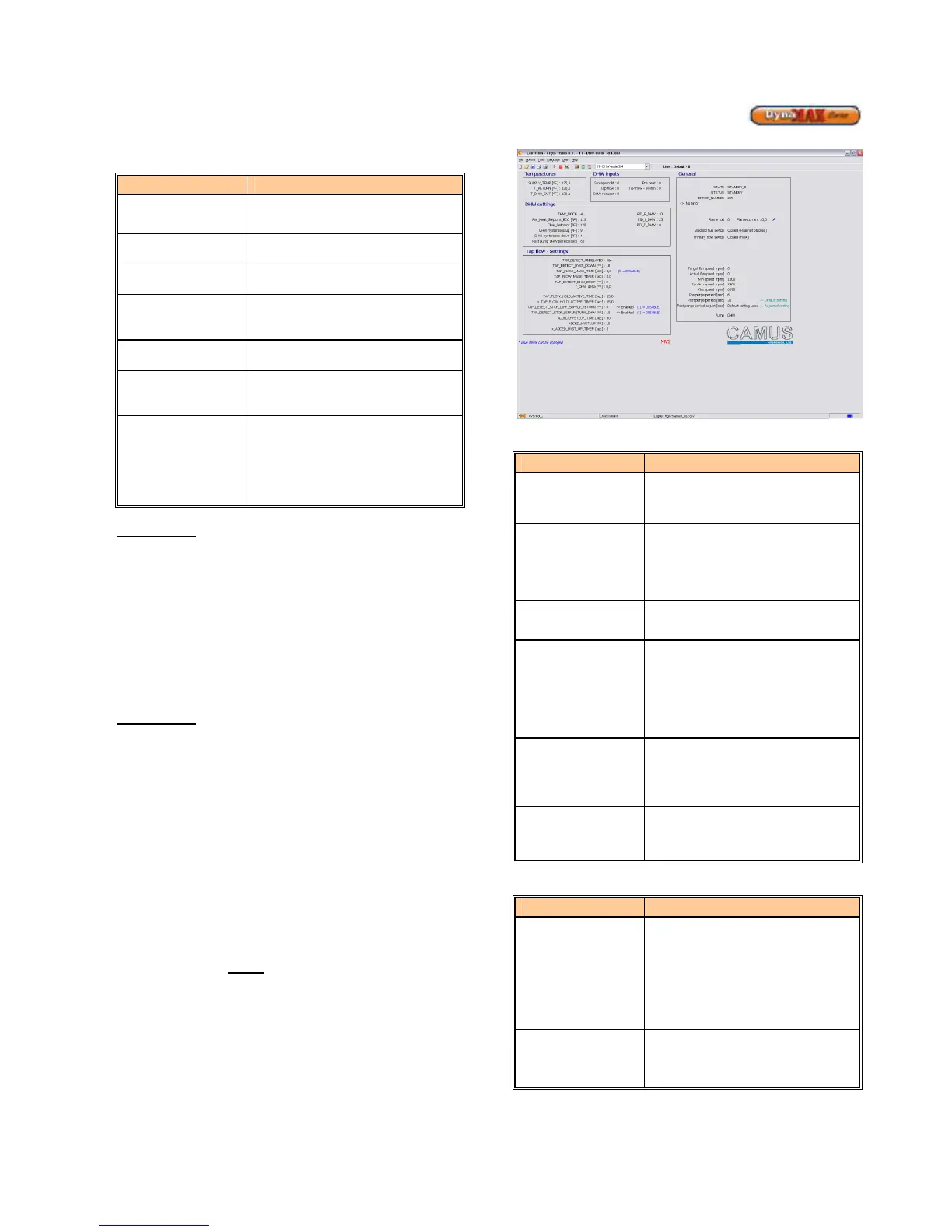
8.6.3 DHW Mode 4, Installer Level
This mode can ONLY be accessed on a DynaMax
Combination model using a plate type heat exchanger. Use
the pull down menu and select DHW Mode 4 to adjust
parameters. Before parameters can be adjusted the blue
status bar must track left-to-right and back again. Refer to
Section 8.1 to resolve connection issues.
Figure 41: DHW Mode 4 Screen
Table 23: DHW Mode 4 Parameters
Parameter Parameter Description
DHW_Setpoint
To provide a target set point for
DHW. (Default: 120
o
F)
DHW hysterese up
To provide modulation rate above
DHW set point. (Default: 9
o
F)
DHW hysterese
down
To provide modulation rate below
DHW set point. (Default: 4
O
F)
Pre Heat Setpoint
When the plate heat exchanger
outlet/supply temperature drops
below this value the boiler will fire
at minimum fire. This functionality
is only activated when the boiler is
in Standby mode. (Default: 110
o
F)
Pre Heat hyst_up
To provide modulation rate above
Pre-heat set point for the plate heat
exchanger during pre-heat.
(Default: 0
o
F)
Pre Heat
hyst_down
To detect the start of the pre-heat
sequence below Pre Heat Setpoint.
(Default: 9
o
F)
Table 24: Status Readouts (Read Only)
Parameter Parameter Description
PRE HEAT
Keeps the plate heat exchanger
warm. This is accomplished by
firing the boiler at minimum fire.
This process repeats itself with a 2
minute gap in between firing if the
plate has not reached Pre Heat
Setpoint.
TAP
When there is a domestic demand
and the burner will fire until
DHW_Setpoint is
satisfied.






 To Next Page