7.
NOTE:
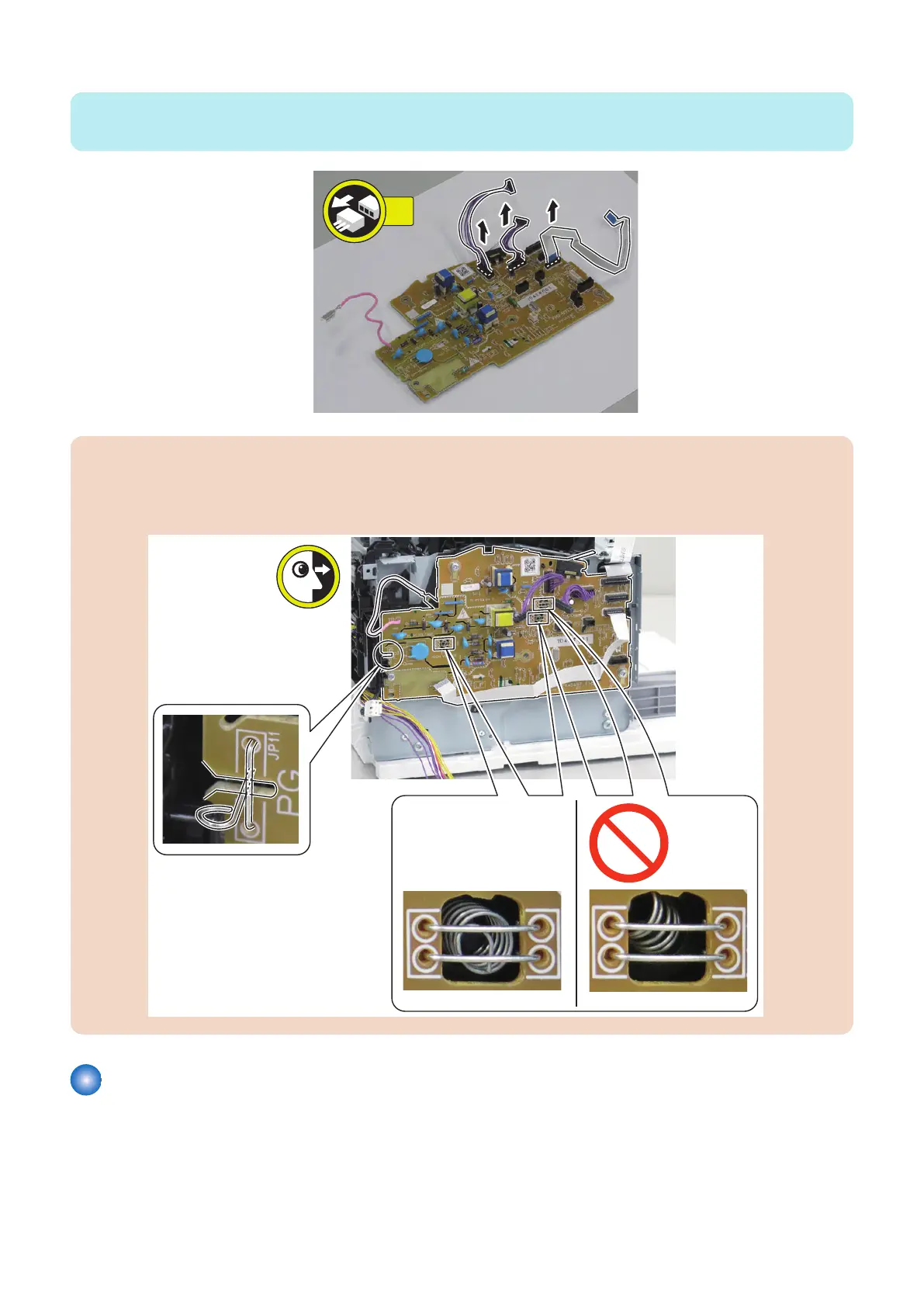
When replacing the Engine Controller PCB, be sure to disconnect the harnesses.
CAUTION:
Points to Note when Installing the Engine Controller PCB
• Be sure that the 3 Contact Springs are in the correct position.
• Be sure to check that one Contact Spring on the left side is in contact with the wire rod.
Removing the Motor PCB
■ Preparation
1. “Removing the Cartridge” on page 77
2. “Removing the Right Cover” on page 78
4. Parts Replacement and Cleaning
184










 To Next Page