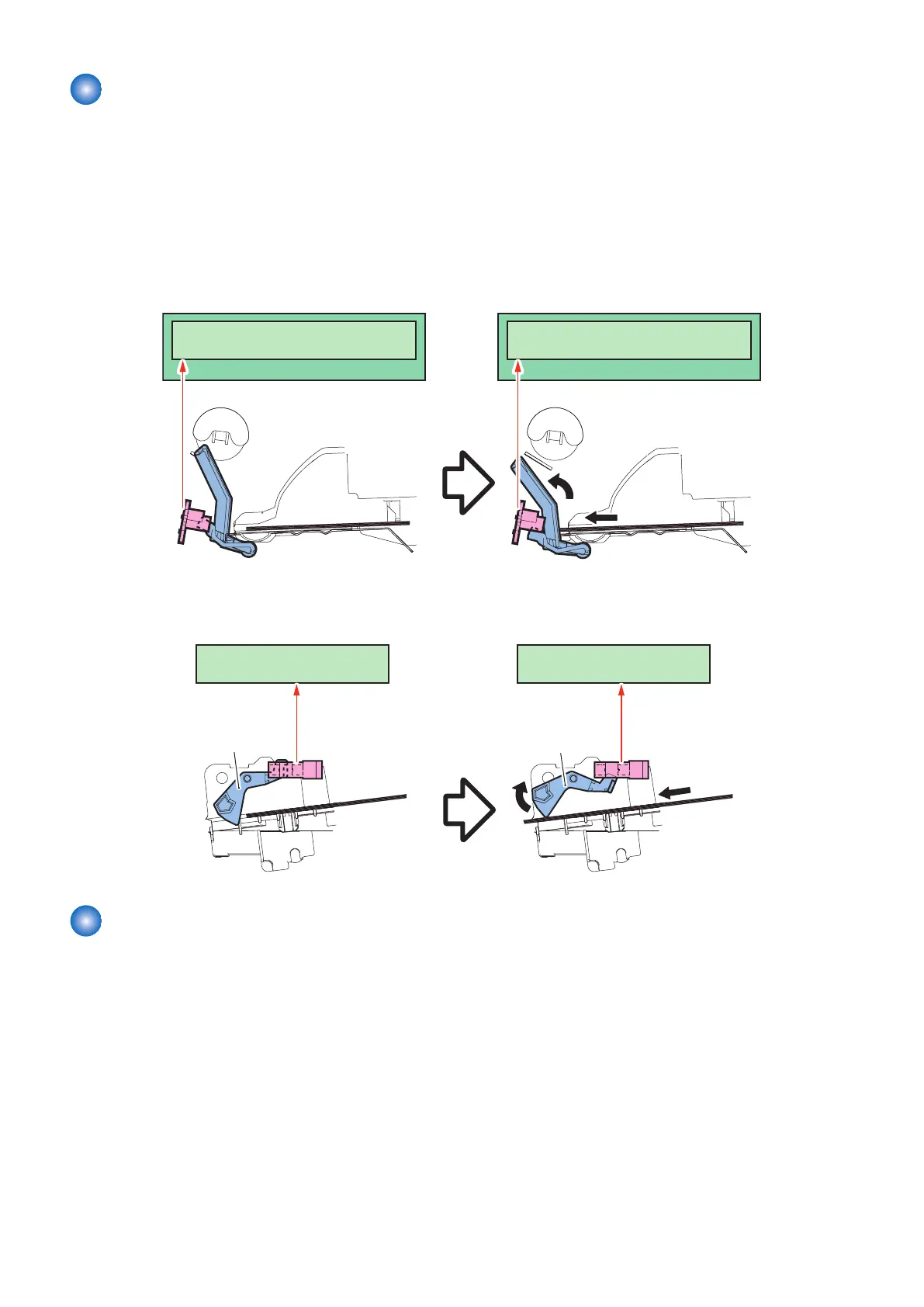
Paper detection
The DC Controller uses the Paper Sensor (PS1) to detect whether there is paper on the Pick-up Tray.
The Main Controller uses the Multi-purpose Tray Sensor (PS10) to detect whether there is paper on the Multi-purpose Tray.
"Check if paper size in the paper cassette and paper type settings are correct, then execute jobs" is displayed on the Control
Panel when either of Paper Sensor (PS1) or Multi-purpose Tray Sensor (PS10) detects paper stack.
Pickup is started even if paper is not detected by the Paper Sensor (PS1) or the Multi-purpose Tray Sensor (PS10). If the Top
Sensor (PS3) still fails to detect the leading edge of paper after two pickup retries, the Engine Controller judges that a misprint
due to no paper has occurred, and notifies it to the Main Controller.
For the Pickup Tray
Engine Controller PCB
PS1
Sensor lever
Paper
Sensor lever
Paper
PS1
DC ControllerDC Controller
Engine Controller PCB
For the Multi-purpose Tray
メインコントローラーMain Controller PCB Main Controller PCB
Sensor lever
Paper
PS10
Sensor lever
Paper
PS10
Pickup Control
Description
In this machine the following control is applied to feed one sheet of paper at a time into the machine.
1. DC Controller rotates the Main Motor (M2) when receiving a print command from the Main Controller.
2. The Feed Roller rotates.
3. The Pickup Solenoid (SL1) is driven at a specified timing.
4. The Pickup Roller rotates and picks up the top paper.
5. The Separation Pad removes any double-fed sheets.
6. One sheet of paper is fed into the printer.
2. Technology
53










 To Next Page