CAUTION:
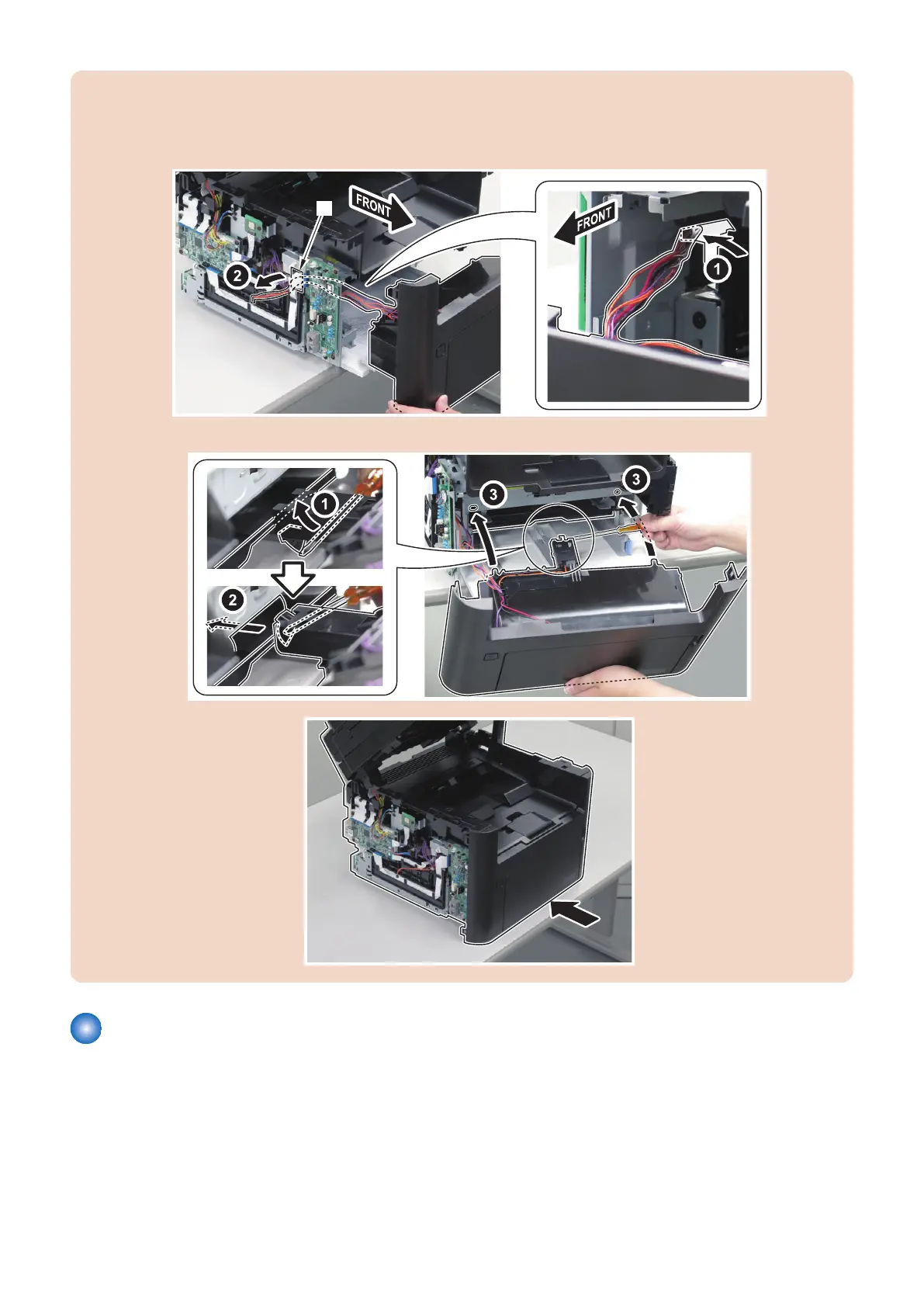
Points to Note When Installing the Front Cover
Be careful not to damage or drop the Multi-purpose Tray Paper Detection Actuator by interfering with the Pickup Guide.
1. If the Fax is installed, pass the harness through the gap [A].
2. Lift the Multi-purpose Tray Paper Detection Actuator using a screwdriver and insert the Front Cover.
3.
Removing the Toner Cover
■ Preparation
1. “Removing the Cartridge” on page 77
2. “Removing the Right Cover” on page 78
3. “ Removing the Left Cover” on page 80
4. Parts Replacement and Cleaning
86










 To Next Page