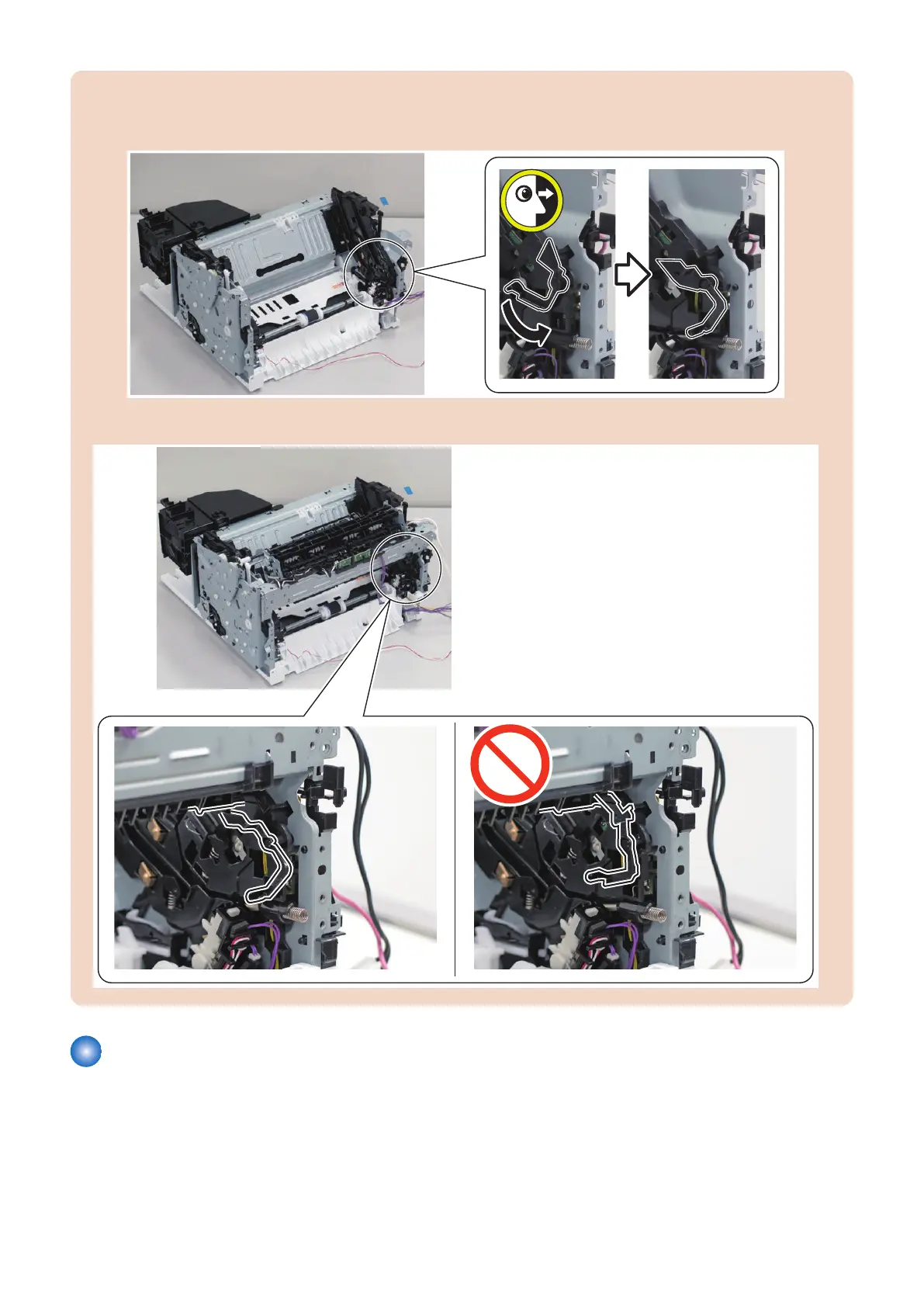
CAUTION:
Points to Note when Installing the Fixing Unit
• Be sure to check the orientation of Fixing Shutter Link.
• Be sure that the Fixing Shutter Link is positioned as shown in the figure.
Removing the Fixing Film Unit
■ Preparation
1. “Removing the Cartridge” on page 77
2. “Removing the Right Cover” on page 78
3. “ Removing the Left Cover” on page 80
4. Parts Replacement and Cleaning
207










 To Next Page