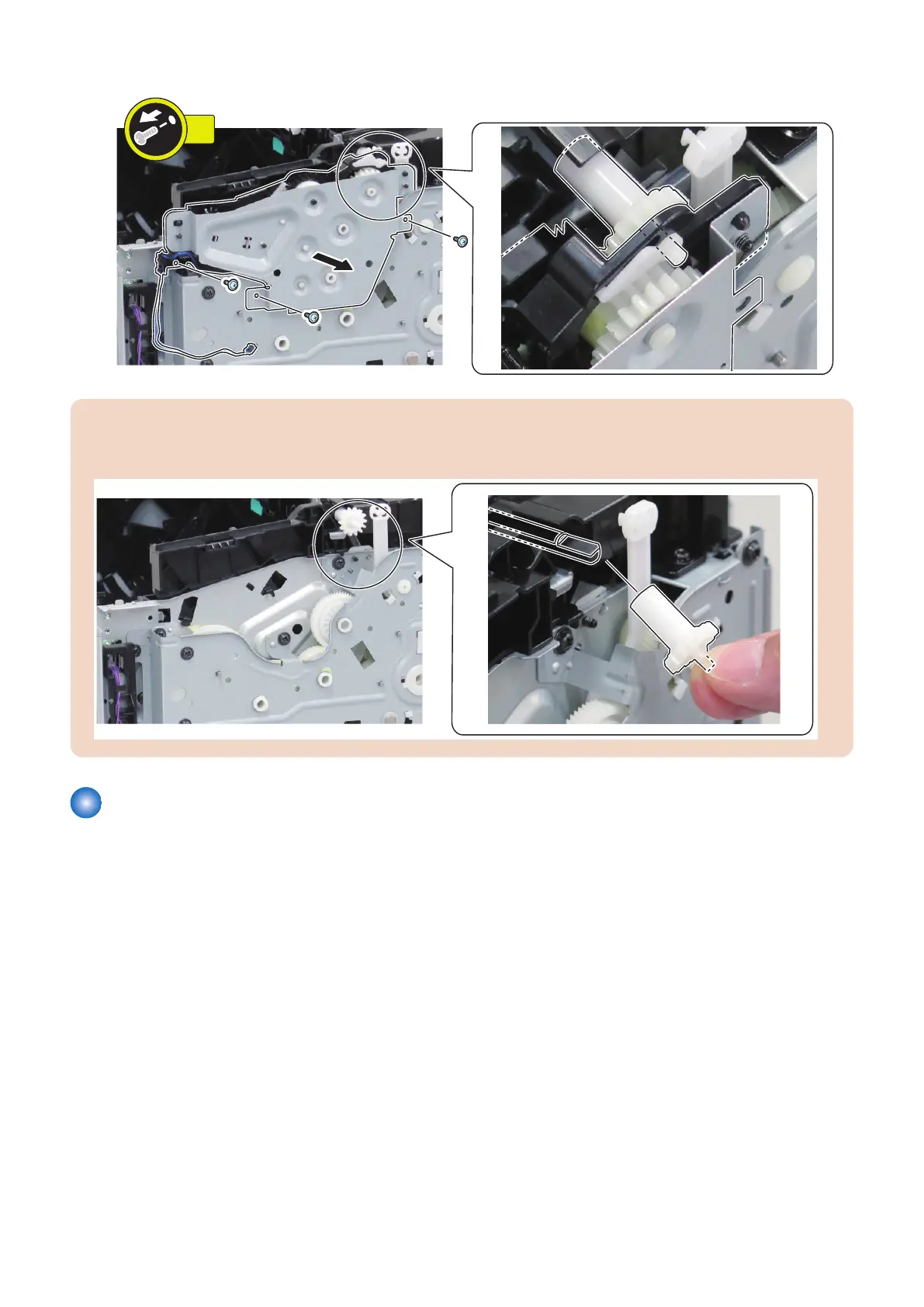
3.
CAUTION:
Points to Note when Installing/Removing the Duplex Reverse Unit
• Be sure to handle the gear with care because it is not secured to the shaft.
Removing the Top Sensor PCB
■ Preparation
1. “Removing the Cartridge” on page 77
2. “Removing the Right Cover” on page 78
3. “ Removing the Left Cover” on page 80
4. Depending on the model, perform one of the following operation.
• “Removing the DADF Unit + Reader Unit” on page 93
• “Removing the SADF Unit + Reader Unit” on page 126
• “Removing the Copyboard Cover + Reader Unit” on page 157
5. “ Removing the Toner Cover” on page 86
6. “ Removing the Upper Cover” on page 91
7. “Removing the Duplex Door” on page 90
8. “ Removing the Duplex Frame Unit” on page 212
4. Parts Replacement and Cleaning
218










 To Next Page