Item Code
Pickup position 0: Multi-purpose Tray
1: Pickup cassette
7: 2-sided Mode
Paper size 00: Unknown, 02: A4R, 07: B5R, 03: A5R, 0C: LGL, 0D: LTRR, 3C: STMTR, 0A: EXECR, 3E: OFFICIO,
CC: B-OFFICIO, D2: M-OFFICIO, D0: GLTR-R, D1: GLGL, D7: Indian LGL, CA: AFLS, 3D: FLS, D4:
16KR, D6: FA4, 04: A6, 13: Custom paper, 4E: Universal, 40: 3x5 inch, 16: COM10, 17: Monarch, 15:
ISO-C5, 18: DL
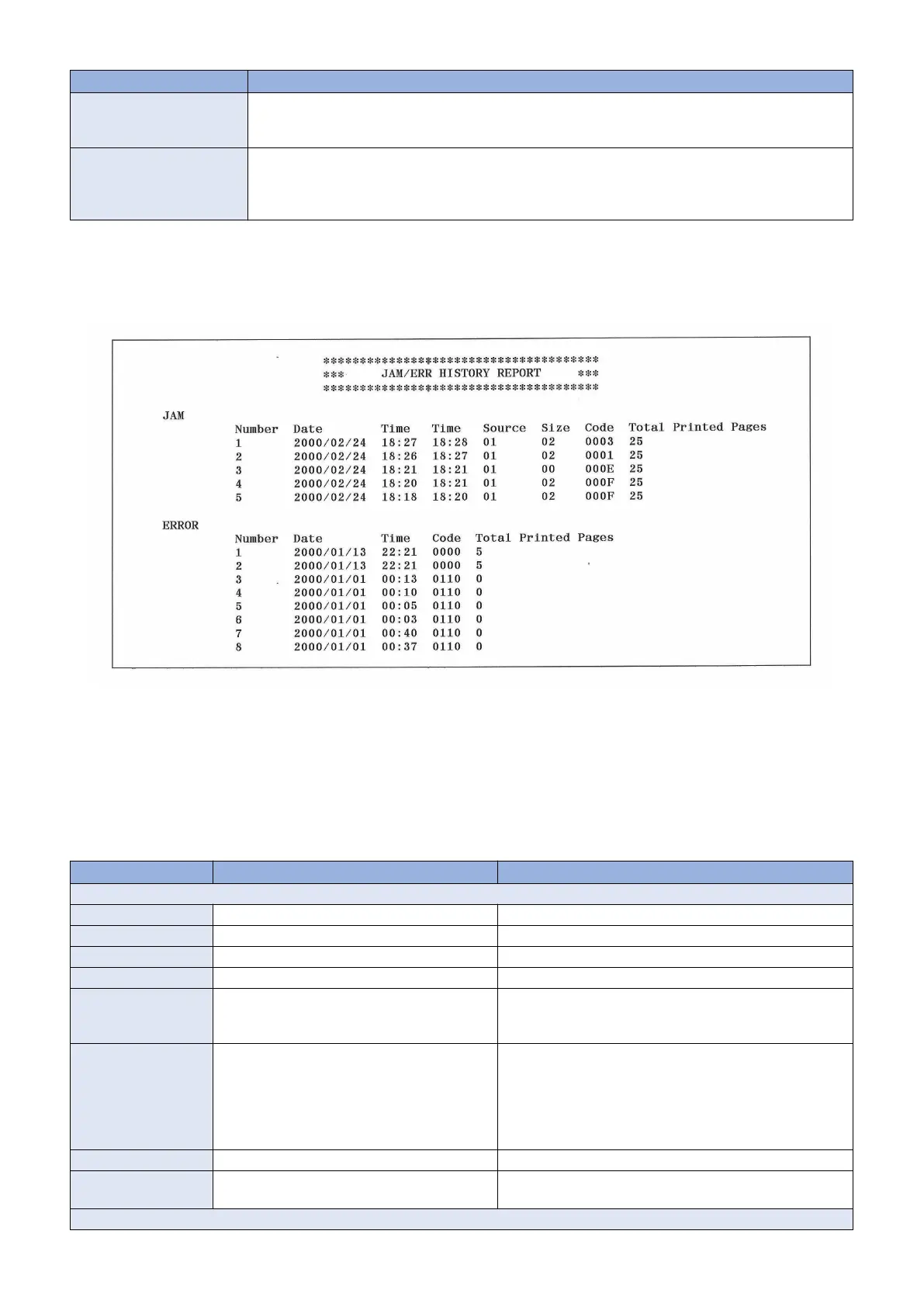
■ JAM/ERR HISTORY REPORT
Logs of jam (jam code) and error (error code) histories are output as a report.
Output method
Output the jam/error history report by executing the following service mode.
• Output of a jam/error history report:
SERVICE MODE > COPIER > FUNCTION > MISC-P > OUTPUT > ERRLOG
History Log
Up to 20 jam and error (error code) logs each are printed
Item Description Remarks
JAM
Number Reference number
Date Date of jam occurrence YYYY/MM/DD
Time Time of jam occurrence HH:MM (24-hour notation)
Time Time of jam recovery HH:MM (24-hour notation)
Source Pickup position of paper when a jam occurs 00: Multi-purpose Tray
01: Pickup Tray
07: 2-sided Mode
Size Paper size code when a jam occurs 00: Unknown, 02: A4R, 07: B5R, 03: A5R, 0C: LGL, 0D:
LTRR, 3C: STMTR, 0A: EXECR, 3E: OFFICIO, CC: B-OF-
FICIO, D2: M-OFFICIO, D0: GLTR-R, D1: GLGL, D7: Indian
LGL, CA: AFLS, 3D: FLS, D4: 16KR, D6: FA4, 04: A6, 13:
Custom paper, 4E: Universal, 40: 3x5 inch, 16: COM10, 17:
Monarch, 15: ISO-C5, 18: DL
Code Jam Code
Total Printed Pages The number of total printed pages when a jam
occurs
ERROR
7. Error/Jam/Alarm
236










 To Next Page