◼ Checking the Router Settings
When you want to use a xed IP address, check the settings of the DHCP that functions to automatically assign
an IP address in a network. To avoid duplication of the IP address, you need to set an IP address outside the
range of IP addresses assigned by DHCP. Since a router often functions as a DHCP server, check the router
settings.
● For how to display the setting screen of the router, see the instruction manual of your router.
1
Display the setting screen of the router.
2
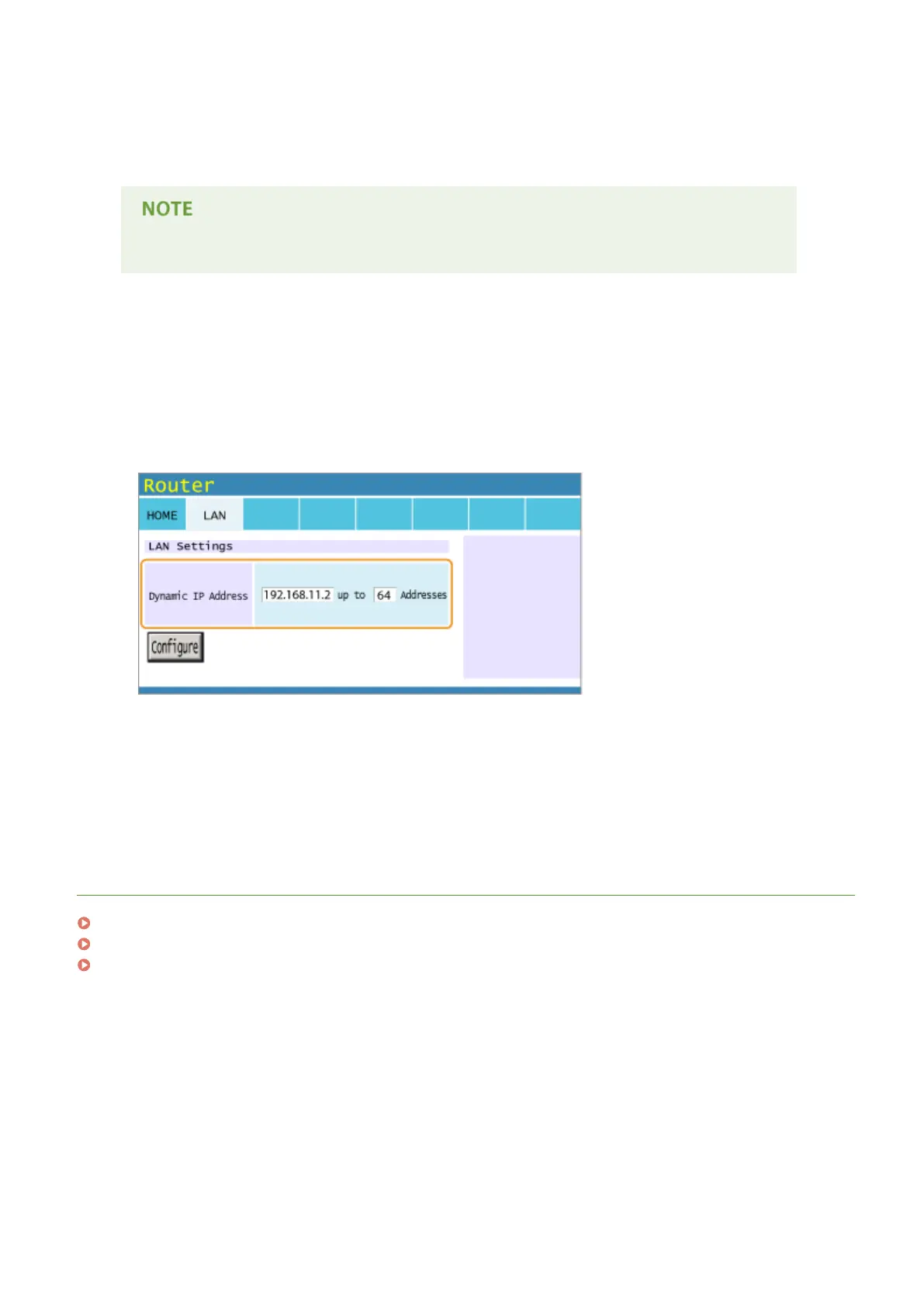
Check the range of IP addresses assigned by DHCP.
● The range of IP addresses assigned by DHCP is set according to your router.
Example DHCP setting screen of the router:
3
Determine the IP address of the machine.
● In the example screen shown in step 2, assign an IP address in the range of 192.168.11.66 to 192.168.11.254
to the machine because an IP address that the router assigns by DHCP is in the range of 192.168.11.2 to
192.168.11.65.
LINKS
Setting IPv6 Addresses(P. 195)
Network Status Print(P. 586)
Conguring WINS(P. 229)
Network
194



 To Next Page