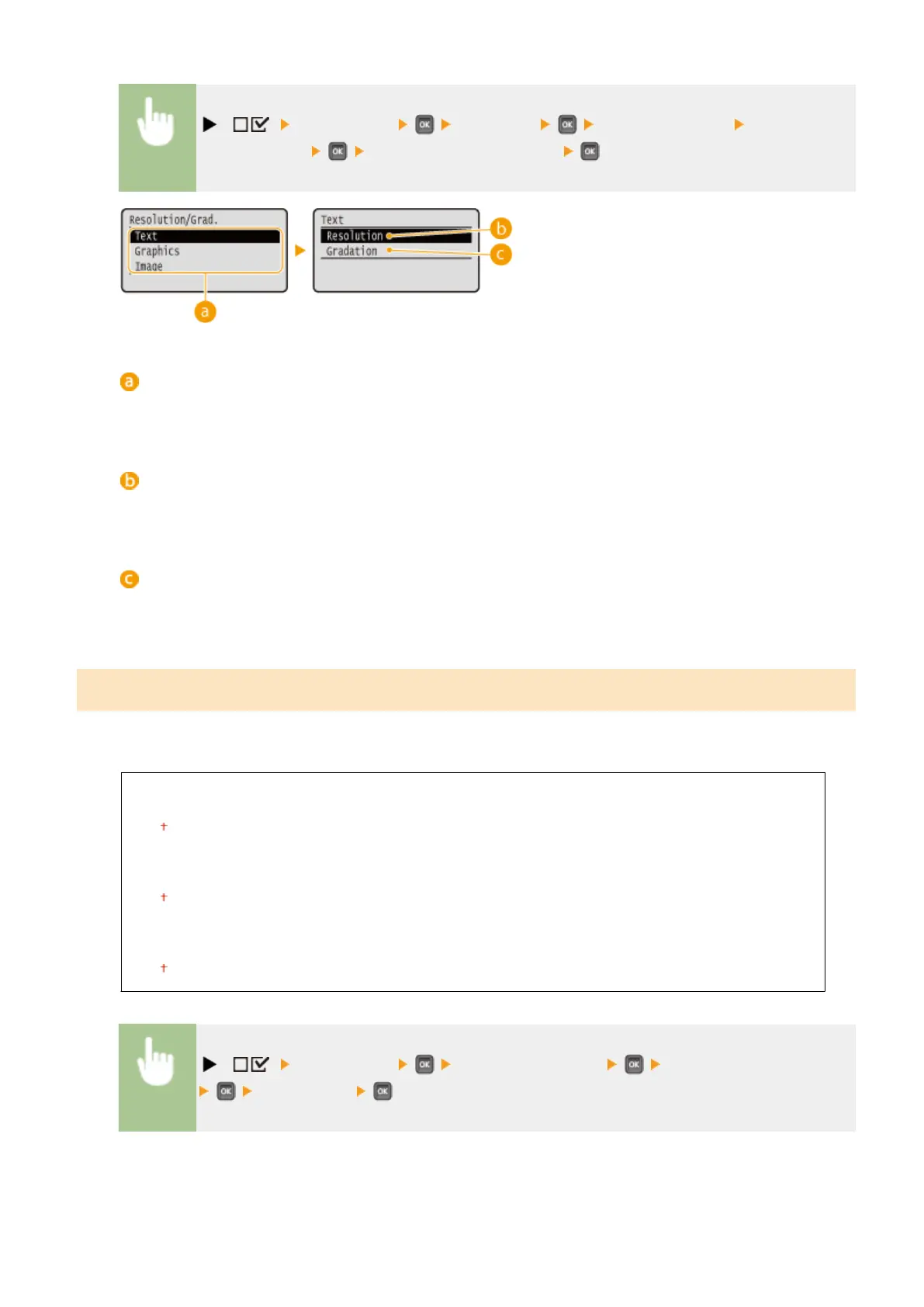
( ) <Print Quality> <Halftones> <Resolution/Grad.> Select the
image data type <Resolution> or <Gradation>
Image data type
Select the image data type for which the settings are changed. Select <Text> for characters, <Graphics> for
lines and gures, or <Image> for images such as photos.
<Resolution>
Performs ne printing by sharply reproducing the edges of characters. This print mode is suitable for
printing data of characters and thin lines with a clear nish.
<Gradation>
Prints gradation and lines with a smooth nish. This print mode is suitable for printing gures and charts
with gradation.
Gray Compensation
For black or gray data with color information dening R=G=B, select whether to print with black (K) toner only or print
with CMYK 4-color toner. You can set this item for each of the types of image contained in one document.
Text
Off
On
Graphics
Off
On
Image
Off
On
( ) <Print Quality> <Gray Compensation> Select the image data type
<Off> or <On>
Setting Menu List
405



 To Next Page