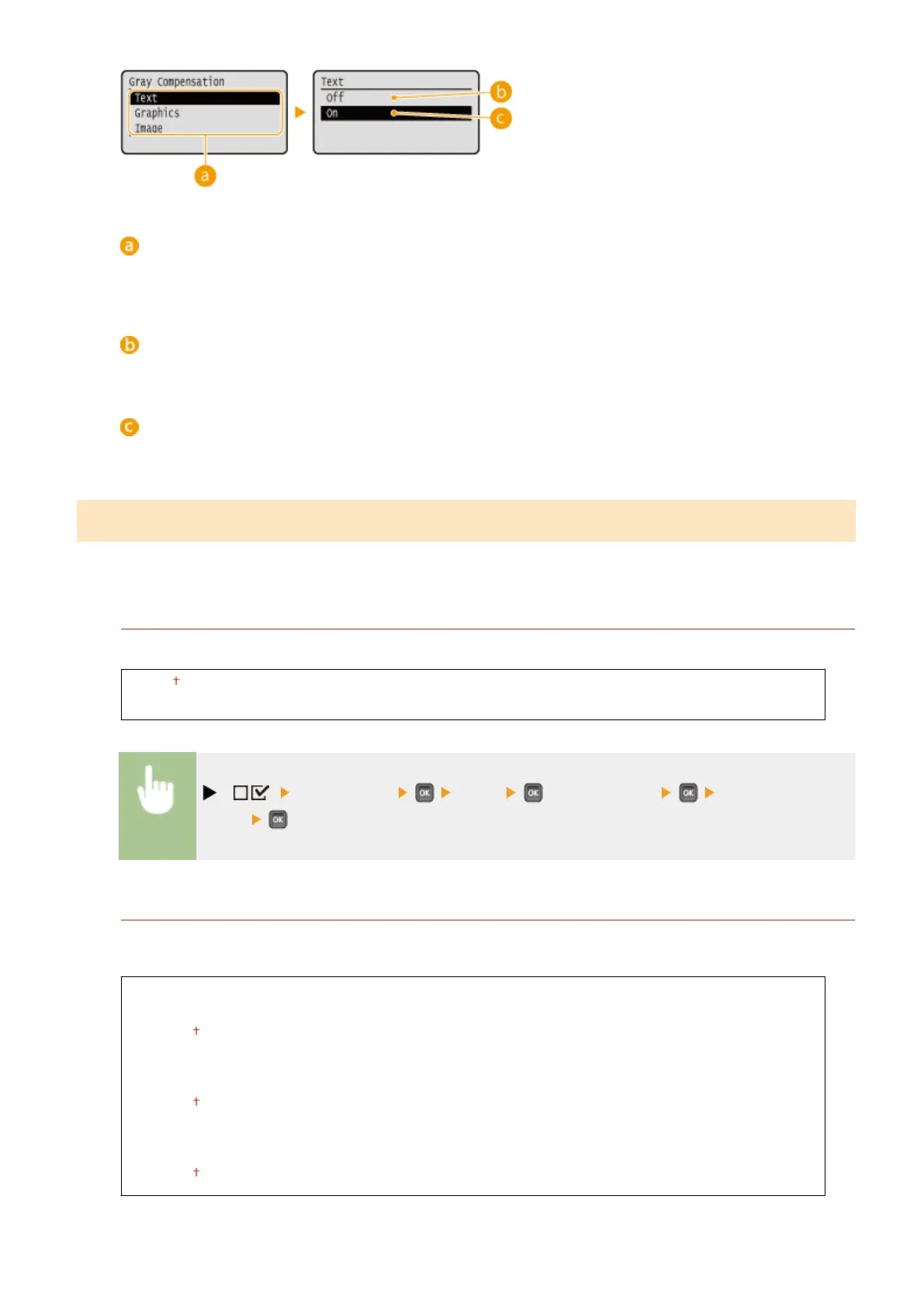
Image data type
Select the image data type for which the settings are changed. Select <Text> for characters, <Graphics> for
lines and gures, or <Image> for images such as photos.
<Off>
Prints with CMYK 4-color toner. Reproducibility of gradation of dark colors is better than with <On>.
<On>
Prints with black (K) toner only. Color mismatch due to use of color (CMY) toner can be prevented.
CMS
Set the processing methods for color correction. You can make different settings for different data types contained in
one document.
CMS Selection
Set whether to perform color correction on the printer side or the host side (printer driver side).
Printer
Host
( ) <Print Quality> <CMS> <CMS Selection> <Printer> or
<Host>
CMS/Gamma
Select the processing mode for color printing. You can set this item for each of the types of image contained in
one document.
Text
CMS
Gamma
Graphics
CMS
Gamma
Image
CMS
Gamma
Setting Menu List
406



 To Next Page