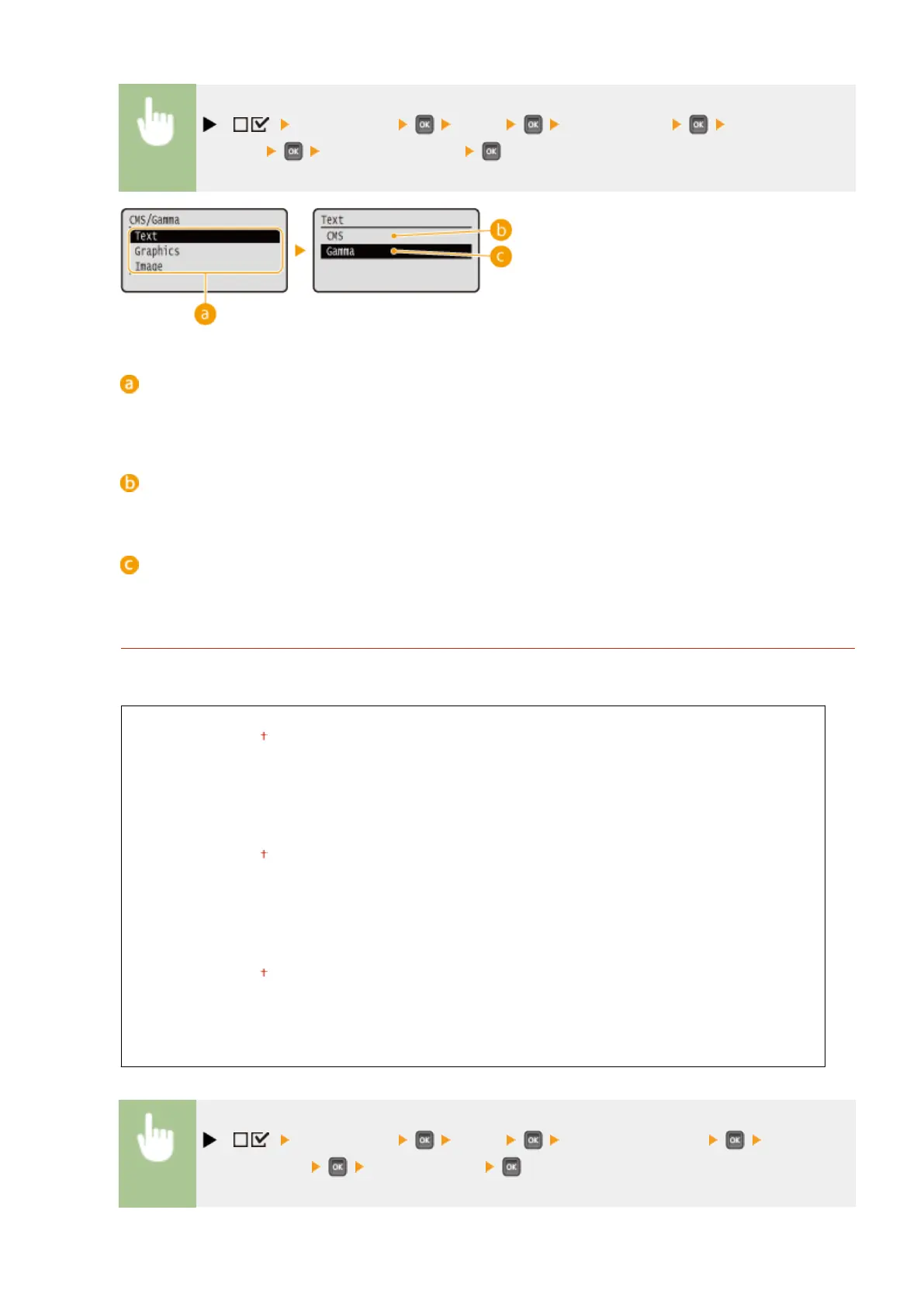
( ) <Print Quality> <CMS> <CMS/Gamma> Select the image
data type <CMS> or <Gamma>
Image data type
Select the image data type for which the settings are changed. Select <Text> for characters, <Graphics> for
lines and gures, or <Image> for images such as photos.
<CMS>
Use a prole for color matching.
<Gamma>
Perform color correction by setting a gamma value for brightness adjustment.
RGB Source Prole
Select a suitable prole for RGB data that matches the monitor that you are using. You can set this item for each
of the types of image contained in one document.
Text
sRGB v3.0 (Canon)
Canon HDTV gamma 1.5
Canon HDTV gamma 1.8
Canon HDTV gamma 2.4
Graphics
sRGB v3.0 (Canon)
Canon HDTV gamma 1.5
Canon HDTV gamma 1.8
Canon HDTV gamma 2.4
Image
sRGB v3.0 (Canon)
Canon HDTV gamma 1.5
Canon HDTV gamma 1.8
Canon HDTV gamma 2.4
( ) <Print Quality> <CMS> <RGB Source Prole> Select the
image data type Select the prole
Setting Menu List
407



 To Next Page