<Off>
Prints only with K (black) toner without converting the data to CMYK data.
<On>
Converts the data to CMYK data using the machine's grayscale prole. However, printing may be performed
only with K (black) toner depending on the setting of <Output Prole> or <Pure Black Text>.
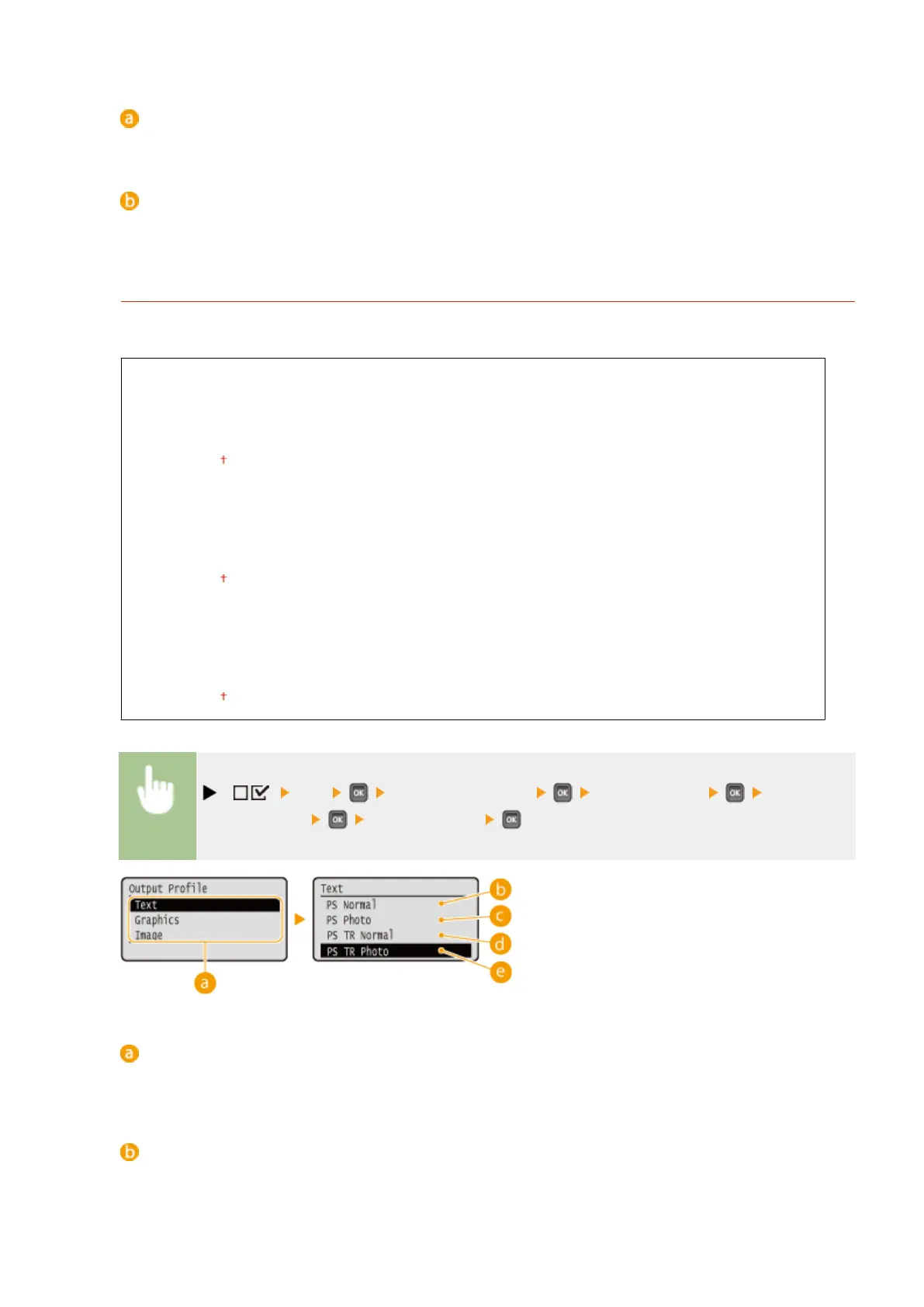
Output Prole
You can select suitable proles for data that you are going to print. You can set this item for each of the types of
image contained in one document.
Text
PS Normal
PS Photo
PS TR Normal
PS TR Photo
Graphics
PS Normal
PS Photo
PS TR Normal
PS TR Photo
Image
PS Normal
PS Photo
PS TR Normal
PS TR Photo
( ) <PS> <ICC Prole Settings> <Output Prole> Select the
image data type Select the prole
Image data type
Select the image data type for which the settings are changed. Select <Text> for characters, <Graphics> for
lines and gures, or <Image> for images such as photos.
<PS Normal>
Color matching is performed so that data is printed in colors close to the colors displayed on the monitor.
Setting Menu List
481



 To Next Page