<PS Photo>
Color matching is performed so that the print result is similar to photography.
<PS TR Normal>
Color matching is performed so that data is printed in colors close to the colors displayed on the monitor and
that bleeding of toner into text and ne lines is well controlled.
<PS TR Photo>
Color matching is performed so that the print result is similar to photography and that bleeding of toner into
text and ne lines is well controlled.
This item is disabled when one of the following settings is made.
● <RGB Source Prole> is set to <None>.
● <CMYK Sim. Prole> is set to <None>.
● <Grayscale Prole> is set to <Off>.
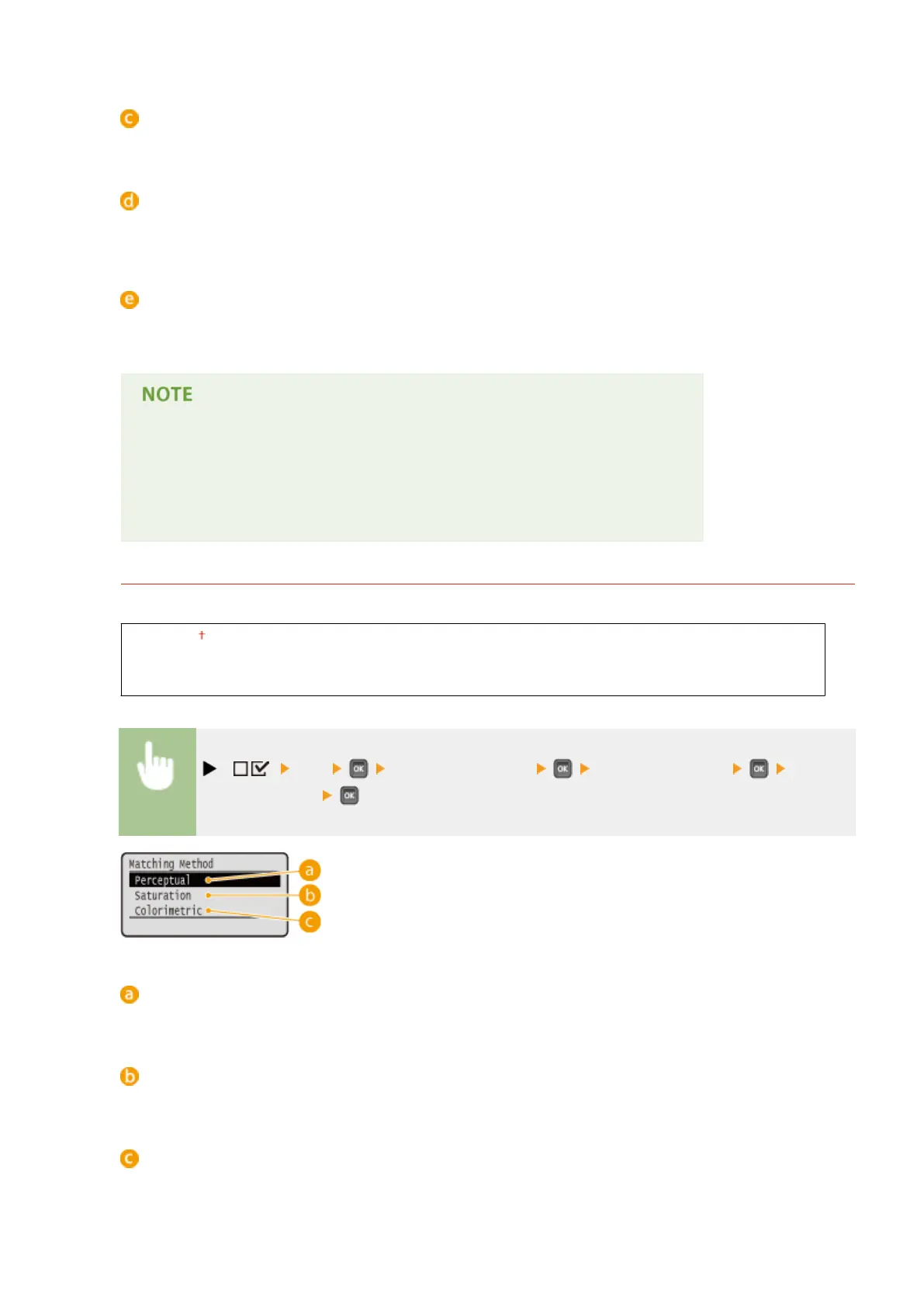
Matching Method
Specify which element to be given priority over others in color matching by <RGB Source Prole>.
Perceptual
Saturation
Colorimetric
( ) <PS> <ICC Prole Settings> <Matching Method> Select the
matching method
<Perceptual>
Matching is performed with priority given to perceptual.
<Saturation>
Matching is performed with priority given to saturation.
<Colorimetric>
Matching is performed so that color difference between originals and printouts is minimized.
Setting Menu List
482



 To Next Page