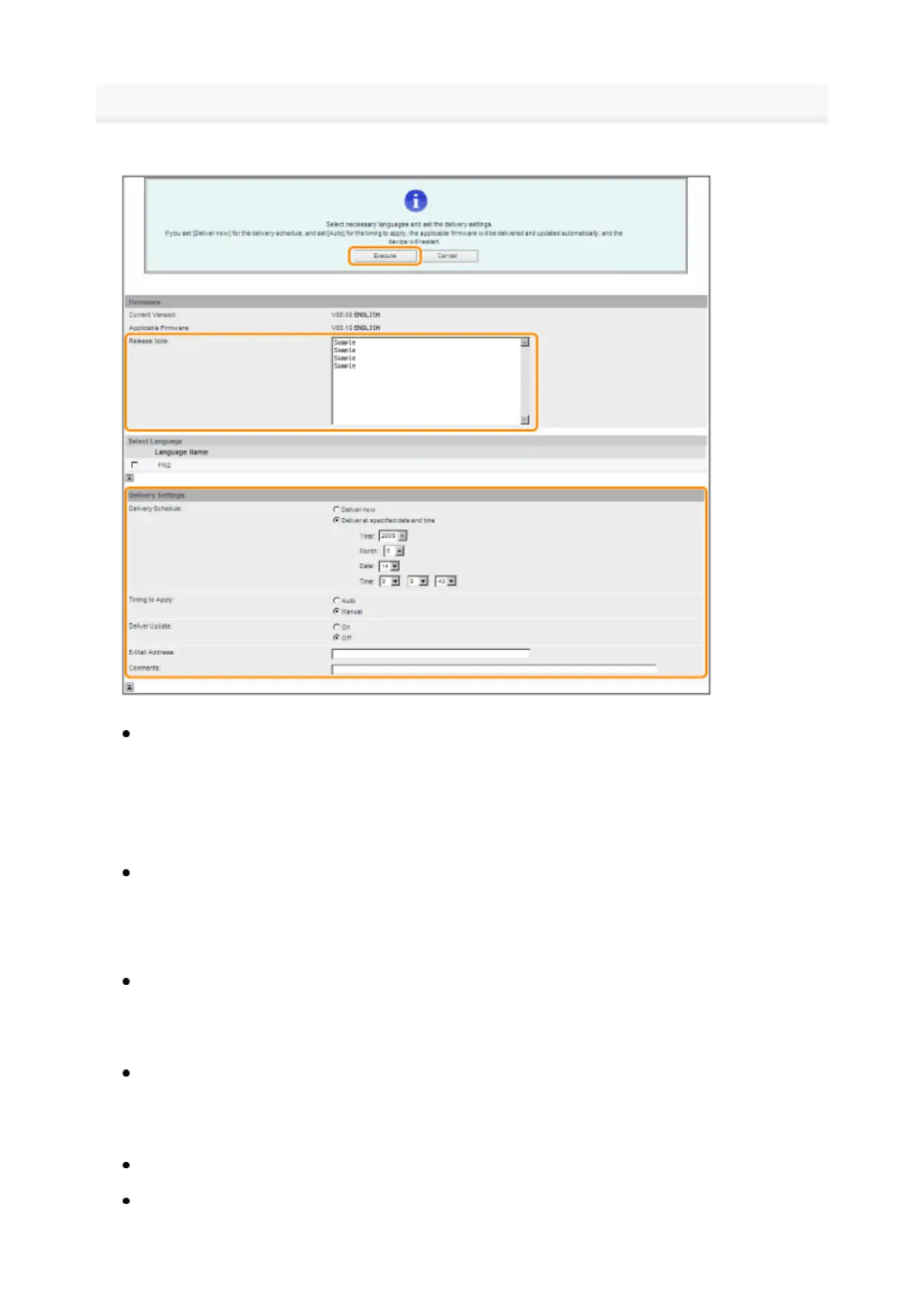
erify the displayed information → specify necessary settings → click [Execute]
If the agreement screen is displayed, read the agreement. If you abide with the agreement, press [I
Accept].
Details of each item are shown below.
Firmware:
Delivery Settings:
Delivery Schedule: Click "Deliver now" or "Deliver at specified date and time."
Timing to Apply: Click [Auto] or [Manual].
Deliver Update: Click [On] or [Off].
E-Mail Address: Enter the e-mail address of the administrator. You can receive e-mails regarding the
update status that is sent from the delivery server.
Comments: Enter the comment that will automaticall
be added to the e-mail. If the model name is
Current Version
Displays the version of the current firmware.
pplicable Firmware
Displays the new firmware that is applicable with the printer
Release Note
If the new firmware has a release note, that information is displayed.
[Deliver now]
Downloads the firmware after the delivery setting is specified
[Deliver at specified date
and time]
Select the date/time (year, month, date, and time) to download the firmware
from the drop-down list.
[Auto]
he firmware is automatically applied after the download of the firmware is completed.
[Manual]
Only downloads the firmware. To apply the downloaded firmware
set from [Apply Firmware].
[On]
Downloads only the difference between the current firmware an
the new firmware.
[Off]
Downloads the new firmware entirely.
3



 To Next Page