2
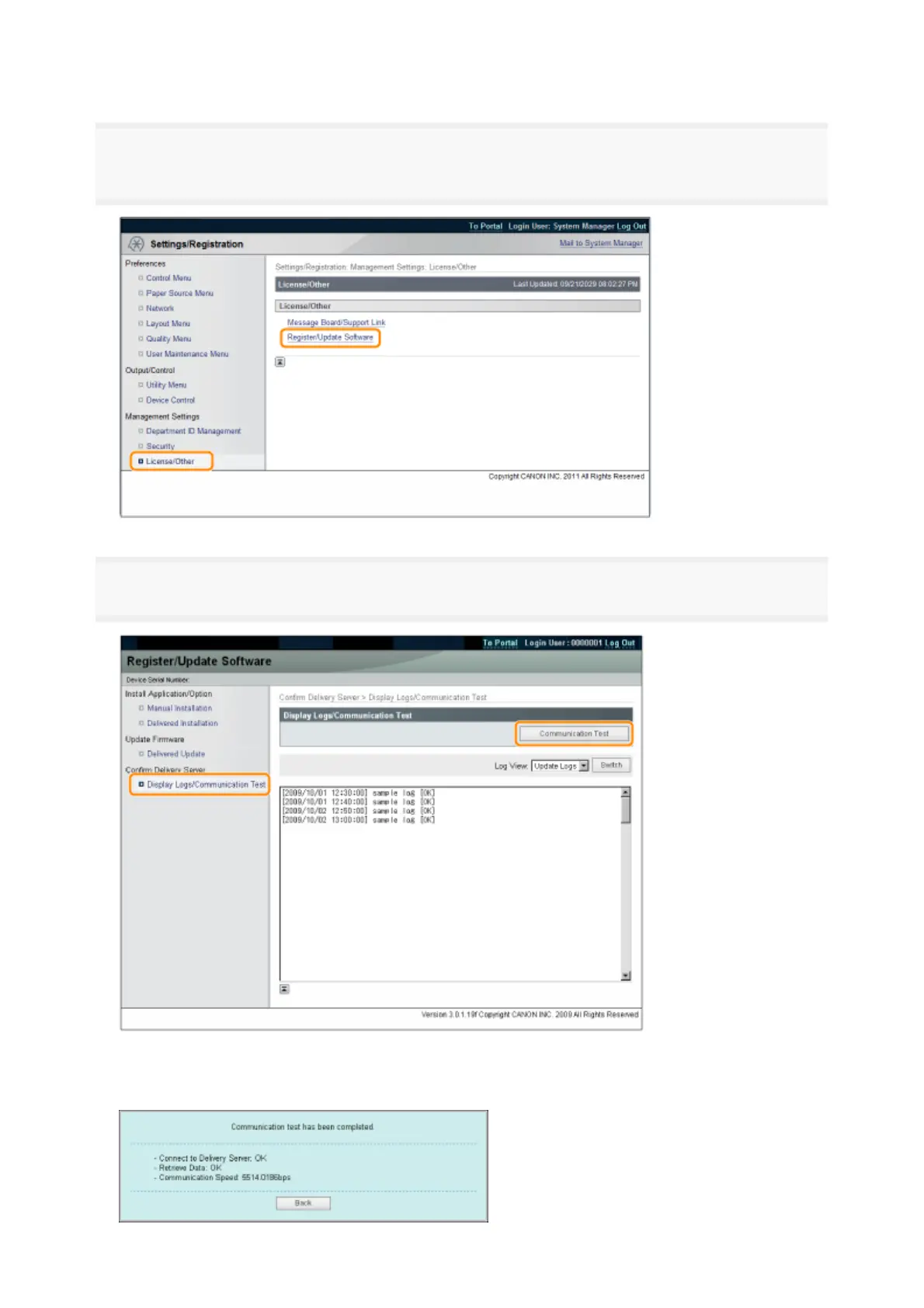
From the top page of the Remote UI, click [Settings/Registration] → [License/Other] →
[Register/Update Software].
3
Click [Display Logs /Communication Test] → [Communication Test].
When the confirmation dialog is displayed, click [Yes].
Contents for the test are downloaded from the delivery server.
When the communication test is completed, the communication test result screen is displayed.
3



 To Next Page