Admin Viewer/VB Viewer
189
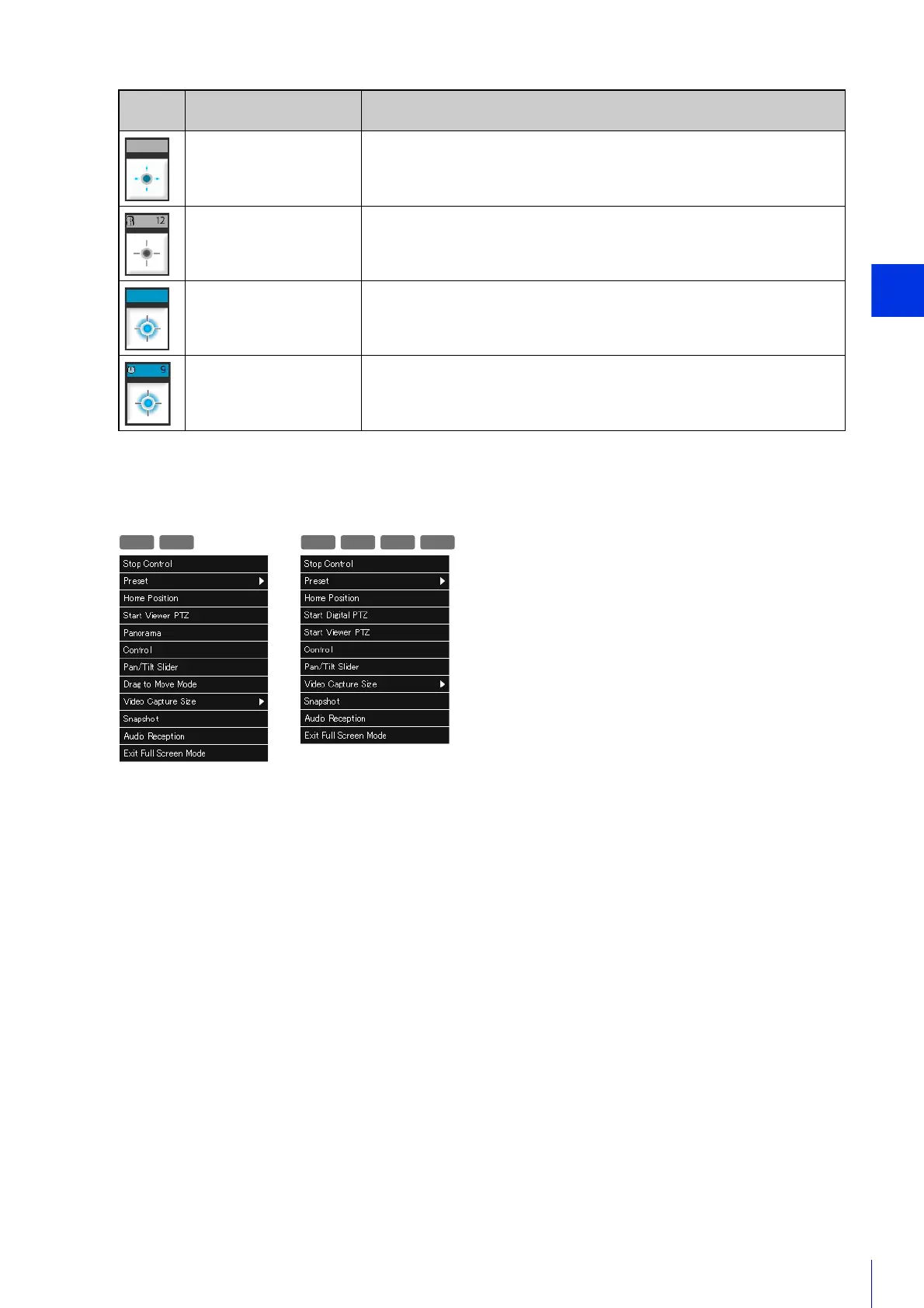
Context Menu in Full Screen Mode
The following menus appear when you right-click in full screen mode in the VB Viewer.
For details on each item, please refer to P. 145.
Appeara
nce
Control Privilege Status Explanation
Control privileges not
obtained
Camera control privilege indicator is grayed out.
The [Obtain/Release Camera Control Privileges] button is animated.
Waiting to obtain control
privileges
If you click the [Obtain/Release Camera Control Privileges] button while
privileges are not assigned and are put in the queue for privileges, the
camera control privilege indicator will display the remaining time.
Control privileges
obtained
Camera control privilege indicator appears in blue.
The center of the [Obtain/Release Camera Control Privileges] button is blue.
Control privileges
obtained
(remaining control time)
After obtaining control privileges, the amount of time for maintaining control
privilege priority is displayed in the control privilege indicator.
R11 R10
M641 M640 M741 M740



 To Next Page