238
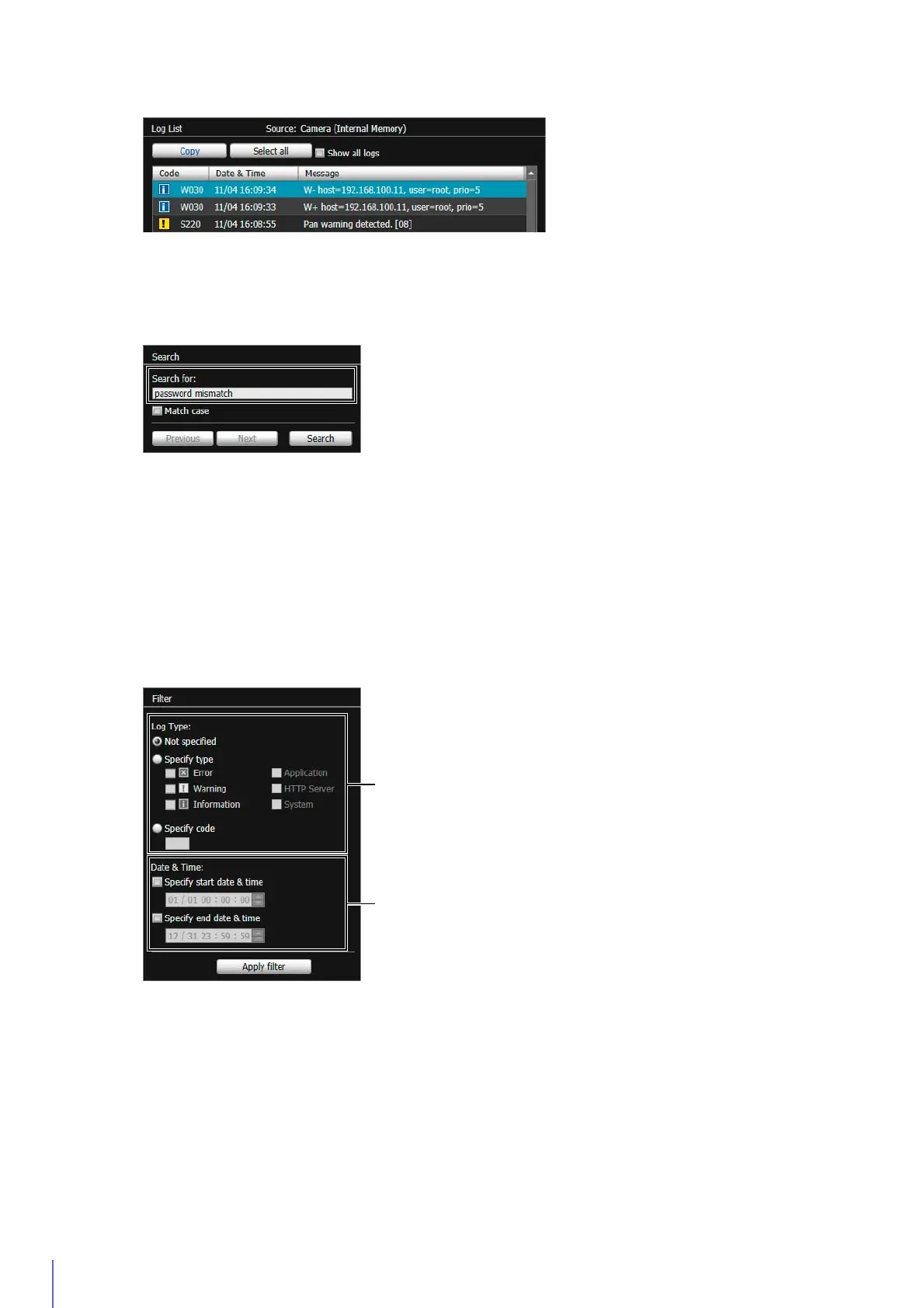
Search for a Log
If the searched log is found, it is shown as selected.
Click [Previous] or [Next] to search for the logs above or below. Lines of logs found are shown as selected.
Show Filtered Logs
You can filter logs by type, code and date and time to only show necessary information.
(1) [Log Type]
[Not specified]
Logs will not be filtered.
[Specify type]
Select [Error], [Warning] or [Information] for the level if logs are filtered by their levels.
To use the module output by the log for filtering, select [Application], [HTTP Server] or [System].
[Application], [HTTP Server], and [System] support the List of Log Messages (P. 256).
[Specify code]
Logs will be filtered by log code. Only logs whose code contains the entered characters are shown. If “A0” is
entered, for example, logs starting with “A0” are displayed.
2
Click [Copy].
1
Enter the search string into [Search for] in [Search].
2
Click [Search].
1
Configure [Filter] conditions.



 To Next Page