CG Drives & Automation, 01-5980-01r2 Functionality 89
Fieldbus Signals [266]
Defines modbus mapping for additional process values. For
further information, see the Fieldbus option manual.
FB Signal 1 - 16 [2661]-[266G]
Used to create a block of parameters which are read/written
via communication. 1 to 8 read + 1 to 8 write parameters
possible. Modbus addresses are entered, the actual numbers
are found in Appendix 1: Menu List.
Fieldbus Status [269]
Sub menus showing status of fieldbus parameters. For
detailed information, please see the Fieldbus option manual.
8.3 Process [300]
These parameters are mainly adjusted to create a process
signal used for analogue start/stop. The input signal is
rescaled in order to be used for viewing in SI-units or as a
signal for the analogue comparators. The read-out actual
value depends on the selected process source, [321}.
8.3.1 View Process Value [310]
This menu is only visible if a process source is selected in
menu [321] Process Source (i.e. by default the menu is not
shown).
When selected, the actual value of the active (on-line) process
signal is viewed here.
8.3.2 Process Settings [320]
With these settings, the softstarter process value can be set up
to fit the application. The process value in menus [110],
[120], [310], and [711] all use the process unit selected in
[322] for the application, e.g. rpm, bar, or m3/h.
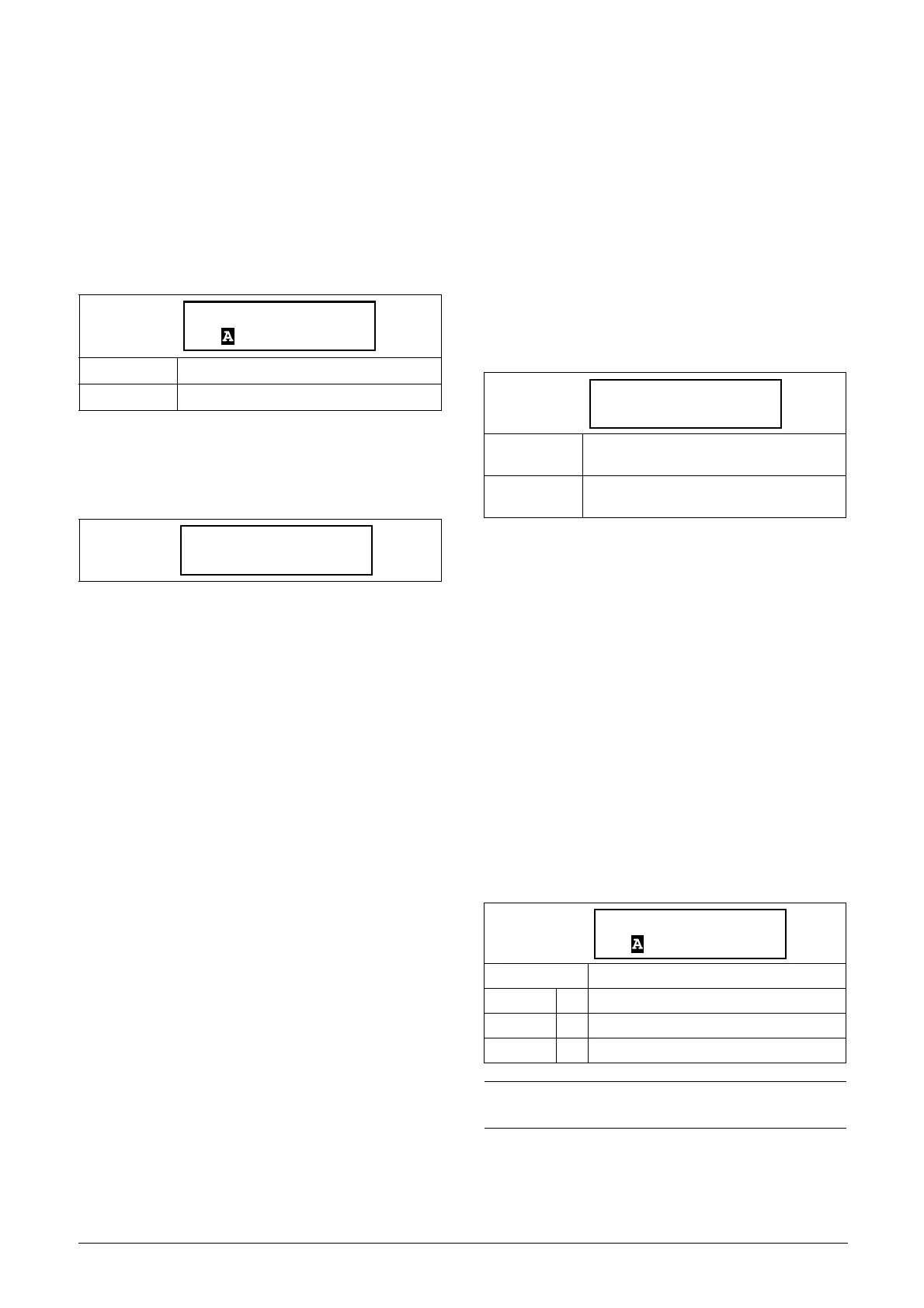
Process Source [321]
Selection of the signal source for the process value used to
start and stop of the motor. The signal levels are given in
menus [324] and [325]. The process source can be set to act
as a function of the process signal on analogue input, via a
communication bus, or temperature input via a PT100
board.
The selection F(x) indicates that a process unit and scaling is
needed, set in menus [322]-[325]. This makes it possible to
e.g. use pressure sensors to measure flow etc. If F(AnIn) is
used, “Process Val” must be selected in menu [511].
Default: 0
Range: 0-65535
Read-only
Read-only
Dependent on:
Process Source [321] and Process Unit
[322]
All modes
Min according to menu [324] - max
according to menu [325]
Default: Off
Off 0 No process source selected.
F(AnIn) 1 Function of analogue input.
F(Bus) 7 Function of communication value.
NOTE: If F (Bus) is chosen in menu [321], see
section 9.5 Process value, page 140.


 To Next Page
 Loading...