CHC i83 User Manual 64
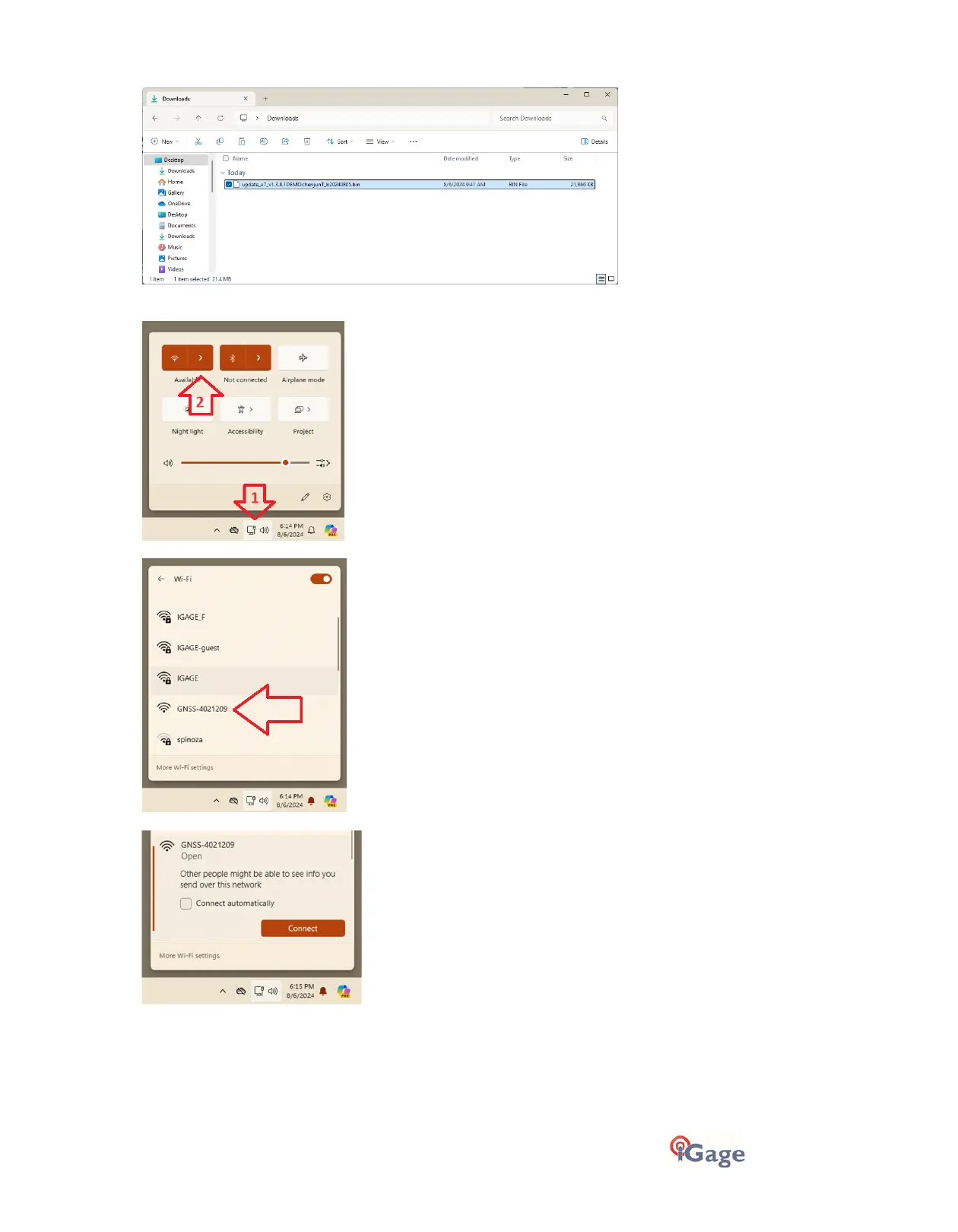
3. Verify the firmware is fully downloaded:
4. Connect to the receiver by Wi-Fi:
Click on the network icon in tool tray (1), then expand the list of available connections (2):
Click on the device with GNSS-serial_number of your receiver:
Click on Connect. No password will be required for the i83:



 To Next Page