Local Operation
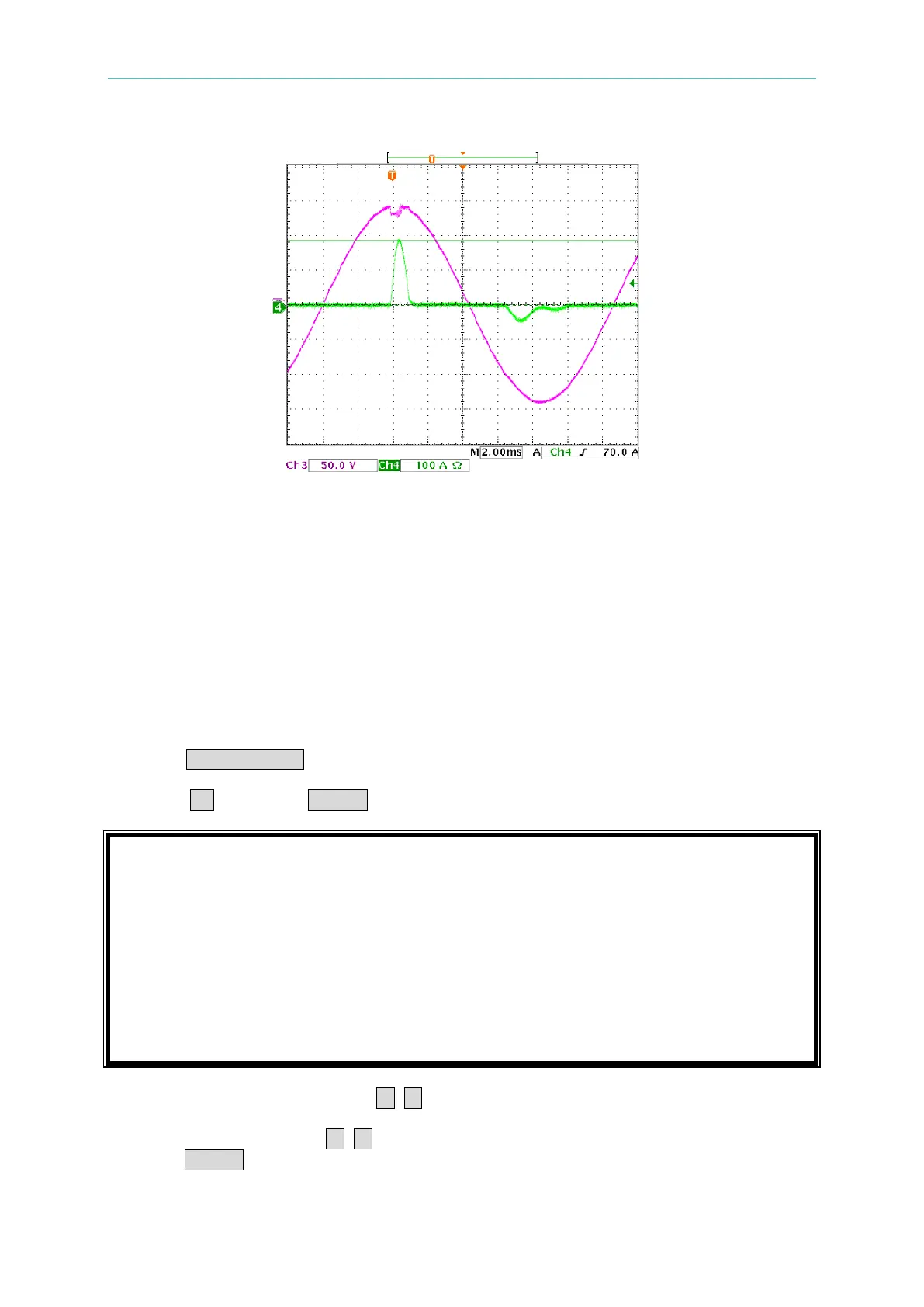
The below is the waveform figure of measured inrush current.
3.10 AC Load Simulation -- Timing Mode
Timing mode can be executed in CC, CR, CP and Rectified mode under AC mode. After
Load ON, the timer starts to count time. The timing mode has three methods for stopping the
count. 1. Load OFF. 2. The UUT’s voltage is lower than the Cutoff voltage set. 3. The
timer has reached the time set. Moreover, 63800 also provides the function of measuring
transfer time. This function is mainly to measure the UPS’s transfer time from Main power to
Battery mode. However, the transfer time can only be used in CR mode under AC mode.
For switching to Timing mode, its setting methods are as follows.
1. Press CONF./LOCAL key.
2. Press 1 , then press ENTER to enter SETUP.
3. Move the cursor direction key ( ▲, ▼ ) to “1-6. TIMING MODE”.
4. Press the direction key ( ◄, ► ) or rotate the rotary knob to choose “HOLDUP”, then
press ENTER.



 To Next Page
 Loading...

