LPOD Outdoor Amplifier / Block Up Converter Revision 9
Ethernet-based Remote Product Management MN-LPOD
4–6
4.4 Telnet Interface
The LPOD provides a Telnet interface for the purpose of equipment M&C via the standard
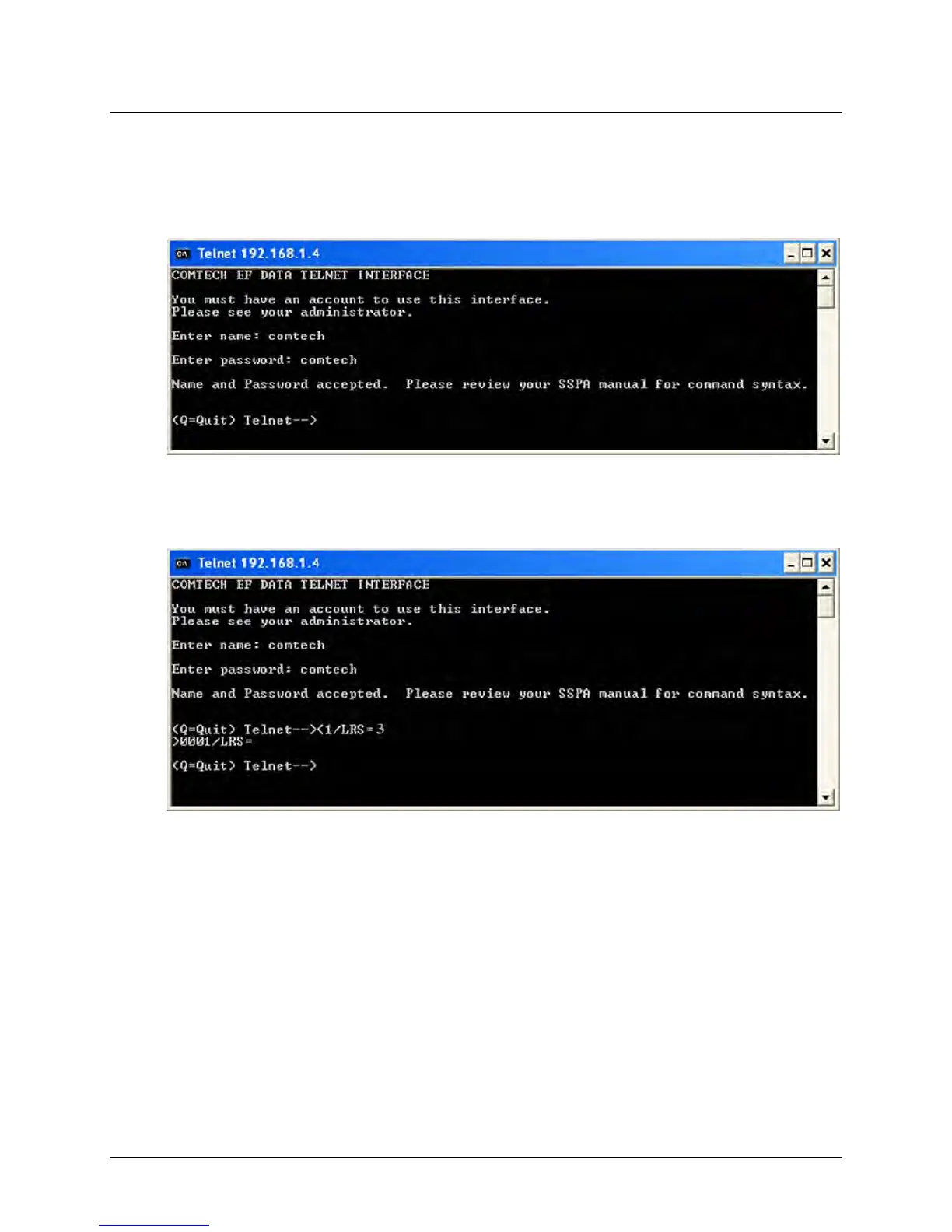
Remote Control protocol. The Telnet interface requires user login at the Administrator level and
Read/Write level. An example of the login process is shown here:
Once logged into the Telnet interface as the Administrator, you can access the standard remote
control interface defined in Chapter 5. SERIAL-BASED REMOTE PRODUCT MANAGEMENT, as
shown here:
4.4.1 Using HyperTerminal for Telnet Remote Control Operation
There is a disadvantage when using Windows Command-line as a Telnet client with the standard
Remote Control protocol. Since Command-line cannot translate a ‘\r’ (i.e., carriage return or
“CR”) to a ‘\r\n’ (i.e., CR+line feed “LF”) for the messages coming from Telnet Server, any multi-
line Target-to-Controller response (e.g., the response to the FRW? query) will be displayed as
one line, with the latter lines overwriting the previous lines.
In order to view the full response messages, use of the HyperTerminal terminal emulation
program configured as a Telnet client is permissible.



 To Next Page