LPOD Outdoor Amplifier / Block Up Converter Revision 9
Ethernet-based Remote Product Management MN-LPOD
4–18
Click [Submit SNMP] to save any changes. Otherwise, click [Reset] to revert to the previously
assigned SNMP designations.
4.5.4.3 Config Pages
Click the Config tab, and then click the Amplifier, LNB, Utility, or Redundancy hyperlink to
continue.
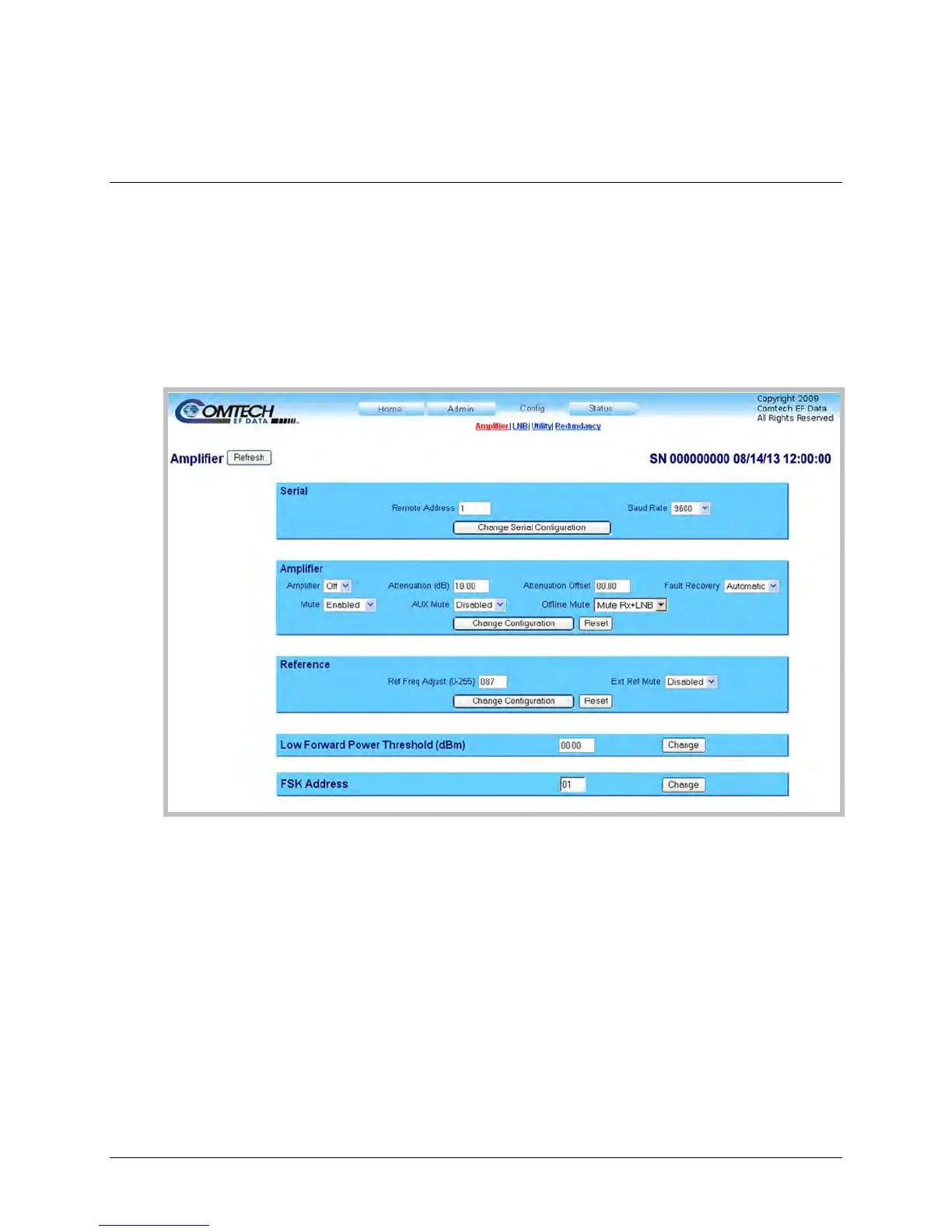
4.5.4.3.1 Config | Amplifier
Use this page to configure the communications, operations, and alarms/faults handling for the
amplifier.
Figure 4-6. Config | Amplifier Page
Click [Refresh] (at the top of the page) to update the page appearance to the current operating
configuration.
Serial
• Remote Address – Enter a valid physical remote address from 0001 to 9999.
• Baud Rate – Use the drop-down list to select the operating baud rate as 2400, 4800, 9600,
19200, or 38400 baud
Click [Change Serial Configuration] to save any changes.
Amplifier



 To Next Page